
WhatsApp Verified Badge (Blue Tick): Benefits, Eligibility & WhatsApp Business Verification Process (2026 Guide)
Discover the essential benefits of getting a WhatsApp Verified Badge
Customers are far more likely to engage with businesses they recognize and trust. As more customer conversations move to WhatsApp, verified business accounts help distinguish legitimate brands from impersonators and fraudulent accounts.
Obtaining a verified badge on WhatsApp involves more than submitting an application. Businesses must demonstrate authenticity, maintain consistent brand information, comply with Meta's policies, and build a credible online presence.
This guide explains the WhatsApp verification process, the differences between Meta Verified and Official Business Accounts, common reasons applications are rejected, and practical steps businesses can take to improve their chances of approval.
What Is WhatsApp Meta Verified?
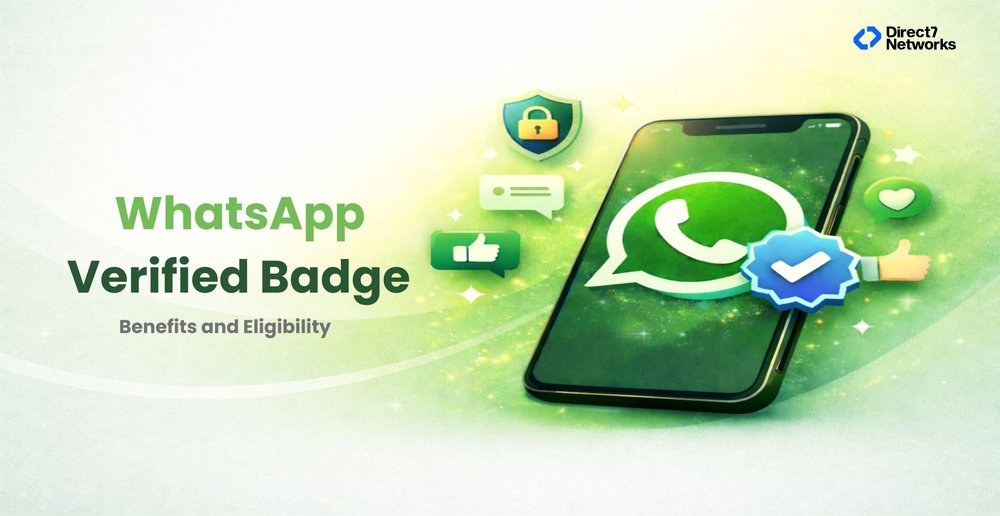
WhatsApp Meta Verified refers to Meta’s verification system that confirms the authenticity of a business account on WhatsApp. When a business becomes verified:
- A verified badge appears next to the business name.
- Customers can trust the account is genuine.
- The business name is displayed even if users have not saved the number.
Verified accounts are categorized as Official Business Accounts, meaning Meta has validated the business identity through its verification framework.
As messaging becomes a primary customer communication channel, Meta verification helps businesses stand out while protecting users from impersonation or fraud.
Why WhatsApp Verification Matters for Businesses
Verification is no longer just branding — it directly impacts customer behavior.
- Builds Instant Trust
Customers are more likely to engage with verified brands.
- Improves Response Rates
Messages from verified businesses feel safer and more credible.
- Protects Brand Identity
Verification reduces impersonation risks.
- Boosts Conversion Performance
Trust leads to higher inquiry and purchase rates.
- Strengthens Professional Image
A verified badge signals legitimacy and authority.
Who Can Apply for WhatsApp Verification?
Businesses across industries can apply if they meet Meta’s authenticity standards:
- Registered companies
- E-commerce brands
- Financial services providers
- Healthcare organizations
- Travel companies
- SaaS platforms
- Enterprises using WhatsApp Business API
Both small businesses and enterprises can pursue the WhatsApp Meta Verified status.
Is Your Business Ready for WhatsApp Verification?
Before applying, businesses should assess whether they meet Meta's expectations for authenticity and consistency.
Is your business legally registered?
Meta typically verifies legitimate businesses with supporting legal documentation.
Have you completed Meta Business Verification?
Business verification is often a prerequisite before additional verification requests can be considered.
Is your website complete and up to date?
Your website should clearly describe your business, products or services, and include accurate contact information.
Is your branding consistent?
Business names, logos, websites, and contact information should match across WhatsApp, Meta Business Manager, and your public website.
Are you actively using WhatsApp Business?
Businesses with established messaging activity and good customer interactions generally present a stronger verification profile.
Can customers verify your business independently?
Public references such as company websites, social profiles, and business listings help reinforce authenticity.
WhatsApp Business Verification Process (Step-by-Step)
Understanding the WhatsApp business verification process is essential before applying.
Step 1 — Create a WhatsApp Business Account
Set up a complete business profile with accurate details.
Step 2 — Verify Meta Business Manager
Submit company documents inside Meta Business Manager for verification.
Prepare official business documents before starting verification. Depending on your region, Meta may request company registration certificates, tax documents, utility bills, or other proof of business identity.
Step 3 — Configure Business Information
Ensure consistency across:
- Business name
- Website
- Contact details
- Branding assets
Display names should accurately represent your business. Names that contain excessive keywords, promotional phrases, or inconsistent branding may be rejected during review.
Step 4 — Apply for Verification
Request verification through the WhatsApp Business App or API provider. Before submitting your request, review your business profile, display name, website, and contact information to ensure they match across all Meta properties.
Step 5 — Meta Review
Meta evaluates:
- Business authenticity
- Brand presence
- Policy compliance
- Messaging quality
Meta evaluates multiple factors, including business authenticity, public presence, compliance with messaging policies, and overall account quality. Approval depends on the complete profile rather than a single requirement.
Step 6 — Verification Approval
Once approved, the verified badge appears next to your business name.
How to Get Verified Badge on WhatsApp
Many businesses search for how to get a verified badge on WhatsApp, but approval depends on preparation rather than the application alone.
There are two main methods:
Method 1: WhatsApp Business App
Best for small or growing businesses.
Process:
- Open WhatsApp Business settings.
- Access verification options.
- Submit business information.
- Complete identity verification.
- Wait for Meta approval.
Method 2: WhatsApp Business API (Recommended for Scaling Businesses)
The API route is ideal for companies managing customer communication at scale.
Steps:
- Onboard with an official Business Solution Provider.
- Complete Meta business verification.
- Optimize business profile and display name.
- Submit Official Business Account request
- Undergo Meta evaluation.
- Receive verified badge upon approval.
API onboarding ensures better compliance and structured verification support.
WhatsApp Meta Verified Cost
Verification costs vary depending on the method used.
App-Based Verification
Meta may offer subscription-based verification depending on region.
API-Based Verification
Costs may include:
- API onboarding
- Messaging conversations
- Platform service fees
Important: Payment does not guarantee approval. Eligibility remains the deciding factor.
What Meta Reviews Before Granting Verification
Meta evaluates several signals before approving a verification request.
Business Authenticity
Your business must represent a legitimate organization with verifiable legal information.
Brand Consistency
Business names, logos, websites, and contact information should remain consistent across platforms.
Public Presence
An established online presence helps Meta validate your business identity.
Policy Compliance
Businesses must follow WhatsApp Business Messaging Policies and Commerce Policies.
Messaging Quality
Healthy messaging practices, customer engagement, and low complaint rates contribute to long-term account quality.
Verification is based on a combination of these factors rather than any single requirement.
Common Reasons Verification Requests Are Rejected
Understanding rejection reasons improves approval chances.
Weak Brand Presence
Limited online visibility or credibility.
Inconsistent Business Information
Mismatch between website and Meta details.
Incomplete Verification Documents
Missing legal or business information.
Policy Violations
Spam-like or non-compliant messaging.
Low Messaging Quality Rating
Poor customer interaction history.
Tips to Get WhatsApp Meta Verified Faster
Businesses can strengthen approval probability by:
- Maintaining a professional website
- Building media and online presence
- Keeping consistent branding everywhere
- Completing Meta Business verification early
- Maintaining good messaging practices
- Using WhatsApp Business API responsibly
Industry Benefits of WhatsApp Verification
| Industry | Key Advantage | Why Verification Matters |
|---|---|---|
| Retail | Trusted purchase conversations | Customers feel more confident completing purchases when conversations originate from an authenticated business account. |
| Banking | Secure communication | Verified messaging helps reassure customers that sensitive account notifications originate from the legitimate financial institution. |
| Healthcare | Verified appointment messaging | Patients can identify trusted healthcare providers more easily when appointment reminders come from verified business accounts. |
| Travel | Reliable booking updates | Verified accounts improve confidence when sending booking confirmations, itinerary updates, and travel notifications. |
| E-commerce | Reduced fraud concerns | Verification helps reduce concerns about fraudulent sellers while improving customer trust during order support conversations. |
| SaaS | Professional onboarding experience | Verified messaging creates a more professional onboarding experience and supports trusted customer communication throughout the product lifecycle. |
How D7 Networks Supports WhatsApp Verification
Business Verification Guidance
D7 Networks helps businesses prepare their Meta Business accounts by reviewing documentation, business profiles, and verification readiness before submission.
WhatsApp Business API Onboarding
D7 assists with WhatsApp Business API onboarding, display name approval, integration planning, and messaging setup to simplify deployment.
Messaging Best Practices
Beyond verification, D7 helps businesses build compliant messaging workflows that support customer engagement while following Meta's messaging policies.
Conclusion
As customer communication increasingly shifts to messaging platforms, establishing trust has become just as important as delivering messages. A verified WhatsApp business account helps customers recognize legitimate brands, reduces uncertainty, and supports stronger customer relationships.
Successfully obtaining a verified badge requires more than submitting an application. Businesses should prepare accurate documentation, maintain consistent branding, follow Meta's messaging policies, and build a credible online presence before requesting verification.
Organizations using the WhatsApp Business Platform should also view verification as part of a broader communication strategy. Reliable onboarding, compliant messaging practices, and high-quality customer interactions all contribute to long-term success. Providers such as D7 Networks can support businesses through WhatsApp Business API onboarding, verification readiness, and messaging implementation to help build trusted customer communication at scale.