
How to Sync SMS with CRM Data for Better Customer Engagement
Most teams already have a CRM packed with valuable customer data—names, phone numbers, deal stages, appointment dates, support tickets, and more. Yet despite all this information, many businesses still send SMS messages that feel generic, poorly timed, or disconnected from what customers are actually doing.
That’s the gap.
SMS only becomes truly powerful when it’s driven by CRM data.
When your messages respond to real activity inside your CRM, communication feels timely and relevant. Customers receive the right message, at the right moment, based on where they are in their journey without your team manually chasing follow-ups.
Instead of reminders sent too late or updates sent blindly, SMS becomes a natural extension of your CRM workflows.
In this article, we’ll explain:
- Why syncing SMS with CRM data dramatically improves engagement
- Where CRM-driven SMS works best in real business scenarios
- How to set it up cleanly, without over-engineering your systems
Done right, CRM-powered SMS doesn’t add more communication it makes every message count.
Why CRM-Driven SMS Works Better Than Standalone Messaging
CRM data reveals intent. SMS delivers immediacy. When you combine the two, engagement improves for one simple reason: relevance.
Email is effective for long explanations, updates, and newsletters. SMS, on the other hand, performs best when timing matters, such as confirmations, reminders, quick updates, or nudges that require immediate attention. CRM data tells you exactly when those moments occur.
Instead of sending the same message to everyone, CRM-driven SMS allows you to:
- React to specific customer events
- Personalize messages using live CRM data
- Reduce manual follow-ups
- Keep communication short, timely, and useful
This approach isn’t about sending more messages. It’s about sending fewer, better messages at moments when customers are most likely to engage.
What “Syncing SMS with CRM Data” Actually Means
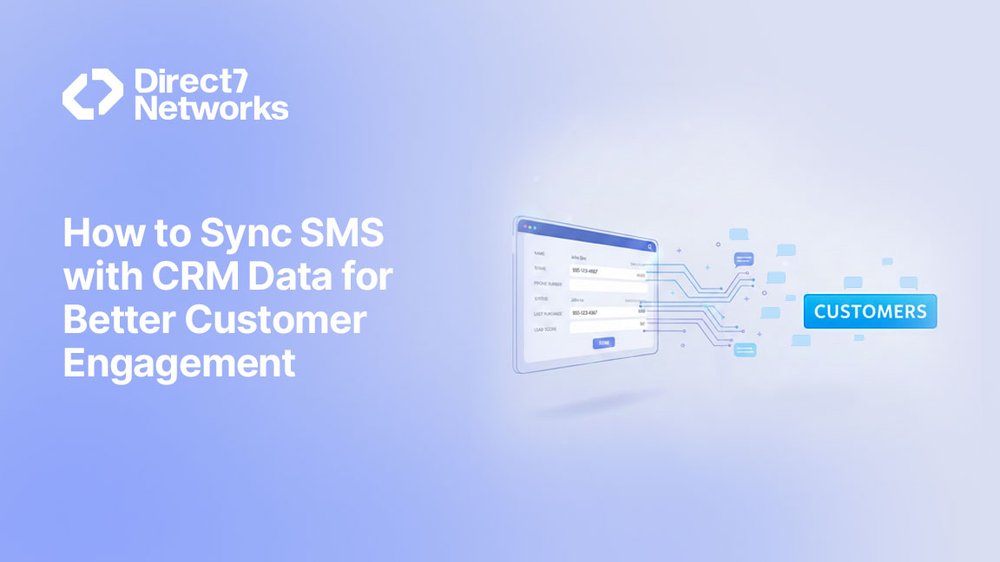
In simple terms, syncing SMS with CRM data means your messages are triggered by what’s happening inside your CRM.
Instead of manual sends or generic broadcasts:
- Your CRM automatically triggers messages
- Message content adapts based on CRM fields
- Timing is driven by real customer activity
You’re no longer copying contacts into an SMS tool or guessing when to follow up. Your CRM decides who receives a message and why.
Common CRM fields that power SMS workflows include:
- Lead status or lifecycle stage
- Deal stage updates
- Appointment dates and times
- Payment or invoice status
- Support ticket changes
- Location, tags, or priority flags
Once these data points are connected to SMS, communication feels timely and relevant natural rather than forced.
When SMS Works Better Than Email in CRM Workflows
SMS isn’t a replacement for email it’s a complement.
SMS performs best when:
- A response is needed quickly
- The message is short and easy to understand
- The required action is simple (confirm, reply, attend, pay, or check status)
Email continues to work well for:
- Detailed explanations
- Attachments and documents
- Policies or longer updates
A useful rule of thumb is this:
If a message can be read and acted on in under ten seconds, SMS is usually the better choice. Used together, SMS and email create a balanced communication strategy, each channel doing what it does best.
Real-World CRM → SMS Workflows That Improve Engagement
Below are practical CRM-driven SMS workflows teams use every day. None of these require complex engineering just clean CRM data and clearly defined triggers.
1. New Lead → Instant SMS Acknowledgment
Trigger:
A new lead is created in the CRM from a form, landing page, or advertisement.
What the SMS says:
A short confirmation acknowledging the inquiry, along with a clear next step.
Why it works:
Speed builds trust. Instant responses reduce drop-off and keep the lead engaged while interest is still high.
Outcome:
Higher response rates and fewer leads going cold before a sales conversation begins.
2. Deal Stage Change → Timely Follow-Up Reminder
Trigger:
A deal moves to a new stage in the CRM, such as Contacted, Demo Scheduled, or Proposal Sent.
What the SMS does:
Sends a notification to the customer or an internal alert to the assigned sales representative.
Why it works:
Sales teams stay on track with follow-ups, and customers remain informed about what’s coming next.
Outcome:
Shorter sales cycles and fewer deals stalling due to missed or delayed follow-ups.
3. Appointment Scheduled → SMS Confirmation and Reminder
Trigger:
An appointment date and time are added to the CRM.
What the SMS includes:
The appointment date and time, location or meeting link, and a simple reply option for confirmation or rescheduling.
Why it works:
SMS reminders are far more likely to be seen and acted on than email, making them highly effective at reducing no-shows.
Outcome:
Improved attendance and fewer wasted appointment slots.
4. Payment Overdue → Gentle, Context-Aware Reminder
Trigger:
An invoice status changes to overdue in the CRM.
What the SMS says:
A polite, context-aware reminder that references the invoice, without pressure or unnecessary detail.
Why it works:
SMS feels timely and personal, not like an automated warning buried in an email inbox.
Outcome:
Faster payments with fewer manual follow-ups from the finance team
5. Support Ticket Update → Status Alert
Trigger:
A support ticket status changes to Resolved or Waiting for Customer in the CRM.
What the SMS does:
Notifies the customer of the update without requiring them to check email or log into a support portal.
Why it works:
Customers appreciate transparency and timely updates, especially when issues are resolved.
Outcome:
Fewer inbound support calls and higher overall customer satisfaction.
How Teams Typically Set This Up (Without Over-Engineering)
Most teams don’t need custom code to sync their CRM with SMS.
Common setup approaches include:
- Native CRM integrations
- Automation platforms that connect CRM events to SMS
- Simple rules such as “when a field changes → send a message”
The key is to start small one workflow, one trigger, and one clear message. In many setups, platforms like D7 Networks act as the messaging layer, handling reliable delivery. The CRM controls the logic and timing, remaining the single source of truth, while SMS becomes the execution channel that delivers messages at the right moment.

Common Mistakes to Avoid
Even the best tools fall short when the basics are overlooked. Not every CRM event requires an SMS update. Avoid sending excessive messages for every single update. Choose moments that truly require attention. Skipping consent tracking. Always respect opt-in and opt-out rules. Messaging consent should be clearly recorded and maintained within your CRM. Using raw CRM data without cleanup Unformatted names, missing fields, or outdated statuses can lead to awkward or confusing messages. Treating SMS like email Long paragraphs don’t belong in SMS. Keep messages short, clear, and action-focused. Avoiding these common mistakes ensures your CRM-driven SMS feels helpful and intentional, never intrusive.
Measuring What Actually Matters
Success with CRM-driven SMS isn’t measured by how many messages you send it’s measured by the results those messages create. Focus on metrics such as:
- Response time to leads and customers
- Reduction in missed appointments or no-shows
- Speed of payment completion
- Consistency of sales follow-ups
- Customer satisfaction signals and feedback
CRM-driven SMS is about impact, not volume.
Final Thoughts
CRM data is only valuable when it’s activated. When SMS is tied to real customer activity, communication becomes timely, personal, and genuinely useful without adding extra work for your team. You don’t need dozens of workflows or complex logic. Even one well-designed integration can transform how customers experience your business. Start with a single moment that matters. Send one message that truly helps. Then build from there.