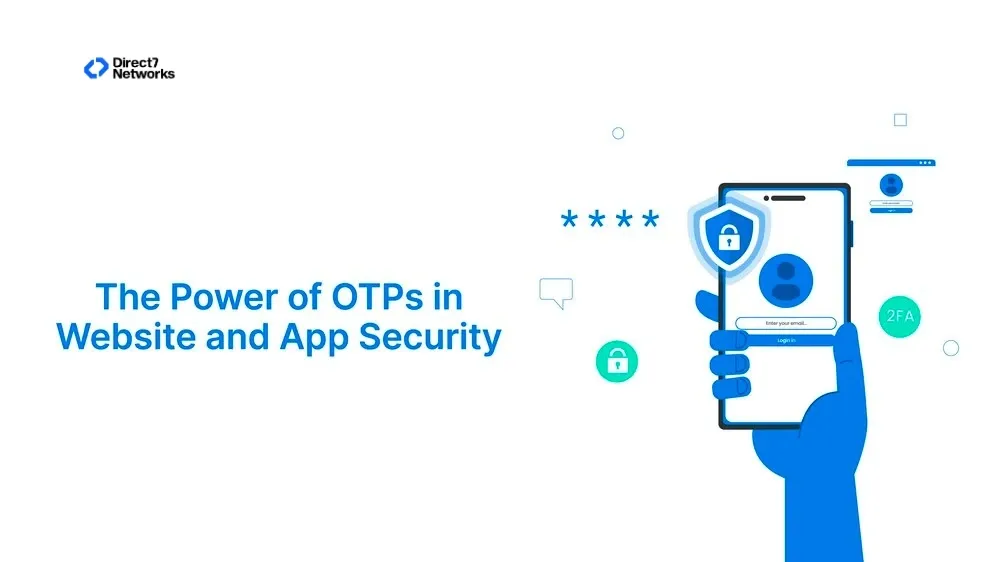

The Power of OTPs in Website and App Security
Explore the essential role played by OTP in website and app security.
The Power of OTPs in Website and App Security
A secure login must verify more than a username and password. Stolen credentials, reused passwords, and phishing attacks can expose accounts even when users follow basic security practices.
One-Time Passwords (OTPs) provide an additional verification step for logins, account recovery, transactions, and other sensitive actions. Businesses can deliver OTPs through SMS, WhatsApp, email, or authentication applications.
This guide explains how OTP authentication works, where websites and apps use it, common security risks, implementation best practices, and how to choose an appropriate OTP delivery channel.
How OTP Authentication Works
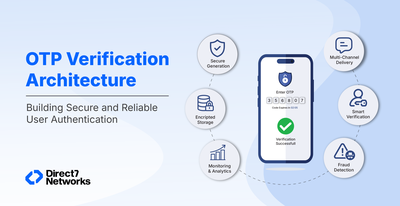
An OTP authentication flow connects the user's action, the application backend, and the delivery channel.
- User requests authentication: The user starts a login, registration, recovery, or sensitive transaction.
- Backend generates the OTP: The application creates a random, time-limited verification code.
- Authentication service stores the verification state: The backend associates the OTP with the relevant user, session, and expiry time.
- OTP is delivered: The system sends the code through SMS, WhatsApp, email, or another configured channel.
- User enters the code: The user submits the received OTP through the application.
- Backend validates the OTP: The server checks the code, expiration, user context, and attempt count.
- OTP becomes invalid: After successful verification, the system prevents the same code from being reused.
OTP generation and validation should remain on the server side. Client-side validation can expose authentication logic and create avoidable security weaknesses.
Implementation note: Use short expiration periods, single-use codes, attempt limits, request rate limits, and secure audit logging.
OTP vs Password vs Passwordless Authentication
| Authentication Method | Main Mechanism | Security Considerations | User Experience | Common Use Cases |
|---|---|---|---|---|
| Password | Static secret | Password reuse, phishing, credential theft | Familiar | Traditional login |
| OTP | Temporary verification code | Interception, phishing, SIM-swap risks | Simple | Login, recovery, transactions |
| Passwordless | Alternative authentication method | Depends on implementation | Low friction | Modern application login |
OTPs do not automatically provide stronger security than any other authentication method. Their effectiveness depends on the delivery channel and surrounding authentication controls.
Businesses should also consider rate limiting, fraud detection, account recovery controls, device signals, and the sensitivity of the protected action.
Role of OTP in Website/App login
The role of OTP in website and app logins is crucial, serving as a secure and effective method to authenticate users. It adds an extra layer of security, reducing the risk of unauthorized access during login. Many online platforms implement 2-factor authentication, making OTP a key component in ensuring secure access. This becomes particularly valuable when users forget passwords, as a quick OTP sent via mobile, WhatsApp, or email facilitates secure and easily restorable access. The uniqueness and one-time-use nature of OTP make it a robust defense against replay attacks, strengthening the overall security of the login process.
When Should Websites and Apps Use OTP?
OTPs can provide additional verification for several application workflows:
- New-user registration: Verify that users control the phone number or email associated with an account.
- Login verification: Request an additional code after password authentication or during passwordless login.
- Account recovery: Verify a user's registered contact channel before restoring account access.
- Password resets: Confirm the user's control of an approved recovery channel.
- Sensitive account changes: Reauthenticate users before changing passwords, phone numbers, or security settings.
- Payment confirmation: Add verification before selected financial actions.
- Device verification: Confirm access when users sign in from a new device.
- High-risk transactions: Add an authentication step when risk signals require stronger verification.
For high-risk applications, OTP alone may not provide sufficient protection. Businesses may need passkeys, hardware security keys, biometrics, or risk-based authentication.
Best Practices for Implementing OTP Authentication
Generate cryptographically secure codes: Use a secure random generator rather than predictable values.
Keep OTP validity short: Short validity periods reduce the time available for misuse.
Make OTPs single-use: Invalidate a code immediately after successful verification.
Limit verification attempts: Restrict incorrect attempts to reduce brute-force attacks.
Rate-limit OTP requests: Prevent automated systems from repeatedly requesting new codes.
Prevent OTP enumeration: Avoid revealing whether a phone number, email address, or account exists.
Protect OTP storage: Never expose OTP values through application logs, analytics systems, or client-side code.
Invalidate previous codes: Decide whether a newly generated OTP should invalidate older codes.
Monitor unusual activity: Track repeated requests, failed attempts, geographic anomalies, and suspicious device activity.
Use controlled fallback channels: Provide alternatives when a delivery channel fails, while applying the same security controls.
Common OTP Security Risks
SIM Swapping
Attackers can attempt to transfer a victim's phone number to another SIM. Businesses should consider additional risk signals before approving sensitive actions.
Phishing
Attackers can trick users into entering legitimate OTPs into fraudulent websites. OTPs reduce some credential risks but do not eliminate phishing.
OTP Brute Force
Attackers can repeatedly guess short codes when systems lack attempt limits. Rate limiting and account-level controls reduce this risk.
OTP Replay
An intercepted OTP becomes more dangerous when it remains valid after use or expiration. The backend should invalidate codes after successful verification.
Message Interception
SMS has different security properties from stronger cryptographic authentication methods. Sensitive applications should assess whether SMS provides adequate protection.
Account Recovery Abuse
Attackers may target recovery flows instead of normal login. Recovery mechanisms should receive the same security scrutiny as primary authentication.
Use case of OTP in website/App login
Some of the essential use cases of OTP in website/app login are discussed here,
- Two-Factor Authentication (2FA):
Get a temporary code through text messages, emails, or WhatsApp. This code is like a second key, making sure your log web/app is safe and confirmed.
- Secure Account Recovery:
When users forget their passwords and need to recover their accounts, OTP helps confirm their identity before allowing access
- User Registration Confirmation:
During web/app login, users might get OTP to ensure the contact information they gave is correct, confirming that the registered account is theirs.
- Protecting against phishing attacks:
Phishing attacks trick users into entering their login credentials on fake websites. OTPs can help mitigate this risk by requiring an additional code not displayed on the phishing website.
- Verifying sensitive actions:
For actions like making a payment, changing a password, or accessing sensitive data, apps and websites can use OTPs for additional verification. This helps prevent unauthorized access, even if someone gains access to the user's account.
- Password-less login:
Some apps and web Users only need to enter an OTP to log in. This can be more convenient and secure than traditional passwords, as users don’t have to remember complex passwords
- Fintech Login
Financial applications can use OTPs as an additional verification step during login or account recovery. Higher-risk actions may require stronger authentication controls.
- Digital Wallet Verification
Wallet applications can verify phone ownership during registration and apply additional authentication before sensitive account actions.
- Ecommerce Checkout
Businesses can request OTP verification for selected high-value transactions, account changes, or unusual checkout activity.
- SaaS Account Recovery
SaaS platforms can use OTPs to verify users during account recovery when passwords are unavailable.
- Healthcare Portal Access
Healthcare applications can use OTPs as one authentication factor, while applying stronger controls when users access sensitive information.
- Employee Application Access
Organizations can use OTPs for selected employee authentication workflows, especially when combined with device or identity controls.
- High-Value Transaction Confirmation
Businesses can request additional verification before selected high-value actions when their risk model identifies the need.
How to Choose an OTP Delivery Channel
| Channel | Internet Required | Accessibility | Security Considerations | Suitable Use |
|---|---|---|---|---|
| SMS OTP | No | Very high | SIM-swap and interception risks | Broad customer authentication |
| WhatsApp OTP | Yes | High where WhatsApp is available | Depends on account and device security | Customer-facing authentication |
| Email OTP | Yes | High | Email account compromise risk | Lower-risk verification |
| Authenticator App | Usually no | Device-dependent | Stronger than SMS in many scenarios | Higher-security authentication |
| Passkeys | No SMS dependency | Device and platform dependent | Strong phishing resistance | Modern high-security login |
No single delivery channel fits every authentication workflow. Businesses should select channels based on user access, risk level, regional availability, and recovery requirements.
A multi-channel strategy can provide fallback options without making every authentication event depend on one delivery method.
In the ever-changing online world, One-Time Passwords (OTPs) are a smart choice for making your app and website/app logins safer. When you use OTPs, you can trust that your accounts are well-protected, keeping unauthorized access at bay.
Direct7 Networks offers Two-Factor Authentication APIs that are both user-friendly and feature-rich. These APIs add a layer of security to safeguard your business and applications, ensuring secure user logins and authorized transactions.