


WhatsApp Authentication Templates
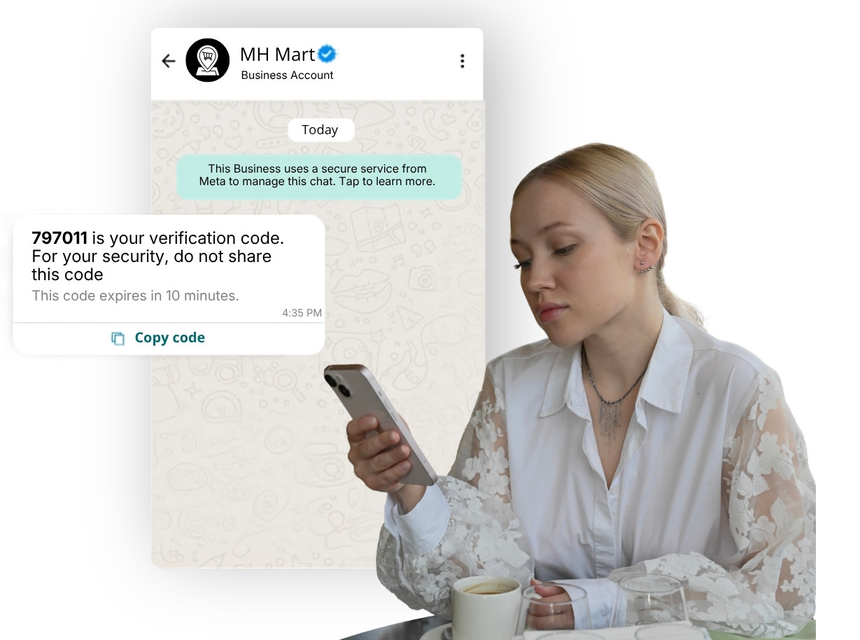
Authentication templates on WhatsApp enable businesses to deliver time-sensitive security messages such as OTPs, 2FA codes, login verifications, and device approvals. With near-instant delivery and a familiar chat interface, customers can verify actions quickly and securely, reducing friction at critical moments in the user journey.
What Are WhatsApp Authentication Templates?
Authentication templates are pre-approved WhatsApp message formats categorized under AUTHENTICATION. They are designed for sending security-related communications, typically containing one-time codes or confirmation prompts. These templates use variables (placeholders) to personalize content (for example, brand name, code, expiration time) while maintaining policy-compliant, non-promotional wording.
Because they are pre-approved, authentication templates ensure faster throughput and consistent compliance with WhatsApp Business Messaging policies, helping teams scale secure login and verification flows globally.
Why Businesses Use Authentication
- Strengthen security: Add reliable 2FA during sign-in, payment, or account changes.
- Improve user experience: Deliver codes where users already are on WhatsApp.
- Increase conversion: Faster code delivery reduces drop-offs during login and checkout.
- Boost deliverability: WhatsApp’s verified channel helps messages reach users quickly.
- Reduce support load: Clear, self-serve verification lowers password reset and login tickets.
Common Messaging Scenarios
- One-time passwords (OTP) for login or signup
- Two-factor authentication (2FA) prompts
- Device or browser verification requests
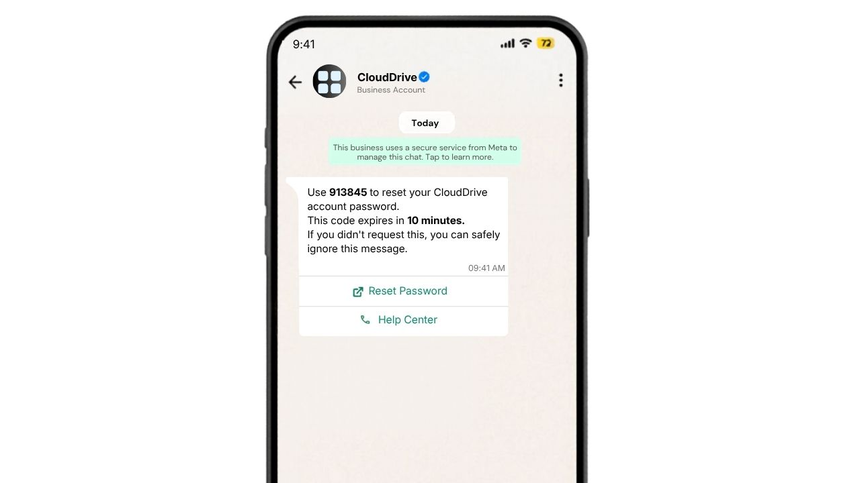
- Password reset and account recovery codes
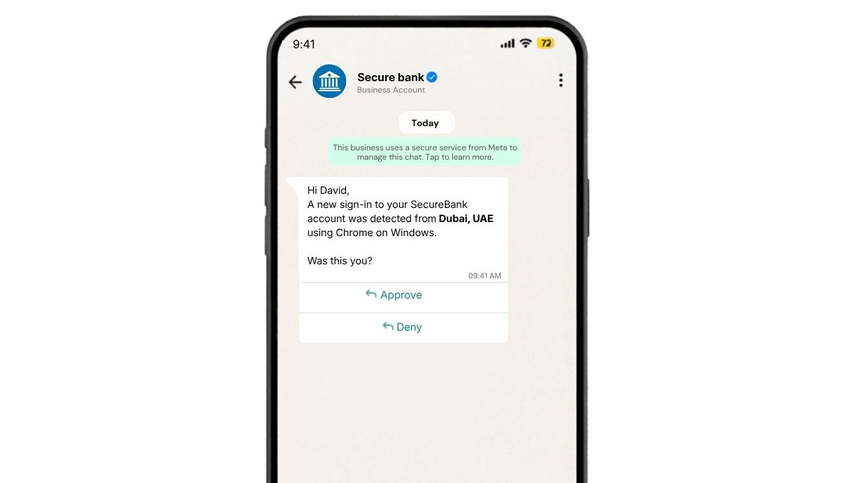
- Suspicious sign-in alerts with approve/deny
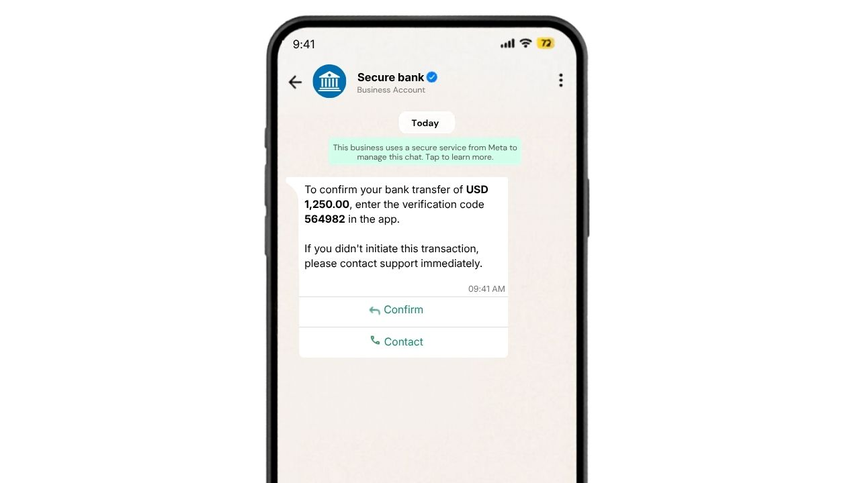
- Step-up authentication for high-value transactions
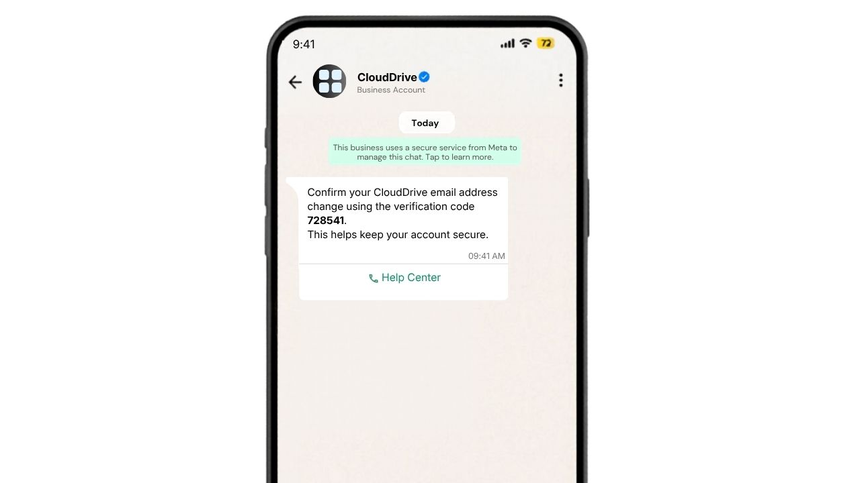
- Confirming changes to sensitive account details (email, phone, PIN)
WhatsApp Template Examples
OTP Login
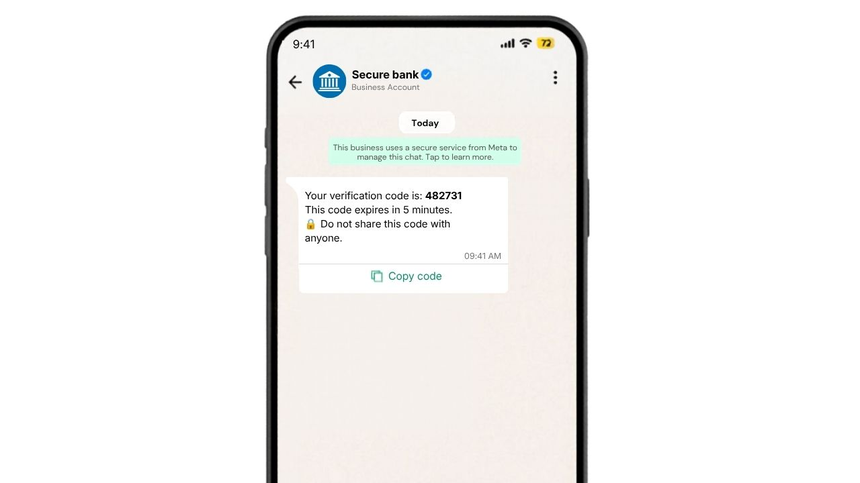
Device verify
Reset password
Transaction Verification
E-mail change verify
Best Practices
- Keep messages concise, neutral, and strictly non-promotional.
- Clearly identify your brand and purpose (e.g., “verification code”).
- Set short expirations and state them explicitly.
- Never include full PII or sensitive data; only what’s necessary to verify.
- Localize templates for target markets and test right-to-left scripts where relevant.
- Use buttons (Approve/Deny, Help Center) for quick, guided actions.
- Rate-limit attempts and include fraud warnings (e.g., do not share codes).
- Implement fallback channels (SMS, email) if WhatsApp delivery fails.
- Log template events and monitor conversion from send-to-successful verification.
Why Choose D7 WhatsApp API
- Fast, reliable delivery via enterprise-grade routing
- Simple template management and approval guidance
- Rich messaging features (variables, media, buttons) for clear verification flows
- Real-time webhooks and analytics to track OTP success rates
- Global coverage, local number options, and scale-ready throughput
- Secure by design: encryption in transit, role-based access, compliance-focused controls
- Developer-friendly SDKs, clear documentation, and responsive support
Frequently Asked Questions
Q1: What qualifies as an authentication template?
A: Templates used for security verification, such as OTP/2FA codes, device approval, or step-up confirmation. They must avoid promotional or marketing content.
Q2: Do authentication templates require WhatsApp approval?
A: Yes. Templates are submitted for review to ensure policy compliance before you can send them at scale.
Q3: Can I include buttons or links in authentication templates?
A: Yes. You can add quick reply or URL buttons for actions like Approve/Deny, Help Center, or open app, provided the content remains strictly authentication-focused.
Q4: How should I handle code expiration and retries?
A: Make expirations short (e.g., a few minutes), limit retry frequency, rotate codes per attempt, and clearly state the validity window to reduce fraud and confusion.
Q5: What data privacy considerations apply?
A: Keep messages minimal, avoid sharing sensitive PII, use unique per-attempt codes, and store verification logs securely in line with your compliance requirements.

Start Sending WhatsApp Templates with D7
Create, manage, and automate WhatsApp templates using D7 WhatsApp API.