


Customer Support WhatsApp Templates for Faster Resolutions
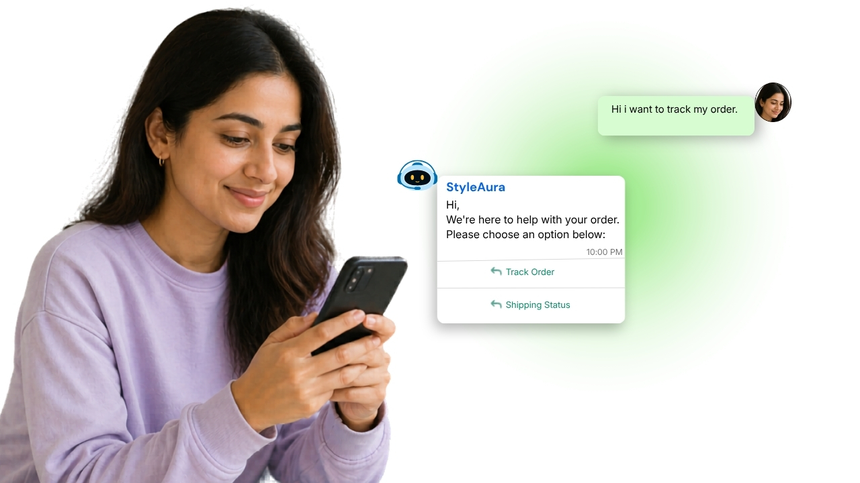
Customer Support WhatsApp templates are pre-approved message formats your team uses to resolve queries, share updates, and follow up with customers. Businesses trigger them for ticket acknowledgments, status changes, agent handoffs, and feedback requests. Template consistency, quick replies, and rich interactive elements make them effective over the WhatsApp Business API, ensuring fast, compliant communication at scale. Personalization placeholders keep messages relevant without manual effort.
What Are Customer support WhatsApp Templates?
Customer support templates are a subset of WhatsApp's Utility category, designed for service updates and issue resolution. To use them, you submit the template text, variables, and language for Meta review. Approval checks clarity, policy compliance, opt-in, and user value. Typical message types include ticket creation notices, case status updates, appointment reminders, agent transfer confirmations, troubleshooting steps, and post-resolution follow-ups. Approved templates can include variables, media, quick reply buttons, and call-to-action buttons, enabling structured, high-quality conversations at scale via the WhatsApp Business API.
Why Use WhatsApp for Customer Service Messages?
Higher Delivery Rates: WhatsApp's native channel ensures timely, read-receipt backed delivery for urgent updates, escalations, and status changes across regions.
Faster Resolution: Buttons, media, and variables guide users to the next best action, reducing handle time and repeat contacts for common issues.
Seamless Handoffs: Route from bot to agent with context preserved, improving CSAT while keeping conversations compliant with Meta policies and customer opt-in.
Category WhatsApp Template Examples
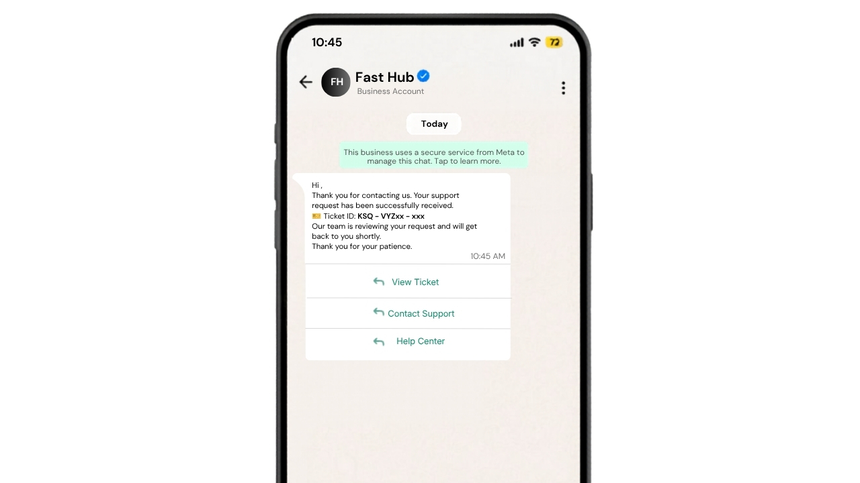
Ticket Acknowledgment and Case ID
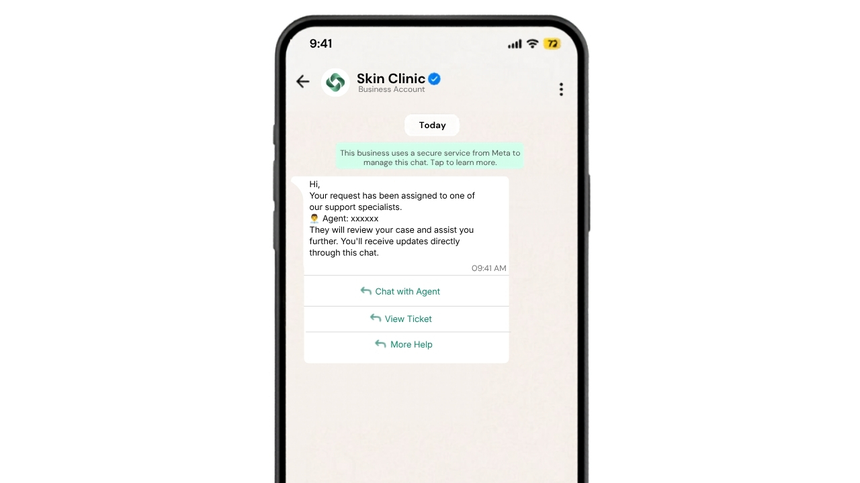
Agent Handoff Confirmation
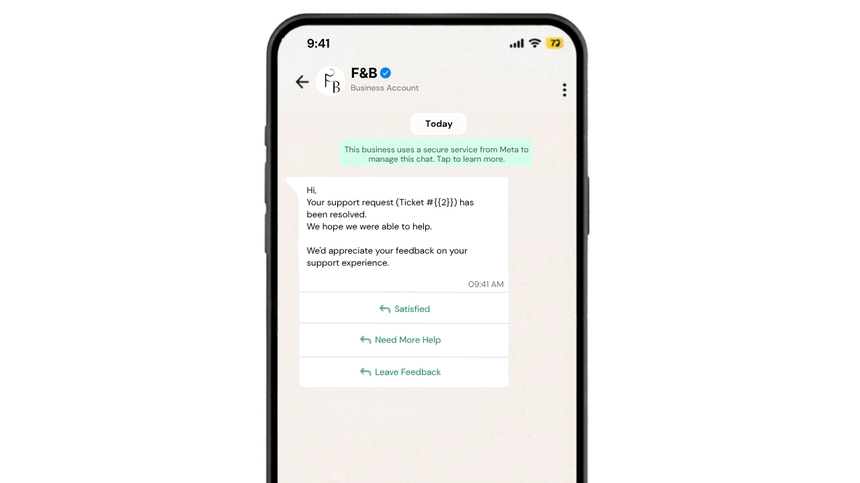
Issue Resolved Feedback Request
Frequently Asked Questions
Q: How do I get customer support templates approved by Meta?
A: Create a clear message with variables, choose language, and submit via your WhatsApp Business API provider. Meta reviews wording, utility purpose, and opt-in compliance. Avoid promotional content. Approval typically completes within minutes to a few hours, after which you can send at scale.
Q: What content is allowed in customer support templates?
A: Allowed content covers service updates and problem-solving: ticket creation, status changes, troubleshooting steps, appointment reminders, and handoffs. It must deliver user-requested value and respect opt-in. Marketing or cross-sell copy is not permitted in customer support templates.
Q: Can I personalize support templates and add buttons?
A: Yes. Use placeholders for names, order IDs, or dates. Add quick reply and CTA buttons to accelerate next steps, like View Ticket or Talk to Agent. Media attachments are supported where they aid resolution and comply with policies.

Launch WhatsApp Support Templates
Build, submit, and send via WhatsApp Business API on D7 Networks in minutes.