


E-commerce WhatsApp Templates for Online Stores, Retailers, and D2C Brands
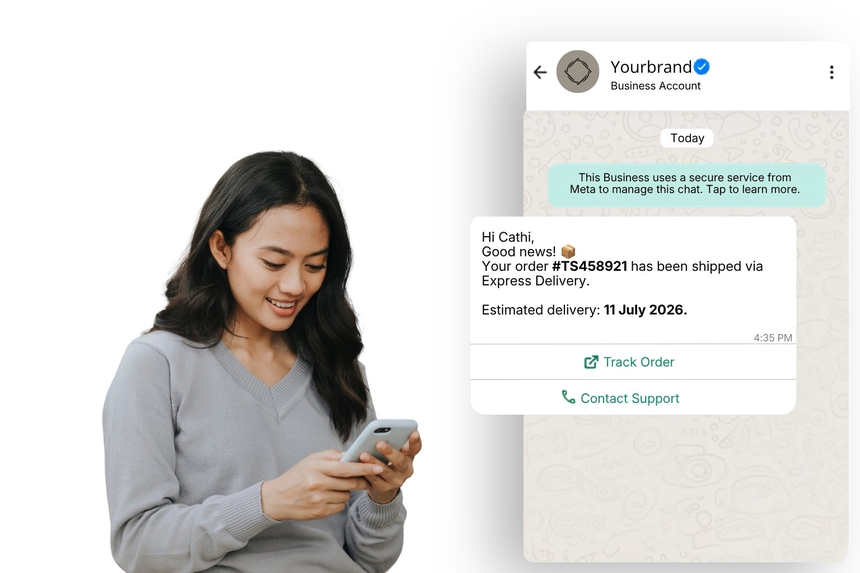
E-commerce WhatsApp templates help retailers, marketplaces, and D2C brands deliver timely order updates, product alerts, and purchase support at scale. By standardizing high-frequency messages, businesses can accelerate conversions, reduce service costs, and provide a delightful end-to-end shopping experience on a channel customers already use daily.
What Are E-commerce WhatsApp Templates?
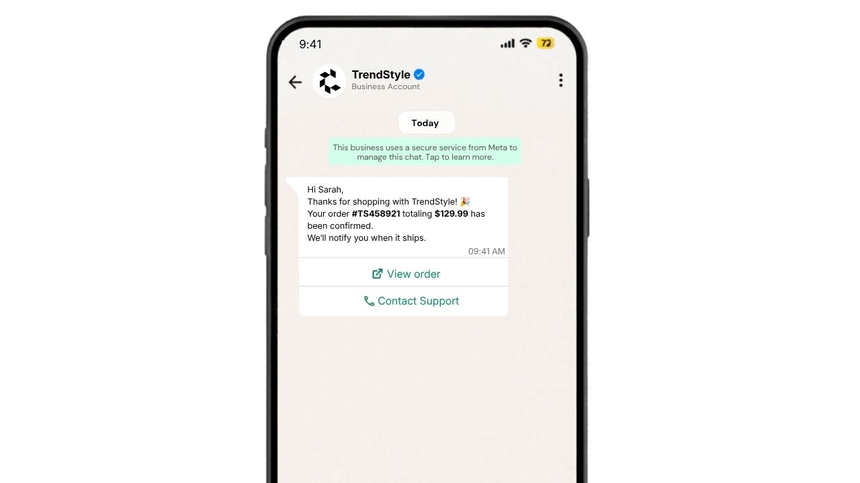
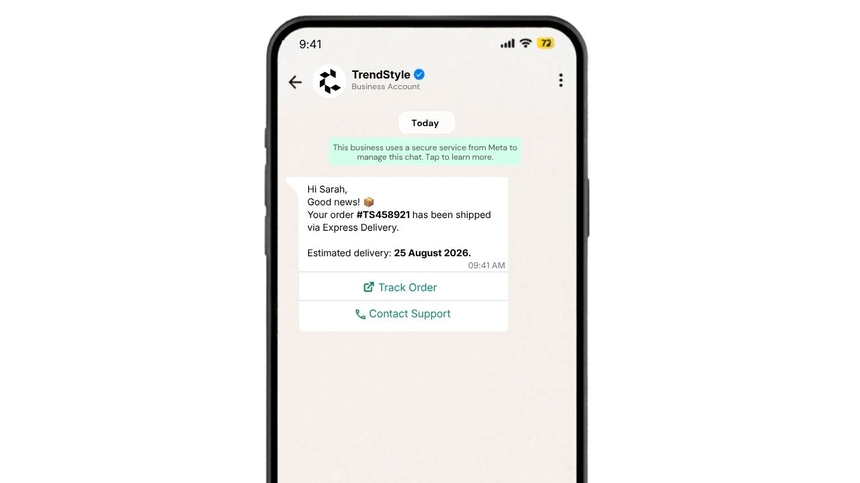
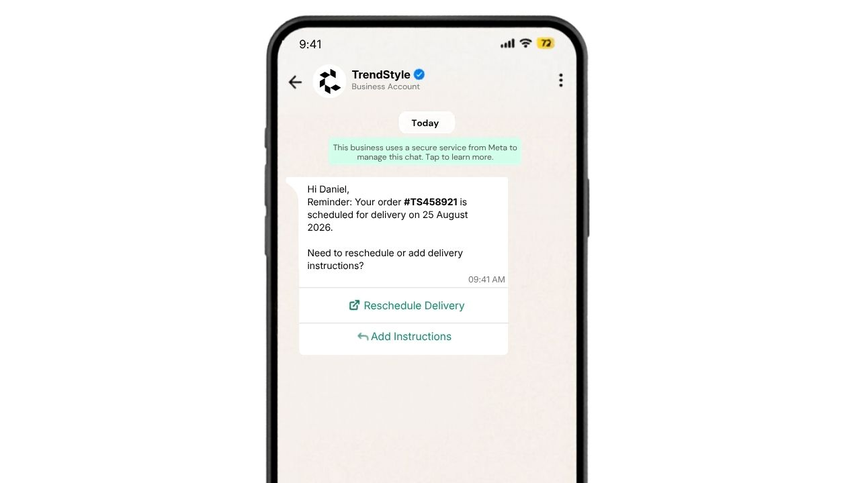
E-commerce templates are pre-approved WhatsApp message formats designed for the retail and e-commerce lifecycle, covering order confirmations, shipping notifications, delivery reminders, payment updates, stock alerts, and post-purchase support. These templates include variables (placeholders) so each message can be personalized with order IDs, names, tracking links, delivery dates, and more.
Why Businesses Use E-commerce Templates?
- Increase conversion by engaging shoppers at critical moments (cart recovery, back-in-stock, price drops)
- Reduce WISMO (Where Is My Order) inquiries with proactive shipping and delivery updates
- Improve customer satisfaction with fast, contextual support on WhatsApp
- Standardize compliance while accelerating message approvals and delivery
- Personalize at scale using placeholders and dynamic content
- Achieve higher open and response rates versus email or SMS in many markets
- Automate post-purchase flows to drive repeat purchases and reviews
Common Messaging Scenarios
- Order confirmation and invoice sharing
- Payment success, payment failure, or COD verification
- Shipping updates with tracking links and estimated delivery dates
- Delivery reminders, rescheduling, or address confirmation
- Click & Collect / in-store pickup readiness notifications
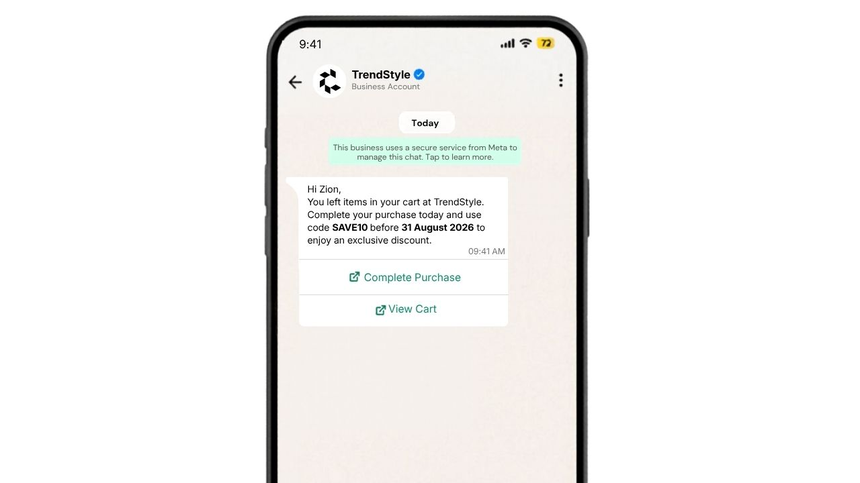
- Abandoned cart nudges with safe, compliant promotional content
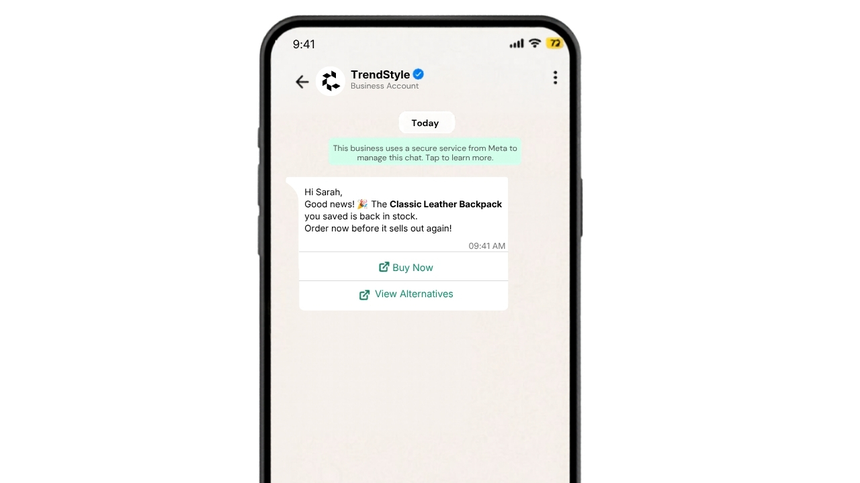
- Back-in-stock or price drop alerts for wishlisted items
- Returns, refunds, and exchange status updates
- Post-purchase care, warranty registration, and review requests
- Purchase recommendations and cross-sell based on recent orders
WhatsApp Template Examples
Order Confirmation
Shipping Update
Delivery Reminder Reminder
Abandoned Cart Recovery
Back-in-Stock Alert
Best Practices
- Keep messages concise, branded, and immediately useful
- Use clear variables (e.g., name, order ID, tracking link, delivery date)
- Choose the correct template category (utility, marketing, authentication) for compliance
- Obtain and honor explicit user opt-in; provide an easy way to opt out
- Localize content, currency, time, and date formats for each market
- Avoid excessive capitalization, emojis, or spammy language
- Include a support path or link for issues and returns
- Test templates with sample data before submitting for approval
- Monitor performance (send rate, delivery, read, reply, conversion) and iterate
- Keep links trustworthy (use your brand domain) and include UTM parameters for attribution
Why Choose D7 WhatsApp API
- Fast template submission and approvals with guided validation
- High deliverability via robust, geo-distributed infrastructure
- Rich personalization with variables, media, and language localization
- Intelligent routing, rate control, and failover for reliability at scale
- Webhooks and analytics for message status, engagement, and conversions
- Simple REST API, SDKs, and clear documentation for rapid integration
- Built-in consent management and compliance controls
- Enterprise-grade security, SLA-backed uptime, and 24/7 support
Frequently Asked Questions
Q1: Do I need WhatsApp approval for commerce templates?
A: Yes. Each template must be submitted and approved. D7 assists with validation to reduce rejections and speed up approvals.
Q2: Can I include promotions in commerce templates?
A: Yes, if categorized appropriately (e.g., marketing) and sent to opted-in users. Ensure the content is clear, compliant, and non-deceptive.
Q3: Can templates use media like invoices or product images?
A: Yes. You can attach media (PDF, images) where relevant e.g., invoices, product shots, return labels to enhance clarity and engagement.
Q4: How do I personalize messages at scale?
A: Use template variables for names, order IDs, links, and dates. D7’s API maps your dynamic data to placeholders at send time.
Q5: What metrics should I track for commerce flows?
A: Monitor delivery, read, and reply rates, CTR on links, conversion, cancellation/return rates, and resolution time for support-related messages.

Start Sending WhatsApp Templates with D7
Create, manage, and automate WhatsApp templates using D7 WhatsApp API.