


Healthcare WhatsApp Templates for Hospitals, Clinics, and Healthcare Providers
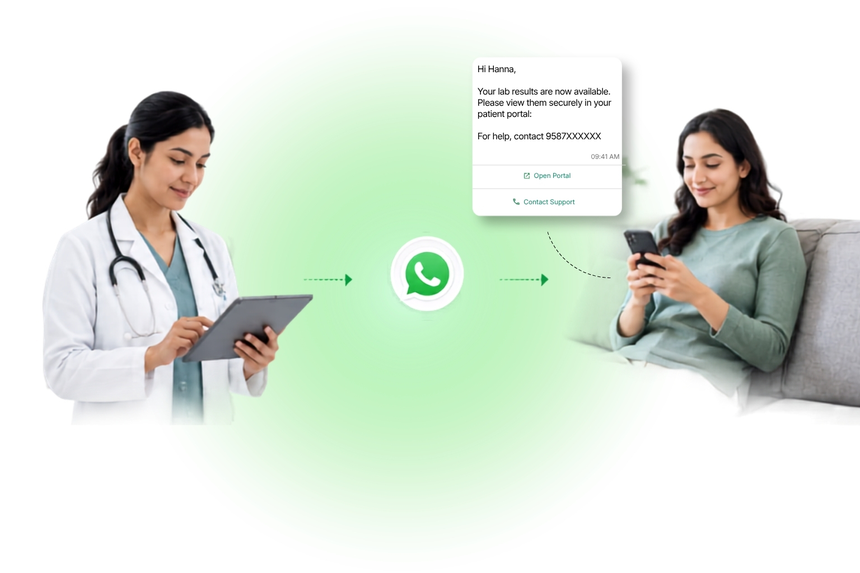
Healthcare organizations increasingly use WhatsApp to reach patients quickly, reliably, and securely. With pre-approved Healthcare WhatsApp Templates, clinics, hospitals, pharmacies, and insurers can automate critical notifications such as appointment reminders, telehealth links, prescription updates, and general care guidance, while maintaining a trusted, conversational experience.
What Are Healthcare WhatsApp Templates?
Healthcare WhatsApp Templates are standardized, pre-approved message formats designed for recurring patient communications. They support variables (placeholders), media, and interactive buttons to streamline confirmations, reminders, and service updates. Templates help safeguard quality and consistency, reduce manual effort, and ensure faster WhatsApp approval and delivery for healthcare-related messages that avoid sensitive personal health details.
Why Businesses Use Healthcare WhatsApp Templates
- Improve patient experience with timely, clear updates.
- Reduce no-shows and call center load via automated reminders and self-service options.
- Standardize communications for compliance and brand consistency.
- Accelerate time-to-send with pre-approved, reusable formats.
- Enable two-way conversations using interactive buttons and replies.
- Increase operational efficiency and team productivity.
Common Messaging Scenarios
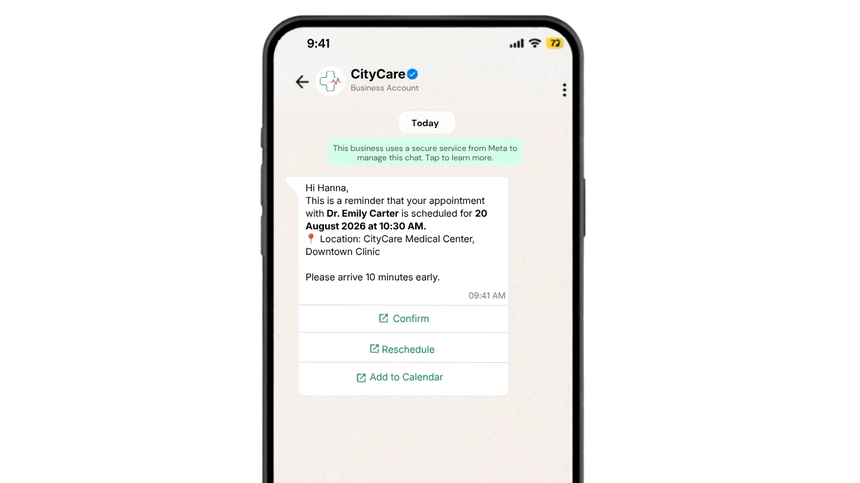
- Appointment confirmations, reminders, and rescheduling.
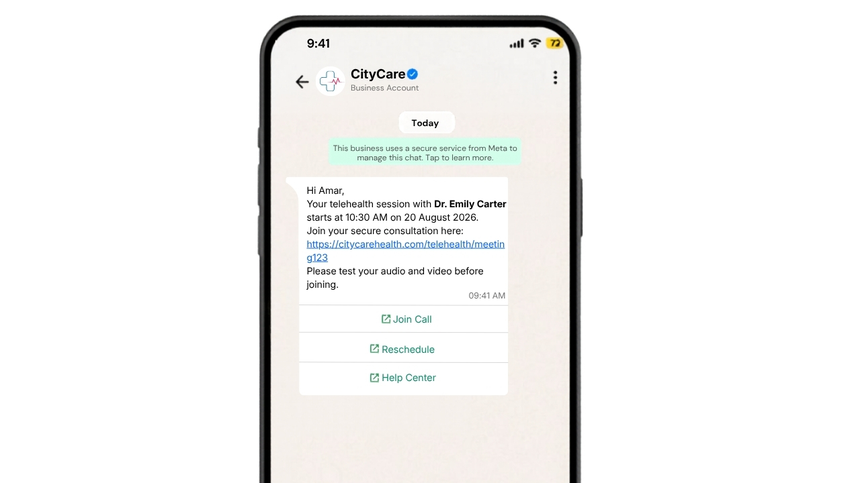
- Telehealth session invites and join links.
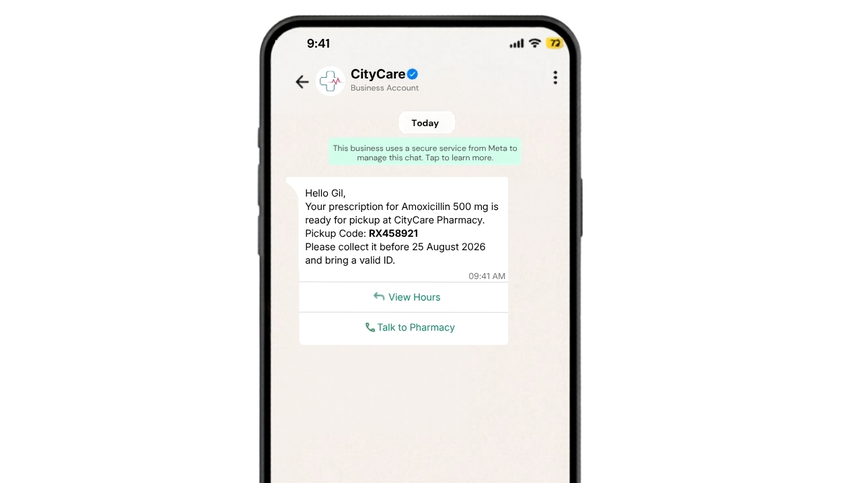
- Prescription refill notifications and pickup readiness.
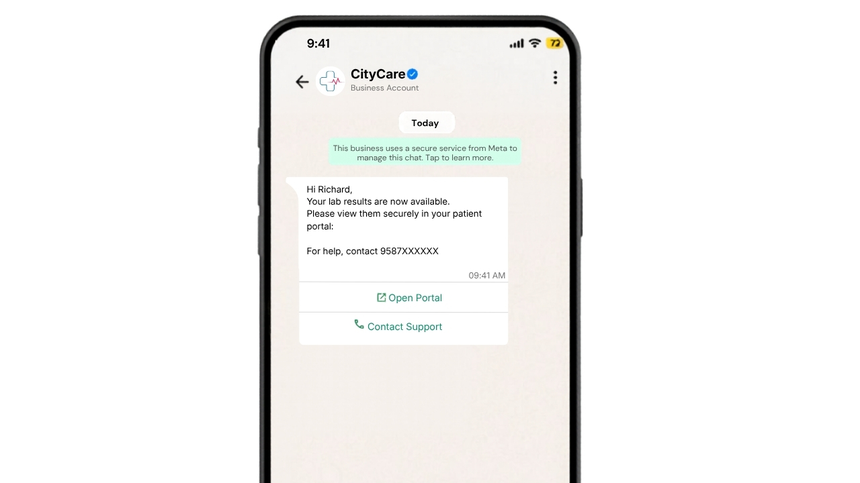
- Lab result availability alerts (directing patients to secure portals).
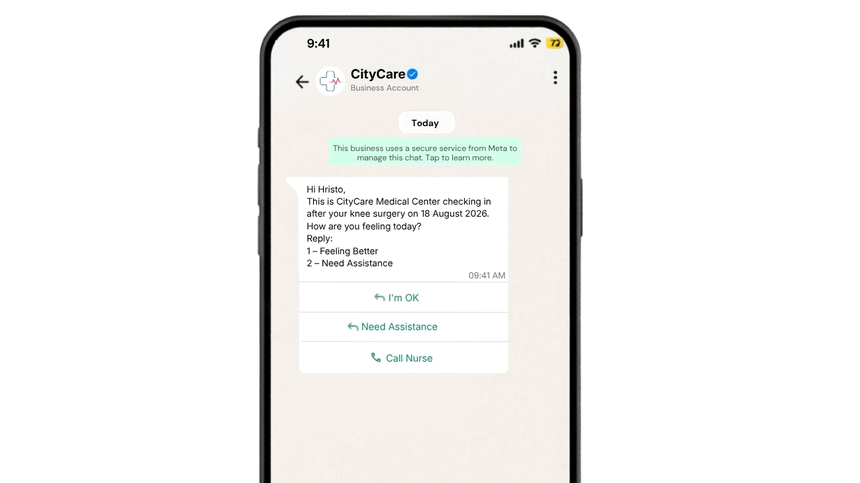
- Post-visit or post-discharge check-ins.
- Preventive care campaigns and vaccination drives.
- Insurance document requests and claim status updates.
- Clinic hours, directions, and queue updates.
WhatsApp Template Examples
Appointment Reminder
Telehealth Session Link
Prescription Ready for Pickup
Lab Results Available
Post-Discharge Check-In
Best Practices
- Obtain clear patient opt-in before messaging and honor opt-out requests.
- Avoid including sensitive personal health details in the message body; direct patients to secure portals for specifics.
- Keep messages concise, actionable, and time-bound.
- Validate placeholders (names, times, links) to prevent broken or incorrect details.
- Use interactive buttons to simplify confirmations and support.
- Localize language, time zones, and clinic details.
- Test templates before submission and monitor performance post-approval.
- Maintain clear audit trails for consent and messaging activity.
Why Choose D7 WhatsApp API
- Fast template submission, approval tracking, and version control.
- Reliable, scalable API with webhooks for delivery events and replies.
- High deliverability with routing optimized for global audiences.
- Support for message types: text, media, headers, footers, and interactive buttons.
- Granular access controls, logging, and audit-friendly reporting.
- Built-in analytics for read rates, response rates, and campaign insights.
- Expert onboarding and 24/7 technical support to accelerate go-live.
- Flexible pricing and easy integration with popular CRMs and patient systems via webhooks.
Frequently Asked Questions
Q1: What is a Healthcare WhatsApp Template?
A: It’s a pre-approved message format for recurring healthcare communications like reminders and status updates. Templates help ensure consistency, faster approvals, and reliable delivery.
Q2: Can I include sensitive patient information in WhatsApp templates?
A: Avoid sending sensitive personal health information in messages. Instead, notify patients and direct them to a secure portal or verified channel for details. Always follow applicable privacy regulations and your organization’s policies.
Q3: How do template approvals work?
A: You submit your template (with placeholders and any buttons) for review. Once approved by WhatsApp, you can send it at scale. D7 streamlines submission, tracks status, and helps optimize for approval.
Q4: Can I add buttons or media to healthcare templates?
A: Yes. You can include quick replies, call-to-action buttons, and media (like PDFs or images) when appropriate. Keep content concise and compliant.
Q5: How do I manage consent and opt-outs?
A: Collect opt-in via web forms, WhatsApp opt-in flows, or in-clinic processes, and store it in your CRM/EMR. Use D7 to respect opt-outs automatically and maintain audit trails.

Start Sending WhatsApp Templates with D7
Create, manage, and automate WhatsApp templates using D7 WhatsApp API.