


Marketing WhatsApp Templates for Customer Engagement and Promotions
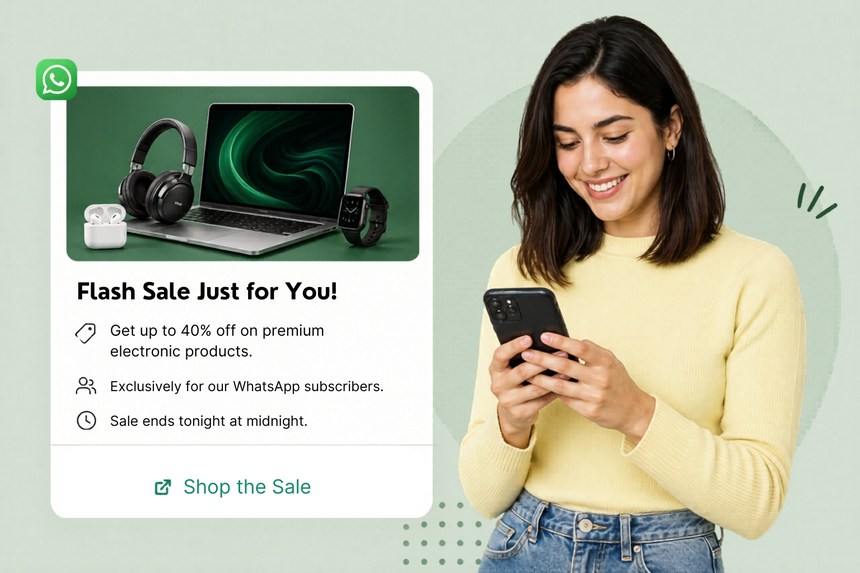
Marketing WhatsApp templates help brands reach opted-in customers with timely, personalized promotions at scale. With pre-approved content, you can launch campaigns faster, maintain compliance, and convert conversations into measurable revenue.
What Are Marketing Templates?
Marketing templates are WhatsApp’s pre-approved message formats used for promotional or informational campaigns such as product launches, discounts, reminders, and events. They support rich elements (header, body, footer), media, and interactive buttons. By standardizing content and variables, you can reuse templates across audiences while preserving personalization and ensuring policy compliance.
Why Businesses Use Marketing Templates
- Speed to market: Launch campaigns quickly without re-writing or re-approving messages.
- Consistency: Maintain brand voice and compliance across teams and geographies.
- Personalization at scale: Insert dynamic variables (name, offer, store, URL) to improve engagement.
- Higher engagement: Reach customers where they are active with real-time notifications.
- Conversion-focused: Use buttons and deep links to drive purchases, sign-ups, or visits.
Common Messaging Scenarios
- New product or collection launches - Limited-time offers, flash sales, and coupon drops
- Seasonal promotions - Black Friday, Eid, Diwali, Christmas, Back-to-School
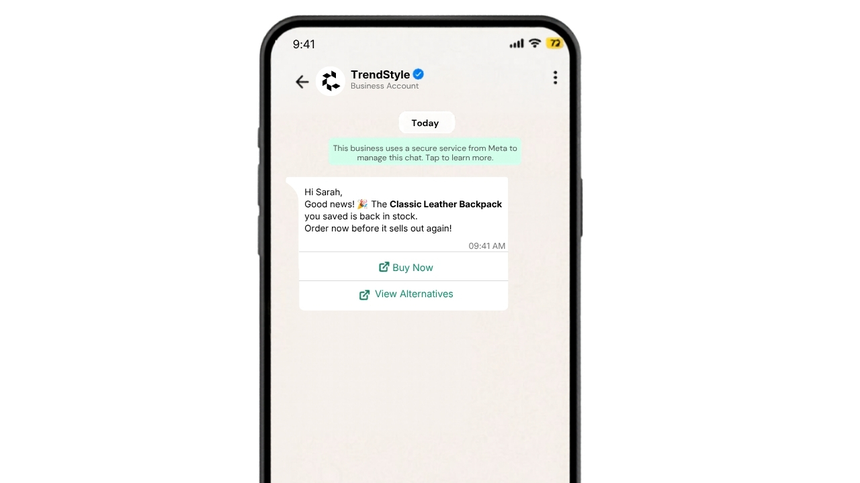
- Back-in-stock or price-drop alerts
- Event and webinar invitations with reminders
- Cross-sell and upsell recommendations
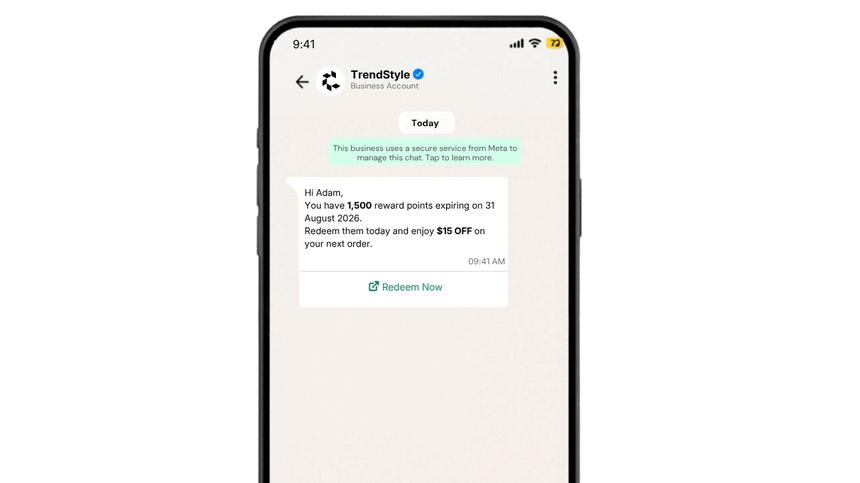
- Loyalty program updates and rewards nudges
- Store openings and location-based promotions
- Re-engagement of dormant users with value-led offers
WhatsApp Template Examples
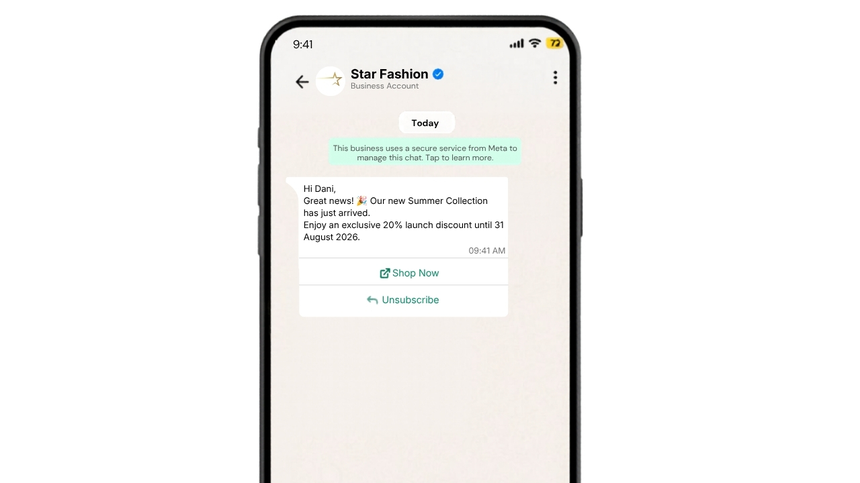
New Arrival
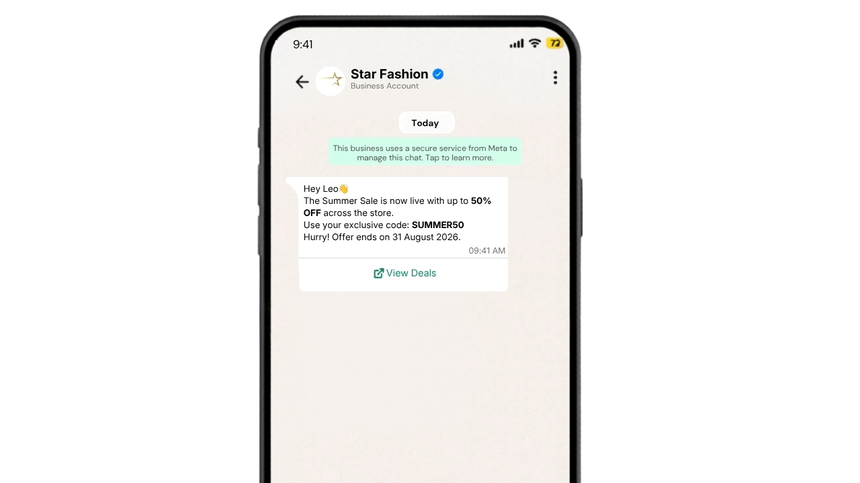
Seasonal sale
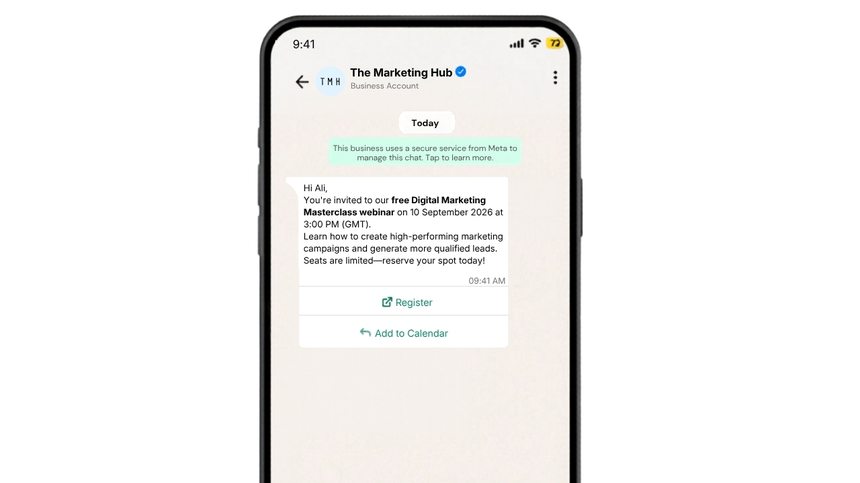
Event invite webinar
Back in stock alert
Loyalty reward nudge
Best Practices
- Obtain clear, verifiable opt-in and honor opt-outs in every message.
- Segment audiences by interest, lifecycle stage, and location to keep messages relevant.
- Lead with value: highlight benefits, urgency, and a single, clear call-to-action.
- Keep copy concise; use variables for personalization and avoid ALL CAPS or spammy phrasing.
- Time messages to local hours; frequency-cap to prevent fatigue.
- Use buttons and deep links with UTM tags to attribute conversions.
- A/B test copy, creatives, send times, and CTAs; iterate from analytics.
- Comply with WhatsApp policies, local regulations, and data privacy laws.
Why Choose D7 WhatsApp API
- Fast template submission and management with variables and components.
- High deliverability with enterprise-grade routing and global coverage.
- Interactive features: media headers, quick replies, and URL buttons.
- Webhooks and analytics for delivery, read receipts, clicks, and conversions.
- Robust automation: trigger campaigns from CRM, eCommerce, or backend events.
- Security and compliance controls with audit trails and role-based access.
- Expert support to optimize templates, approvals, and performance.
Frequently Asked Questions
Q: What qualifies as a Marketing template?
A: Any proactive message that promotes products, services, events, or offers value-led content (e.g., launches, discounts, invites) sent to opted-in users.
Q: Do I need customer opt-in?
A: Yes. You must secure clear consent before sending marketing messages and provide an easy opt-out in every conversation.
Q: Can I include links, buttons, or media?
A: Yes. WhatsApp templates support interactive buttons, deep links, media headers, and footers, subject to policy guidelines.
Q: How long does template approval take?
A: Approval times vary by policy checks, content, and language. D7 streamlines submission and notifications once the template is reviewed.
Q: How do I measure campaign performance?
A: Use D7 analytics and webhooks for deliveries and reads; pair with UTM-tracked URLs and conversion events in your CRM or analytics stack.

Start Sending WhatsApp Templates
Create, manage, and automate WhatsApp templates using D7 WhatsApp API.