


Payments WhatsApp Templates for Secure Billing and Payment Notifications
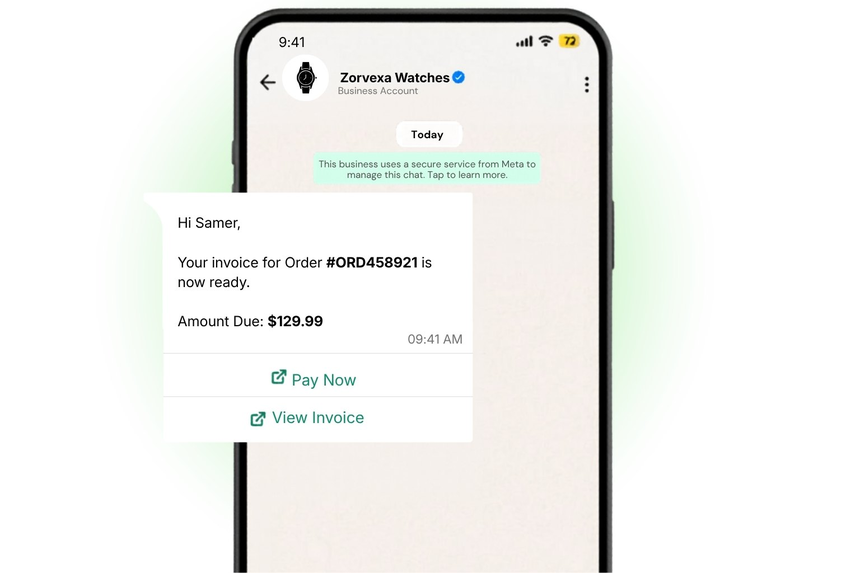
Turn payment moments into trust-building conversations. Payment-focused WhatsApp templates help you share payment links, send invoices, confirm receipts, and nudge customers to complete or retry a transaction, all in the channel they check most.
With D7 WhatsApp API, you can automate these messages across the entire billing cycle, reduce friction at checkout, and accelerate cash collection while keeping your brand compliant and responsive.
What Are Payments WhatsApp Templates?
Payment templates designed for finance and billing workflows. They are pre-approved, structured messages you can send to opted-in users to initiate, remind, confirm, or resolve payment-related actions. Examples include payment link shares, due reminders, COD confirmations, receipts, refunds, and subscription renewals.
Because templates are reviewed and approved by WhatsApp, they deliver reliably at scale and support personalization (e.g., customer name, amount, invoice number) through variables.
Why Businesses Use Payments?
- Reduce cart abandonment by delivering timely payment links and checkout nudges.
- Accelerate collections with automated due and overdue reminders.
- Improve customer trust via immediate payment confirmations and receipts.
- Lower support load by proactively notifying about failures, retries, and refunds.
- Increase renewal rates for subscriptions with scheduled reminders.
- Gain visibility with read receipts, delivery status, and link tracking.
Common Messaging Scenarios
- Payment link share after checkout initiation.
- Invoice or quotation delivery with due date.
- Upcoming, due, and overdue payment reminders.
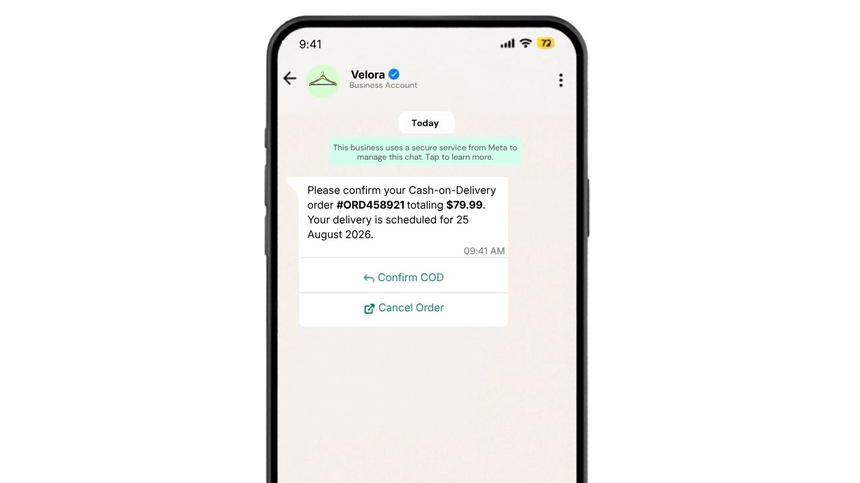
- Cash-on-Delivery (COD) confirmation to reduce no-shows.
- Successful payment receipt and tax invoice.
- Failed payment or 3DS authentication retry guidance.
- Subscription renewal reminders and confirmation.
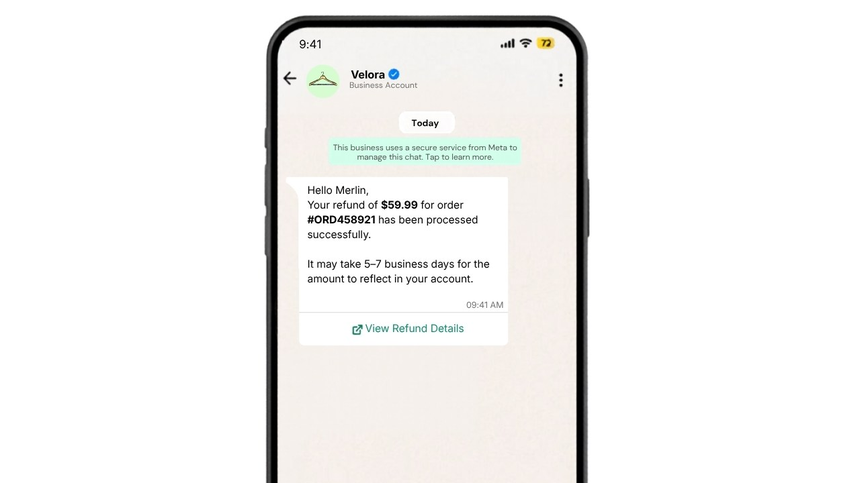
- Refund processed or partial refund notification.
- Chargeback/ dispute acknowledgement and next steps.
- Payment method update prompt for expired cards.
WhatsApp Template Examples
Payment Link Share
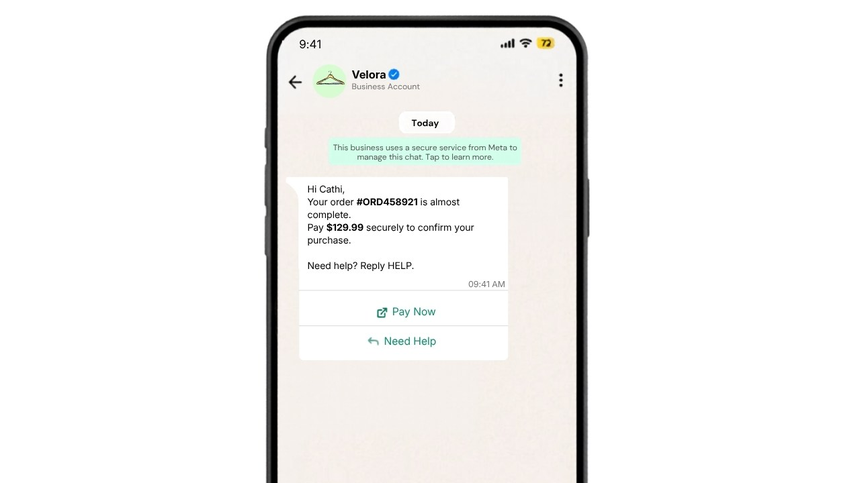
Invoice due reminder
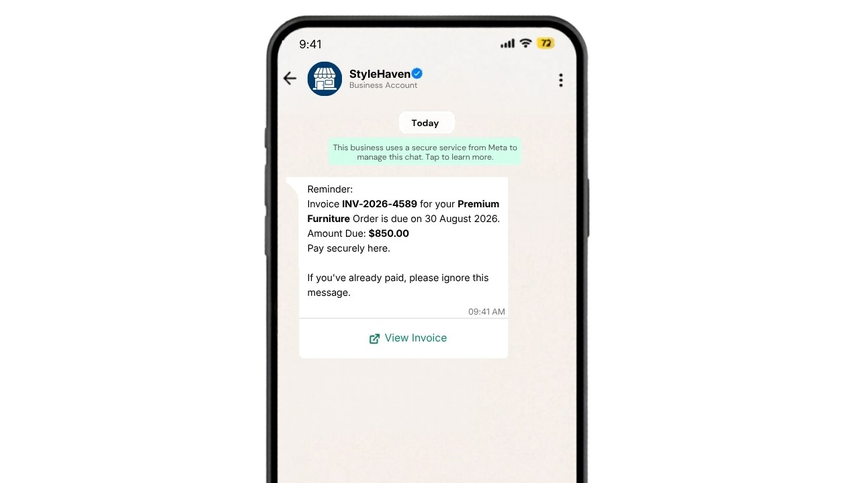
Payment receipt
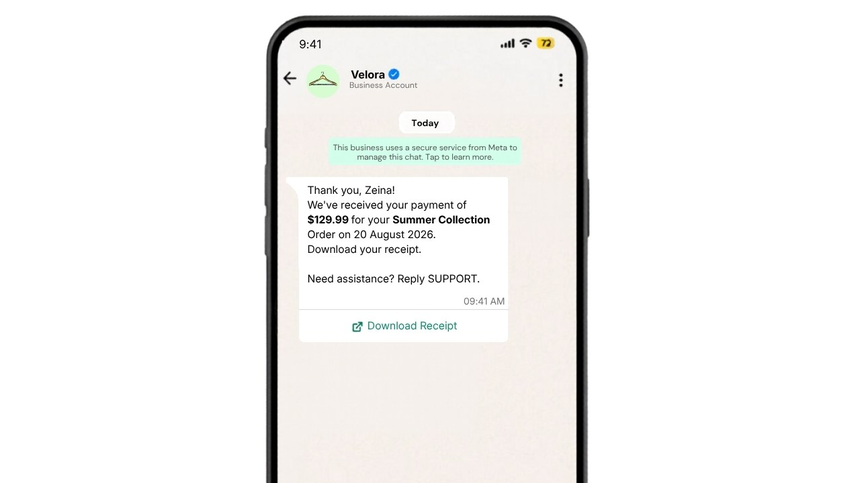
COD Confirmation
Refund processed
Best Practices
- Obtain and record explicit WhatsApp opt-in before sending payment messages
- State amounts and currency clearly; include invoice/order IDs for context
- Provide a secure payment link and a secondary support path (e.g., Help button)
- Keep reminders timely but respectful (e.g., T-3 days, due day, +3 days)
- Personalize with name and relevant details to increase completion rates
- Use concise copy and strong CTAs (Pay Now, View Invoice, Retry Payment)
- Avoid sending sensitive card data; never request full PAN or CVV on chat
- Localize language, currency, and time zones based on customer profile
- Track clicks and outcomes to optimize cadence and messaging
- Ensure templates comply with WhatsApp commerce and policy guidelines
Why Choose D7 WhatsApp API
- Fast, reliable delivery with high throughput for billing workflows
- Easy template creation, submission, and version control from one dashboard
- Interactive elements: buttons, quick replies, and media for richer payment flows
- Seamless integration with payment gateways and your backend via REST APIs and webhooks
- Real-time analytics: delivery status, reads, link clicks, and conversion tracking
- Robust security, data privacy controls, and global compliance readiness
- Scalable pricing and 24/7 expert support to keep revenue-critical messages flowing
Frequently Asked Questions
Q1: Do I need customer opt-in to send payment templates?
A: Yes. WhatsApp requires explicit user opt-in before initiating business messages, including payment-related templates.
Q2: Can I include payment links and buttons in templates?
A: Absolutely. You can add a secure payment URL and interactive buttons like Pay Now or View Invoice to streamline completion.
Q3: How are templates approved?
A: Submit templates via D7’s dashboard or API. D7 routes them to WhatsApp for review. You’ll receive status updates and can manage versions easily.
Q4: What about sensitive payment data?
A: Do not transmit full card numbers, CVV, or similar data on WhatsApp. Share secure links to your PCI-compliant checkout instead.
Q5: Can I automate reminder cadences and retries?
A: Yes. Use D7’s API, webhooks, and scheduling to trigger reminders based on invoice status, due dates, or failed payment events.

Start Sending WhatsApp Templates with D7
Create, manage, and automate WhatsApp templates using D7 WhatsApp API.