


Travel WhatsApp Template Examples for Booking, Check-In, and Customer Communication
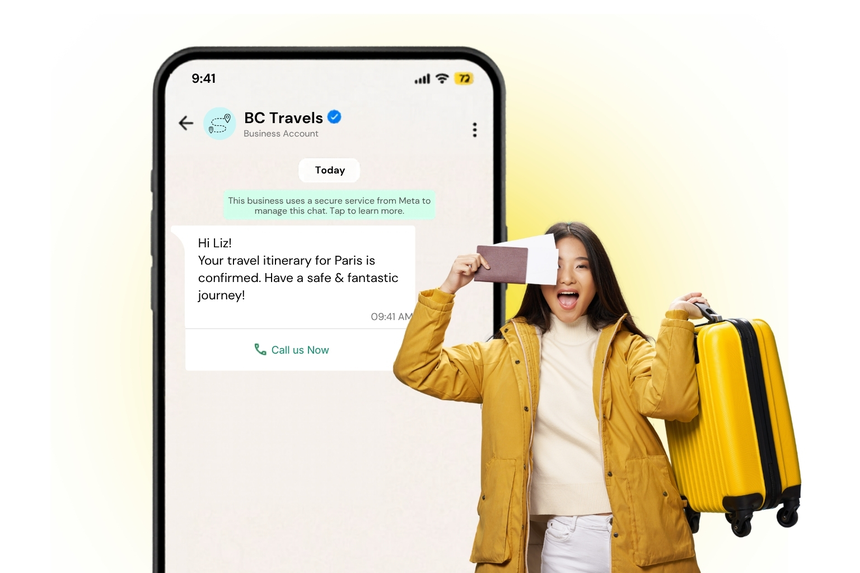
Travelers expect real-time, mobile-first communication across the journey. WhatsApp delivers instant, trusted updates that reduce anxiety and keep passengers, guests, and customers informed at every step.
Travel WhatsApp templates enable airlines, OTAs, hotels, rail and bus operators, cruise lines, and mobility providers to send consistent, compliant, and high-conversion messages such as booking confirmations, itinerary delivery, check-in reminders, gate or schedule changes, and service recovery alerts.
What Are Travel Templates?
Travel templates are pre-approved WhatsApp message formats used to initiate or continue conversations with customers. They include content placeholders for personalization, support media attachments, and can contain interactive buttons and calls to action.
Meta classifies templates into categories such as Utility, Authentication, and Marketing. Most travel use cases fall under Utility for transactional updates or Authentication for OTPs, while upsells and promotions belong to Marketing. Using the right category improves approval speed and compliance.
Why Businesses Use Travel Templates
- Speed and reliability: Deliver time-sensitive alerts instantly on a channel customers check frequently.
- Higher conversion: Drive check-in completion, document submission, and ancillary purchases with interactive messages.
- Proactive service: Reduce inbound support by answering questions before they arise.
- Consistency and compliance: Standardize messaging while meeting WhatsApp and regulatory requirements.
- Automation at scale: Trigger messages from booking, PNR, PMS, CRM, or OMS events without manual intervention.
- Global reach: Communicate across borders with localized languages, time zones, and currencies.
Common Messaging Scenarios
- Booking confirmation with e-ticket or voucher details.
- Itinerary delivery and updates across flights, rail, bus, ferry, or multi-city trips.
- Visa, passport, and document checklist reminders and uploads.
- Pre-departure and pre-stay reminders, baggage rules, and health advisories.
- Online check-in, seat selection, and boarding pass retrieval.
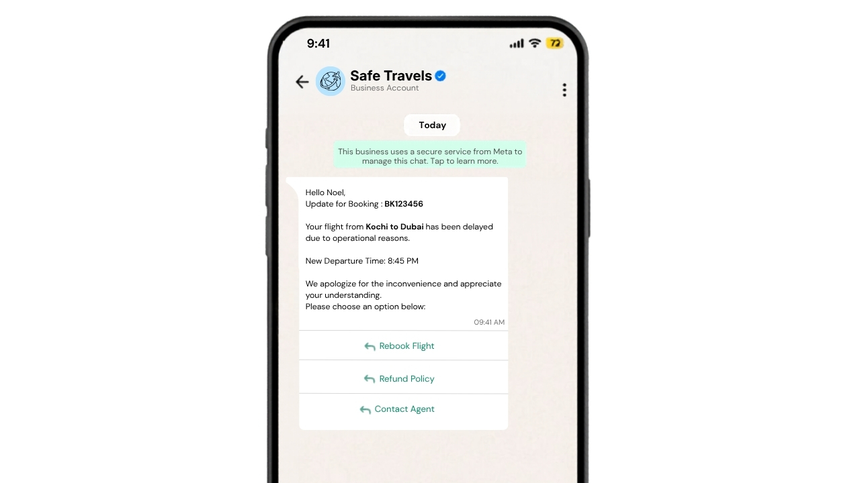
- Gate or platform changes, delays, cancellations, rebooking options.
- Hotel pre-arrival, mobile check-in, early check-in and late checkout.
- Room or seat upgrades, add-ons such as baggage, meals, transfers, insurance.
- Ground transfer pickup details and driver contact.
- Loyalty tier updates, points statements, and targeted offers
- Post-trip feedback, receipts, and NPS surveys.
WhatsApp Template Examples
Booking confirmation
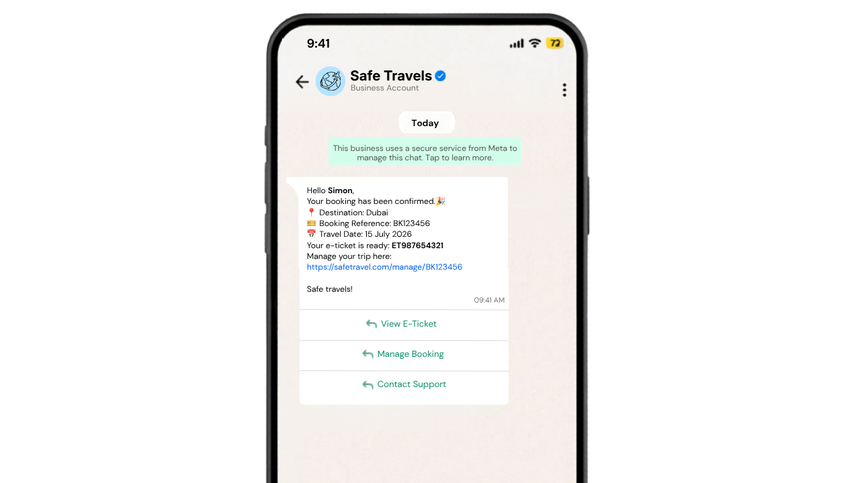
Itinerary delivery
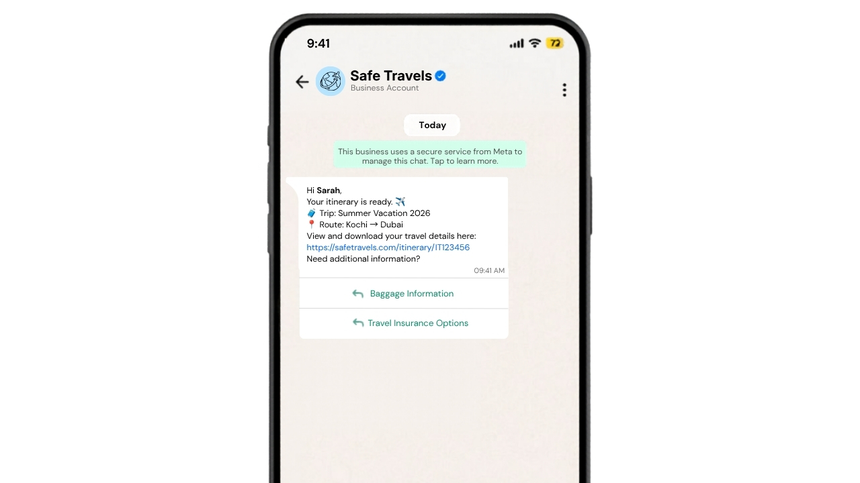
Check-in reminder
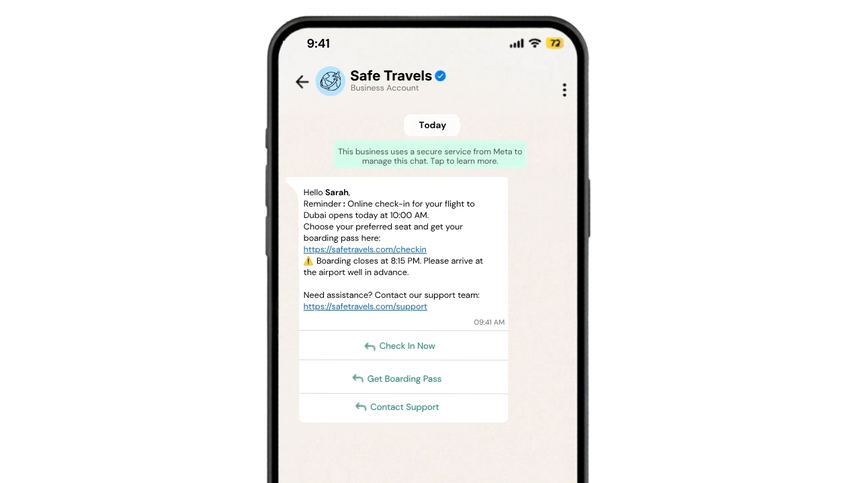
Disruption alert
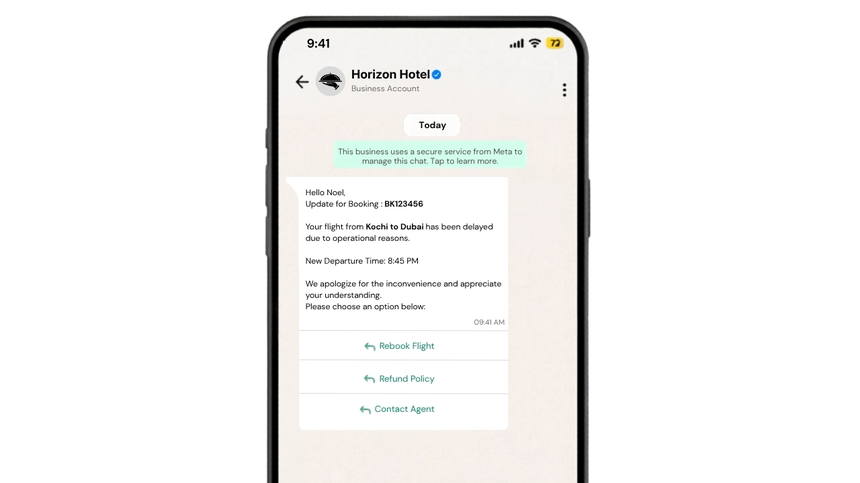
Hotel pre-stay upsell
Best Practices
- Obtain explicit WhatsApp opt-in and set clear expectations about message types and frequency.
- Choose the correct template category to avoid rejections and ensure timely approvals.
- Keep messages concise, scannable, and action-oriented; place the key detail in the first 160 characters.
- Personalize with variables, but limit to essential fields like name, PNR, dates, locations, and deep links.
- Use buttons for primary actions such as Check in, View itinerary, and Contact support.
- Localize language, time zones, date formats, and currency; avoid jargon and abbreviations.
- Respect quiet hours and regulatory constraints; schedule messages based on departure or check-in windows.
- Validate links, PNRs, and document references; include a fallback channel or contact method.
- Test with sample data across devices and media types; monitor delivery and read rates.
- Separate transactional and promotional content; do not mix promotions into Utility templates.
Why Choose D7 WhatsApp API
- Fast onboarding with guided template creation and approval workflows optimized for travel use cases.
- High deliverability and performance backed by robust routing, webhooks, and real-time analytics.
- Full support for interactive messages, media templates, and document attachments like e-tickets and vouchers.
- Event-driven automation via APIs and integrations with booking, PMS, and CRM systems.
- Global compliance, enterprise-grade security, and data privacy controls.
- Transparent pricing and 24x7 expert support from travel messaging specialists.
- Unified communications stack across SMS, email, and WhatsApp to build resilient fallback strategies.
Frequently Asked Questions
Q: Which categories do travel templates usually fall under?
A: Most transactional updates like confirmations, itinerary delivery, check-in reminders, and disruption alerts are Utility. OTPs for login or payment are Authentication. Upsells and promotional offers are Marketing.
Q: How long does template approval take with D7?
A: Approval typically takes from a few minutes up to 24 hours, with most clear Utility templates approved within several hours when the content adheres to WhatsApp policies.
Q: Can I attach boarding passes, vouchers, or invoices?
A: Yes. Use media templates to send PDFs or images and include a secure link. D7 supports document attachments and deep links to manage bookings.
Q: Do I need customer opt-in for travel notifications?
A: Yes, explicit WhatsApp opt-in is required. Collect consent during booking or account creation and allow customers to manage their preferences.
Q: How are travel conversations priced on WhatsApp?
A: Meta charges per 24-hour conversation window based on category and country. D7 adds a messaging fee. Using the correct category and proactive triggers helps control costs and improve ROI.

Start Sending WhatsApp Templates with D7
Create, manage, and automate WhatsApp templates using D7 WhatsApp API.