


Utility WhatsApp Templates for Business Notifications and Customer Updates
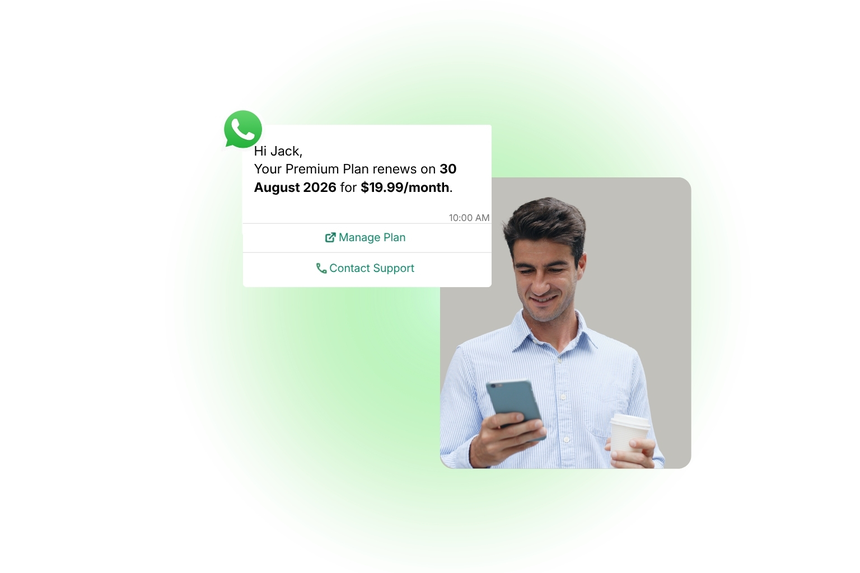
Utility WhatsApp templates help businesses deliver time-critical, non-promotional messages such as confirmations, reminders, invoices, and service updates. These messages keep customers informed at every step of their journey and reduce friction across support and operations.
With D7 WhatsApp API, you can design, submit, approve, and automate utility templates at scale, ensuring consistent, compliant, and reliable communication across markets and time zones.
What Are WhatsApp Utility Templates?
Utility templates are WhatsApp-approved, non-promotional messages used to provide essential information customers have opted in to receive. Typical examples include order status alerts, appointment reminders, payment receipts, system notifications, and policy or account updates. These templates focus on clarity and single-intent messaging and must comply with WhatsApp’s Business Policy.
Why Businesses Use Utility Templates
- Proactive customer experience: Set expectations and reduce uncertainty with real-time notifications.
- Lower support load: Prevent repetitive “Where is my order?” or “When is my appointment?” queries.
- Operational efficiency: Automate routine updates and confirmations at scale.
- Policy compliance: Use WhatsApp-approved formats that meet regional and platform rules.
- High engagement: Leverage WhatsApp’s superior open and response rates for critical alerts.
- Consistency and brand trust: Standardize language and tone across teams and regions.
Common Messaging Scenarios
- Order lifecycle: confirmation, packed, shipped, out for delivery, delayed, delivered
- Appointment management: booking confirmation, reminders, reschedule notices, follow-ups
- Billing and payments: invoices issued, receipts, failed payment alerts, refunds processed
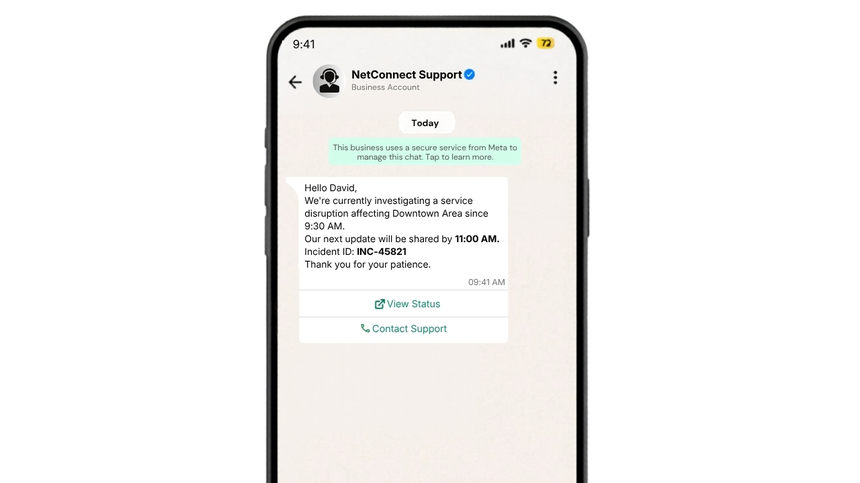
- Service and systems: outage notifications, planned maintenance, resolution updates
- Support workflows: ticket creation, status changes, closure confirmations
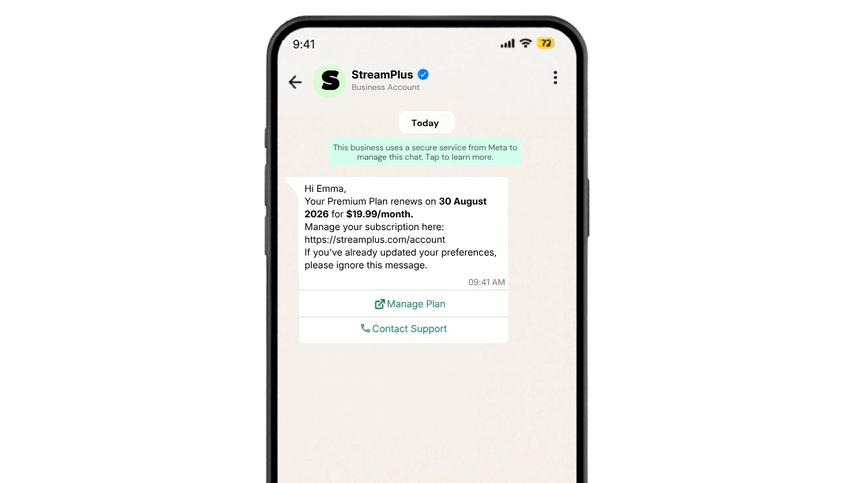
- Account and policy: plan renewals, usage thresholds, address or document updates
WhatsApp Template Examples
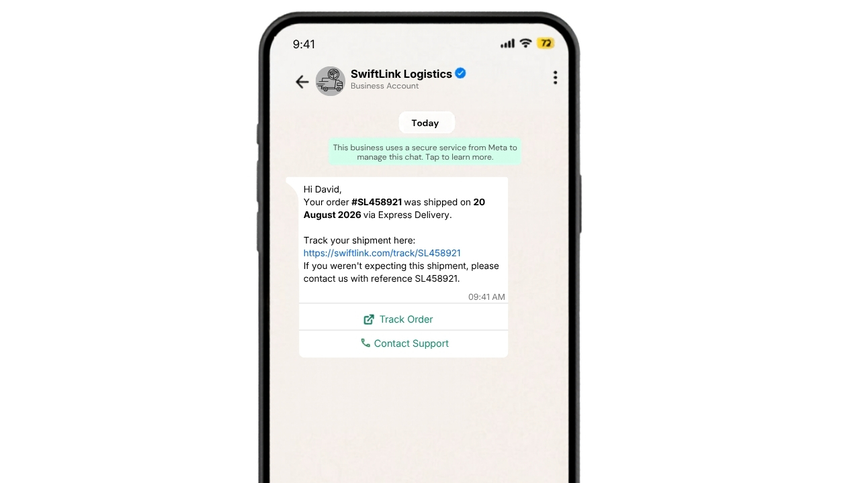
Order Shipped Update
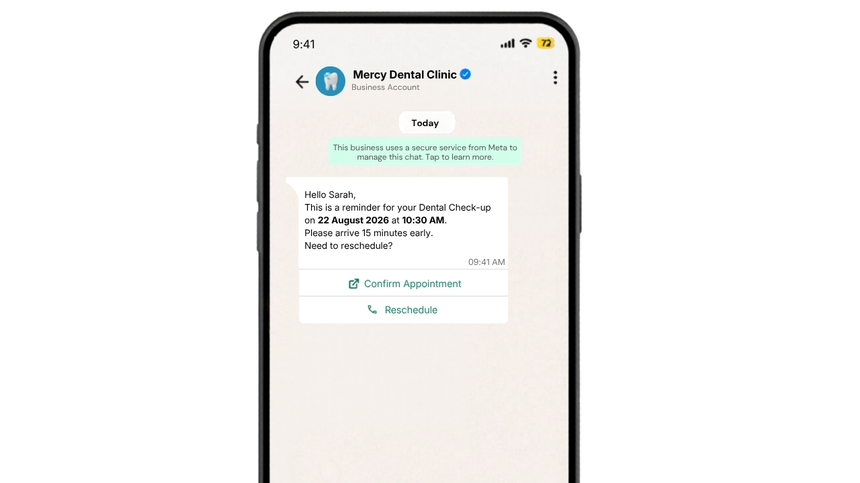
Appointment Reminder
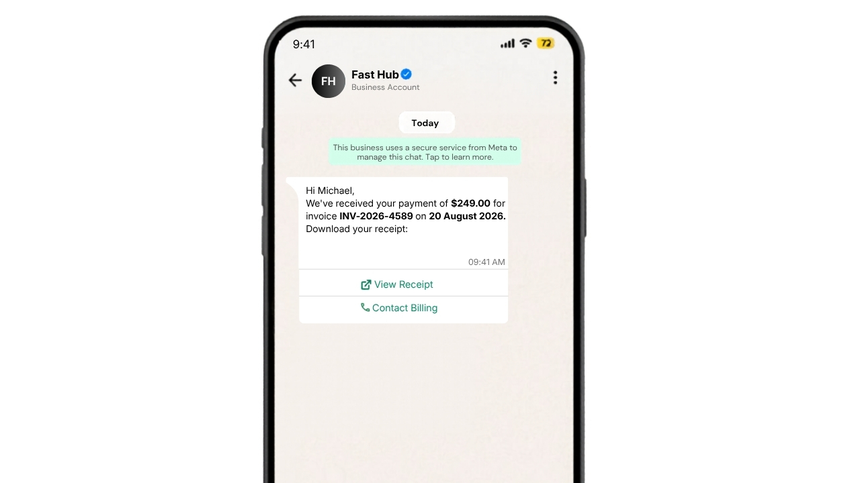
Payment Receipt
Service Outage Notice
Subscription Renewal Reminder
Best Practices
- Obtain explicit opt-in and honor user preferences.
- Keep one clear intent per template; avoid mixed topics or promotions.
- Use concise language and only essential variables.
- Localize content and time zones; use the customer’s preferred language.
- Add clear next steps (manage booking, view receipt, track order) and helpful references.
- Test with realistic variable values to prevent truncation or ambiguity.
- Align sending windows with customer context and applicable quiet hours.
- Monitor delivery, read rates, and response metrics; iterate continuously.
- Maintain template naming conventions and version control for teams.
- Ensure all content adheres to WhatsApp Business Policy and local regulations.
Why Choose D7 WhatsApp API
- Fast template creation and approval tracking with policy validation.
- High deliverability with resilient routing and automatic retries.
- Rich messaging support (media, headers/footers, quick replies, CTAs).
- Real-time webhooks and detailed analytics for performance insight.
- Scalable APIs, SDKs, and no-nonsense onboarding for rapid go-live.
- Enterprise-grade security, privacy, and data residency options.
- 24/7 expert support and guidance on template strategy and compliance.
- Transparent pricing optimized for utility and operational messaging.
Frequently Asked Questions
Q1: What qualifies as a utility WhatsApp template?
A: Utility templates are strictly non-promotional, single-purpose messages that deliver essential information (e.g., confirmations, reminders, receipts, or service notices) to users who have opted in.
Q2: Do I need customer consent to send utility messages?
A: Yes. WhatsApp requires explicit user opt-in for business-initiated messages. D7 helps you manage consent, preferences, and opt-outs.
Q3: Can I include buttons or media in a utility template?
A: Yes. You can add call-to-action or quick reply buttons and optional headers/footers. Media (e.g., PDF invoice) is also supported when relevant to the utility message.
Q4: How long does template approval take?
A: Most templates are reviewed within minutes to a few hours. Some cases may take up to 24 hours. D7 provides real-time status and alerts on approvals.
Q5: How does D7 ensure deliverability and reliability?
A: D7 uses robust routing, intelligent retries, and uptime-focused infrastructure. You also get delivery receipts, error codes, webhooks, and analytics for continuous optimization.

Start Sending WhatsApp Templates with D7
Create, manage, and automate WhatsApp templates using D7 WhatsApp API.