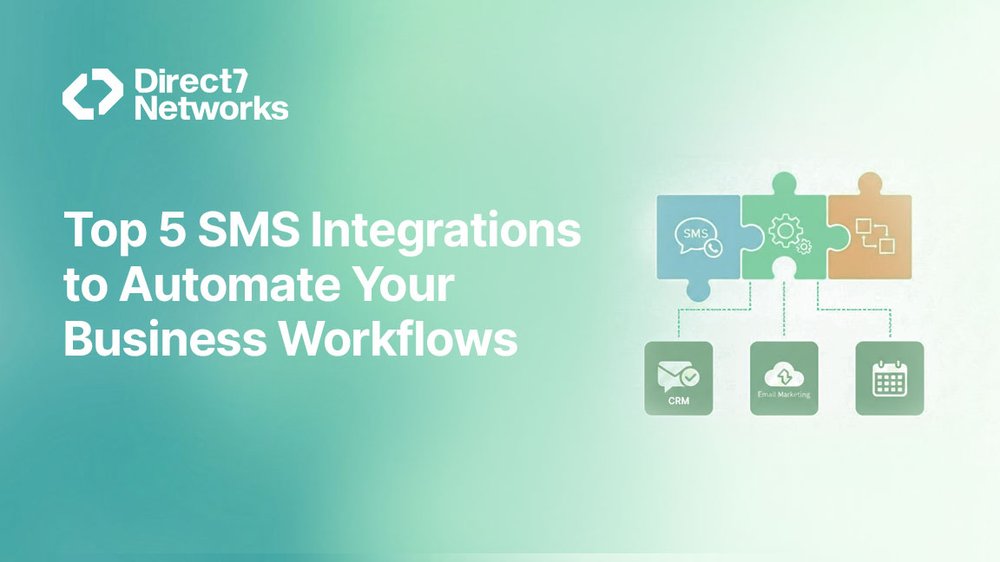

Top 5 SMS Integrations to Automate Your Business Workflows
Every growing business eventually hits a familiar problem: simple tasks start consuming disproportionate time.
- A new lead submits a form, but no one follows up quickly
- An order is placed, but the confirmation message is delayed
- A customer signs up, but the verification code doesn’t arrive on time
These aren’t complex operational failures. They are gaps between tools that don’t communicate with each other. This is where SMS integrations quietly transform day-to-day operations. When SMS is directly connected to the tools your teams already use, routine communication becomes automatic:
- No copying data
- No manual triggers
- No dependence on memory or follow-ups
Messages are sent instantly, at exactly the right moment, without human intervention.
Below are five practical D7 SMS integrations that businesses actively use to remove friction, accelerate workflows, and keep customers informed without adding extra work for teams.
Why SMS Integrations Matter More Than Ever
SMS by itself is powerful. But SMS integrated into your existing tech stack is where real operational value emerges.
What an SMS Integration Actually Does
An integration means that one system action automatically triggers a message, such as:
- A form submission sends an OTP
- A CRM status update triggering a notification
- A failed payment generates a reminder
- An order update is sending a confirmation
The message is sent immediately, without anyone clicking “Send.”
Business Impact of Integrated SMS
For teams handling leads, customers, or operations at scale, SMS integrations deliver clear advantages:
- Faster response times
Customers receive messages at the exact moment they expect them. - Reduced manual errors
No forgotten follow-ups or inconsistent messaging. - Consistent communication
Every customer gets the same timely response, every time. - Lower operational load
Teams focus on decision-making, not routine messaging.

1.0 D7 SMS + CRM Tools (Zoho, HubSpot, Salesforce-Style Workflows)
Most businesses already store leads and customers inside a CRM. The problem begins when the CRM acts only as a static database instead of an active communication engine.
Without integration, sales teams update records but customers hear nothing. Valuable moments are lost between internal actions and external communication.
1.1 What This Integration Does
D7 SMS integrates directly with CRM platforms so that specific actions inside the CRM automatically trigger SMS messages.
Common triggers include:
- New lead creation
- Lead stage or status changes
- Task updates or assignments
- Deal or opportunity movement
Each trigger sends the right message at the right time without manual effort.
1.2 Real Workflow Example
Scenario:
A sales rep updates a lead stage from “New” → “Contacted.”
What Happens Automatically
- SMS to the lead:
Confirms that a team member will reach out shortly - Internal SMS to the assigned sales rep:
Notifies them that the lead is now active and requires follow-up
All of this happens from one CRM update.
1.3 What This Integration Saves
- No manual follow-ups
Messages are sent instantly, without relying on reminders. - Faster lead response times
Leads hear back while interest is still high. - Fewer dropped opportunities
Every status change is acknowledged with communication.
Sales teams consistently see faster first contact, which directly improves conversion rates.
👉 Summary: CRM + SMS turns internal data updates into real-time customer engagement.
2.0 D7 SMS + Form Builders (Jotform, Typeform-Style Use Cases)
Forms are everywhere registrations, bookings, surveys, sign-ups. But a form submission alone doesn’t reassure users. Without confirmation, people often wonder:
“Did my submission actually go through?”
This uncertainty leads to drop-offs, retries, and unnecessary support requests.
2.1 What This Integration Does
When a user submits a form, D7 SMS automatically sends a message tied to that submission.
Depending on the use case, this message can be:
- A submission confirmation
- A one-time password (OTP)
- Next-step instructions
- Access or verification details
The response is immediate and automated.
2.2 Real Workflow Example
Scenario:
A user submits a registration form.
What Happens Automatically
- An OTP is sent via SMS for verification
- Once verified, a confirmation message is delivered
No delays. No manual checks.
2.3 What This Integration Saves
- Manual verification work
- Support tickets asking: “Did my form go through?”
- Drop-offs during onboarding or registration
This integration is especially valuable for:
- Account creation flows
- Event registrations
- Secure access and verification
- Applications and gated content
Summary: Form + SMS integrations replace uncertainty with instant confirmation and trust.
3.0 D7 SMS + Automation Platforms (Zapier, Make)
Most businesses do not run on a single tool. Day-to-day operations often span CRMs, spreadsheets, support tools, marketing platforms, and internal systems. Automation platforms act as the glue that connects these tools and SMS becomes the notification layer that keeps everything moving.
3.1 What This Integration Does
D7 SMS integrates with automation platforms like Zapier and Make, allowing teams to design multi-step workflows without writing code.
A single trigger in one system can:
- Activate actions across multiple tools
- Send one or more SMS messages
- Apply conditional logic based on responses or timing
This turns SMS into a flexible, event-driven communication layer.
3.2 Real Workflow Example
Scenario:
A new customer record is added to Google Sheets.
What Happens Automatically
- An SMS welcome message is sent instantly
- If no response or activity is logged
- A follow-up reminder SMS is sent after two days
All steps run automatically no manual tracking required.
3.3 What This Integration Saves
- Custom development work
Teams avoid building and maintaining one-off scripts. - Manual cross-tool updates
Data flows automatically between systems. - Repetitive administrative tasks
Staff no longer chase updates or reminders manually.
Operations teams frequently use this integration for:
- Internal alerts
- Customer status updates
- Exception handling (failed payments, incomplete actions)
Summary: Automation platforms + SMS create flexible workflows that scale without engineering effort.
4.0 D7 SMS + OTP and Authentication Systems
Verification messages are time-critical. A delay of even a few seconds can break the user experience, cause abandonment, or create security risks.
4.1 What This Integration Does
D7 Networks’ OTP (One-Time Password) APIs integrate directly with:
- Login systems
- Signup flows
- Transaction confirmations
Whenever verification is required, codes are:
- Generated instantly
- Delivered via SMS in real time
- Verified automatically upon entry
4.2 Real Workflow Example
Scenario:
A user attempts to log in from a new device.
What Happens Automatically
- The system generates a one-time code
- The code is sent immediately via SMS
- The system verifies the code once entered
The entire process completes in seconds.
4.3 What This Integration Saves
- Failed login attempts caused by delayed or missing OTPs
- Support tickets for “OTP not received”
- Security gaps created by manual or fallback verification
This integration is especially critical for:
- Fintech and digital banking
- Healthcare platforms
- Marketplaces
- Any system handling sensitive user access
Summary: Fast, reliable OTP delivery protects both user experience and platform security.
5.0 D7 SMS + Customer Support and Operations Tools
Support teams usually work inside ticketing systems or shared inboxes. Customers, however, live on their phones. When updates stay trapped inside internal tools, customers are left waiting and silence often feels like neglect.
This integration closes that gap.
5.1 What This Integration Does
D7 SMS connects directly with customer support and operations tools so that key ticket events automatically trigger SMS notifications.
Common triggers include:
- Ticket creation
- Status updates
- Resolution or closure
- Escalations or delays
Messages can be sent to:
- Customers (status updates)
- Internal teams (alerts, escalations, acknowledgments)
All without manual follow-up.
5.2 Real Workflow Example
Scenario:
A support ticket status changes to “Resolved.”
What Happens Automatically
- The customer receives an SMS confirming the issue has been resolved
- Any internal escalation alerts are suppressed, avoiding unnecessary noise
No agent needs to send a message manually.
5.3 What This Integration Saves
- Follow-up calls asking for ticket status
- Manual status notifications from agents
- Customer frustration caused by lack of communication
This integration is especially valuable for:
- Logistics and delivery operations
- Field service businesses
- Utilities and maintenance teams
- Any operation with time-bound or SLA-driven support
Summary: Support + SMS integrations turn ticket updates into proactive communication instead of reactive damage control.
6.0 How These Integrations Work Together in Real Life
Most businesses don’t stop at a single workflow. Over time, these integrations stack naturally, using the same SMS infrastructure.
A Typical End-to-End Flow
- A lead fills out a form
→ Receives an SMS confirmation - The lead enters the CRM
→ Sales receives an internal SMS alert - The deal status changes
→ Customer receives a status update - An OTP flow secures account access
→ Verification is completed instantly
Each step runs automatically powered by D7 Networks’ SMS infrastructure without duplicate systems or manual effort.
Summary: One SMS backbone supports multiple teams and workflows across the business.
7.0 Getting Started Without Overcomplicating Things
The most common mistake teams make is trying to automate everything at once. This often slows adoption and adds unnecessary complexity.
A Smarter Starting Point
Begin with one high-impact workflow where:
- Delays cause friction
- Manual work repeats every day
- Missed messages cost revenue or trust
Once that workflow runs smoothly, adding the next integration becomes simple and predictable.
Key Principle: Automation works best when it grows incrementally, not all at once.
8.0 Final Thoughts
SMS integrations are not about sending more messages. They are about sending the right message at the right moment, without human intervention.
By connecting D7 SMS with the tools you already rely on:
- Workflows become faster
- Communication becomes consistent
- Operations become more reliable
Manual Workflow vs D7 SMS Automation
| Process | Without Integration | With D7 SMS Integration |
|---|---|---|
| Lead follow-up | Manual calls/emails | Automatic SMS in seconds |
| Form verification | Delayed or manual | Instant OTP |
| Internal alerts | Emails or chats | Real-time SMS |
| Support updates | Agent-dependent | Automatic status messages |
| Authentication | App-based/manual | Secure SMS OTP |
Start small. Measure the impact. Expand gradually.
Over time, automation stops feeling like a project and starts feeling like the natural way your business runs.