
Understanding Webhooks for Delivery Receipts in Messaging — Complete Guide
Sending an SMS is only half the messaging workflow. Understanding what happens after the message leaves your application is equally important. Without delivery visibility, developers cannot determine whether a message reached the carrier, was delivered to the recipient's device, or failed somewhere along the delivery path.
Polling an API for message status may work for small applications, but it quickly becomes inefficient as message volumes increase. Modern messaging platforms use delivery-receipt webhooks to push real-time status updates directly to your application, reducing API requests and enabling faster, event-driven workflows.
This guide explains how SMS delivery receipt webhooks work, how to implement them securely, how to design reliable webhook handlers, and the operational best practices that help production messaging systems scale.
What is a Delivery-Receipt Webhook for SMS?
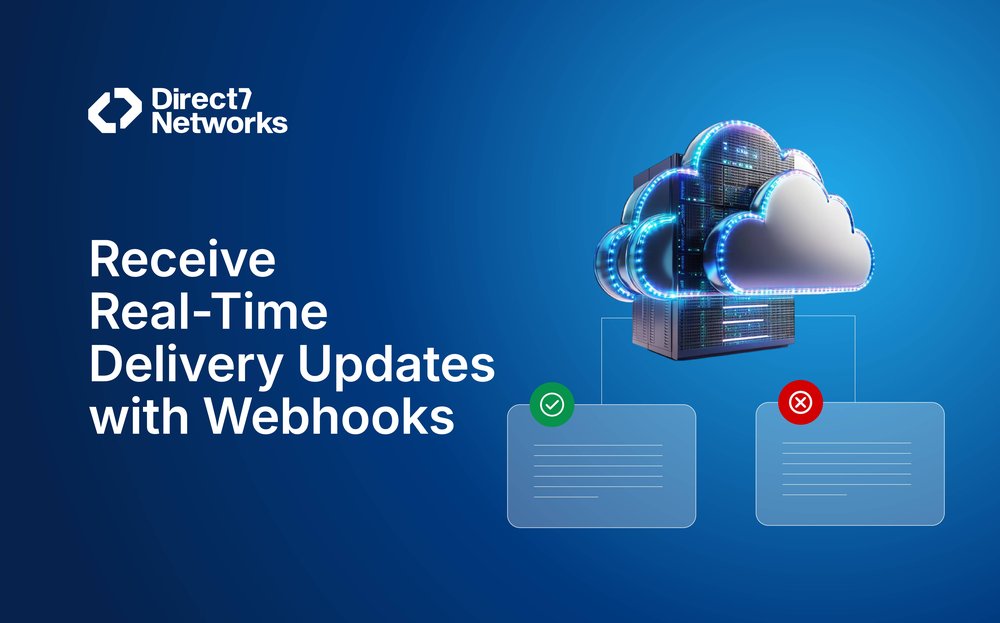
A delivery-receipt webhook is a real-time notification that your messaging provider sends to your server whenever the status of a message changes.
- Examples of states: Queued, Sent to carrier, Delivered to device, Failed.
- How it works: The notification arrives as an HTTP request (commonly POST) to a callback URL that you register with the provider.
- Mechanism: Webhooks are push-based, meaning your system reacts immediately to message updates, rather than polling (repeatedly requesting data from the API).
A delivery-receipt webhook ensures your system always knows the live status of messages without unnecessary API calls.
Delivery Receipt Webhooks vs API Polling
Many developers initially retrieve message statuses by repeatedly querying a messaging API. While this approach is simple, it becomes inefficient as message volume grows.
| Feature | Delivery Receipt Webhooks | API Polling |
|---|---|---|
| Real-time Updates | Yes | No (depends on polling interval) |
| API Requests | Only initial send request | Continuous status requests |
| Server Load | Low | Higher as traffic grows |
| Scalability | Excellent | Limited for high-volume systems |
| Delivery Latency | Immediate event notification | Delayed until next poll |
| Infrastructure Cost | Lower | Higher due to repeated requests |
| Best Use Case | Production messaging systems | Small internal tools or testing |
Webhook-based architectures notify your application whenever a message changes state. This eliminates unnecessary API polling, reduces infrastructure costs, and enables faster automation.
Why Delivery Receipts Matter ?
Delivery receipts are critical for both technical operations and business outcomes:
- Operational Visibility
- Show whether messages reached carriers or handsets.
- Help detect routing issues or outages.
- Provide reliable data for billing reconciliation.
- Business Correctness & User Experience (UX)
- Prevent duplicate customer notifications.
- Example: Avoid sending a second “Order Confirmed” SMS when the first was already delivered.
- Optimization & ROI Measurement
- Measure carrier performance.
- Detect content filtering issues.
- Analyze regional delivery differences.
- Use this data to improve deliverability and campaign return on investment (ROI).
Mini Case Study: Order Confirmation SMS
- Customer Action → A customer places an order on your e-commerce site.
- System Trigger → Your backend sends an “Order Confirmed” SMS to the messaging provider.
- Webhook Notification →
- If status = Delivered → No further action needed; customer has the message.
- If status = Failed/Undelivered → Your system may trigger an email fallback instead.
Business Outcome → The customer gets exactly one confirmation, on the best available channel, improving trust and avoiding spammy duplicates.
Summary: Delivery receipts are not just operational logs; they protect customer experience, reduce duplication, and ensure communication strategies adapt in real time.
When Should Your Application Act on Delivery Receipts?
Receiving a delivery receipt is only the beginning. Your application should decide whether a particular status requires further action.
Should every delivery receipt update customer records?
Update customer records only when the status represents a meaningful state change, such as Delivered or Failed. Logging every intermediate event may increase storage without improving business value.
Which message states should trigger business workflows?
Delivered events may close notification workflows, while Failed or Expired events can trigger fallback channels or customer support alerts.
When should retries be attempted?
Retry only when failures are temporary, such as carrier congestion. Permanent failures like invalid phone numbers should not be retried automatically.
Which failures require human investigation?
Repeated failures affecting a specific carrier, region, or sender ID often indicate routing or compliance issues that require operational review.
How should delayed delivery be handled?
Applications should define acceptable delivery windows. If delivery exceeds those limits, alternative notification channels such as email or push notifications may be appropriate.
What delivery data should be stored permanently?
Store message identifiers, timestamps, canonical status, provider status codes, and audit logs to support troubleshooting, reporting, and compliance requirements.
Typical Lifecycle States
Messaging providers may use different terms, but they usually map into a canonical set of states for consistency in your application:
| Canonical State | Meaning | |
|---|---|---|
| Accepted | Provider accepted the send request. | |
| Queued / Processing | Message is being prepared or waiting for a delivery attempt. | |
| Sent | Provider handed the message to the carrier (or operator). | |
| Delivered | Carrier or handset confirmed successful delivery. | |
| Undelivered / Failed | Permanent failure (e.g., invalid number, unreachable handset). | |
| Rejected / Blocked | Blocked by policy (opt-out, spam filter, prohibited content). | |
| Expired | Message timed out before delivery. |
Implementation Tip:
Always create a mapping layer that:
- Translates provider-specific fields and error codes into these canonical states.
- Stores the original provider codes for auditing and troubleshooting purposes.
Summary: Normalizing lifecycle states ensures consistency across providers, simplifies analytics, and avoids confusion during debugging.
Styling Notes for Generator
- Use clean icons (cart, server, cloud, phone, checkmark, red X).
- Connect arrows smoothly left-to-right (linear flow).
- Use green color for success (Delivered), red for failure (Undelivered), and blue for process steps.
- Highlight “Webhook Notification” in bold orange to show its importance.
Typical Webhook Flow and Setup
A delivery-receipt webhook follows a predictable flow from setup to processing.
Step-by-Step Flow
- Step 1. Expose an HTTPS Endpoint
- Example: https://api.example.com/webhooks/message-status
- This is the URL where your server will listen for webhook events.
- Use versioned endpoints such as /webhooks/v1/message-status so future schema changes do not break existing integrations.
- Step 2. Register the Endpoint
- You can register the callback URL with your messaging provider.
- Options:
- Global registration → One webhook for all messages in an application.
- Per-message registration → Some providers allow specifying a callback URL per message.
Maintain separate webhook URLs for development, staging, and production environments. This prevents test events from affecting live systems.
- Step 3. Provider Sends Webhook Request
- When a message changes state, the provider sends an HTTP request (commonly POST) to your endpoint.
- The request includes the message identifier + status update.
- Expect occasional delays or duplicate events caused by carrier retries or network conditions. Design handlers to process events safely regardless of arrival order.
- Step 4. Endpoint Acknowledges
- Your endpoint should return a 2xx HTTP response quickly (e.g., 200 OK).
- Best Practice: Offload heavy tasks (logging, analytics, retries) to background jobs instead of blocking the response.
- Return a 2xx response immediately after validating the request. Process business logic asynchronously using queues or background workers.
- Step 5. Persist and Act
- Store the following:
- Message ID
- Status update
- Provider metadata (error codes, timestamps, etc.)
- Trigger downstream actions such as retry logic, system alerts, or customer notifications.
- Maintain both normalized status values and raw provider payloads. This improves troubleshooting while keeping application logic consistent across providers.
- Store the following:
Summary: A well-structured webhook flow ensures you never lose message status updates and keeps your system responsive under load.
Designing a Production-Ready Webhook Handler
Receiving webhook requests is straightforward. Building a webhook handler that remains reliable under production traffic requires additional architectural considerations.
A robust webhook handler should validate incoming requests, verify request signatures, and reject malformed payloads before processing. Schema validation helps ensure only expected fields enter your application.
Webhook events should be processed asynchronously whenever possible. Rather than performing database updates, analytics, and customer notifications within the request cycle, enqueue work for background workers after acknowledging the request.
Because providers may retry requests, applications should implement idempotent processing and maintain audit logs that record every received event. For failed processing attempts, dead-letter queues provide a safe mechanism for later investigation and replay.
Example Payloads (Representative)
Different providers format payloads differently, but most share a common structure. You must review each provider’s API schema and adapt your parsing logic.
Sample JSON Payload (Simplified)
{
  "message_id": "abc123",
  "to": "+14155550100",
  "from": "+12065550123",
  "status": "delivered",
  "provider_status_code": "0",
  "error": null,
  "timestamp": "2025-08-12T10:15:00Z"
Additional Fields Worth Capturing
While payload structures differ between providers, several optional fields can simplify troubleshooting and observability.
| Field | Why Store It |
|---|---|
| Correlation ID | Connect webhook events to upstream API requests |
| Event ID | Detect duplicate webhook deliveries |
| Retry Count | Understand provider retry behavior |
| Metadata | Preserve application-specific information |
| Callback URL ID | Track multiple webhook destinations |
Storing these fields alongside the original payload makes debugging distributed messaging workflows significantly easier.
Common Useful Fields
| Field | Purpose | |
|---|---|---|
| message_id | Unique identifier to link provider status with your system records. | |
| to | Recipient phone number. | |
| from | Sender phone number or short code. | |
| status | Current message state (e.g., delivered, failed). | |
| provider_status_code | Provider-specific numeric status code. Useful for diagnostics. | |
| error | Human-readable error message (if applicable). | |
| timestamp | Carrier/provider timestamp of the status update. | |
| signature header | (Optional) Used for request verification and security validation. |
Payloads vary, but if you normalize and store key fields consistently, your system can handle multiple providers seamlessly.

Development & Testing Tips
Building and testing webhook integrations requires a controlled approach to ensure reliability before production.
Key Practices for Testing
- Local Testing with Tunnels
- Use tools such as ngrok to expose your local webhook handler over the internet.
- This allows providers to send test webhooks directly to your development machine.
- Use the tunnel URL in the provider’s dashboard during development.
- Replay Test Payloads
- Capture real webhook requests or use the provider’s built-in test utilities.
- Replay these payloads against your webhook handler.
- Validate correct parsing, logging, and idempotency (ensuring the same payload doesn’t cause duplicate actions).
- Test All Statuses
- Validate how your system handles every important message state:
- Delivered
- Undelivered
- Expired
- Rejected
- Confirm that background jobs, alerting systems, and notifications behave correctly for each case.
- Validate how your system handles every important message state:
Summary: Robust testing ensures your webhook handler is stable, handles all scenarios, and avoids surprises in production.
Security Best Practices
Webhook endpoints should be treated with the same security rigor as any inbound API.
Checklist of Security Practices
- Always Use HTTPS/TLS
- Never accept webhooks over plain HTTP.
- This is a baseline requirement (see OWASP Cheat Sheet Series).
- Verify Authenticity
- Use signed requests (HMAC signatures) when available.
- Validate signatures with a shared secret.
- If signatures aren’t supported:
- Use IP allow-listing or
- Short-lived client certificates.
- Signature schemes should use modern hashes like HMAC-SHA256.
- Use Timestamps & Replay Protection
- Reject requests that:
- Are older than a short time threshold.
- Lack a valid timestamp or signature.
- This prevents replay attacks.
- Reject requests that:
- Limit Surface Area
- Keep the webhook handler minimal:
- Validate quickly
- Enqueue for background processing
- Respond immediately
- Perform heavy operations in workers, not in the request cycle.
- Keep the webhook handler minimal:
- Secure Logging & Retention
- Payloads often contain phone numbers and sensitive metadata.
- Treat them as PII (Personally Identifiable Information).
- Apply normal data-protection policies for storage and retention.
Additional Security Recommendations
Beyond HTTPS and signature verification, production webhook endpoints should implement request size limits, rate limiting, and Web Application Firewall (WAF) protection to reduce attack surface.
Rotate webhook secrets periodically and support multiple active secrets during key rotation to prevent downtime.
Whenever possible, isolate webhook endpoints from customer-facing APIs so external traffic cannot affect critical application services.
Summary: Strong security controls ensure webhooks cannot be exploited as an attack vector while keeping sensitive data safe.
Reliability: Retries, Idempotency, and Backoff
Webhook delivery is never guaranteed exactly once — reliability depends on how you design your handler.
Core Reliability Principles
- At-Least-Once Delivery
- Providers will retry when:
- They don’t receive a 2xx response
- Network failures occur
- Timeouts happen
- Your handler must be idempotent → repeated events should not cause duplicate side effects.
- Providers will retry when:
- Correct Status Codes
- 2xx: Acknowledges success, usually stops retries.
- 4xx: Indicates client error → usually not retried (except 429 Too Many Requests).
- 5xx: Indicates server error → provider retries.
- Best Practice: Return 200 OK quickly after basic validation, then enqueue heavy processing.
- Exponential Backoff with Jitter
- Apply exponential backoff to your own retry logic.
- Include jitter (randomized delay) to prevent synchronized retry storms.
- Expect providers to use a similar strategy.
Summary: Reliability comes from designing for retries, ensuring idempotency, and using backoff strategies to avoid overload.
Designing for High-Volume Messaging
Large messaging systems should expect temporary failures and build resilient processing pipelines.
Dead-letter queues help isolate webhook events that repeatedly fail processing. Circuit breakers prevent overloaded downstream services from affecting the entire messaging pipeline. Monitoring queue depth and retry exhaustion helps engineering teams detect operational problems before they impact customers.
Idempotency Patterns
Webhook handlers must be idempotent — meaning repeated delivery of the same event should not cause duplicate or inconsistent results.
Recommended Patterns
- Use a Deduplication (Dedupe) Key
- Combine fields such as:
- Provider message ID
- Event type
- Timestamp
- Store the dedupe key in a fast lookup system (e.g., Redis or via a database unique constraint).
- Combine fields such as:
- Keep Event History
- Instead of discarding duplicates, store:
- Raw payloads, or
- A cryptographic hash of each payload.
- This enables auditing, debugging, and event replay if needed.
- Instead of discarding duplicates, store:
- Handle Incremental Updates
- Providers may send multiple updates for the same message (e.g., sent → delivered).
- Your state machine should:
- Apply transitions only when they advance the message state.
- Accept updates only if they add new information.
Summary: Idempotency protects against duplicate webhooks, ensures correct state tracking, and simplifies auditing.
Normalizing Provider Fields and Reasons
Different messaging providers expose status strings and numeric error codes in inconsistent formats. To avoid fragmentation:
Best Practice for Data Storage
- Canonical State
- Maintain a normalized state set in your datastore.
- Example: accepted | sent | delivered | failed.
- This provides a single reference system for application logic.
- Provider Metadata
- Retain original details for troubleshooting and analytics:
- Status string
- Error code
- Raw payload
- Retain original details for troubleshooting and analytics:
- Failure Reason Codes
- Store and group failure categories such as:
- Carrier filtering
- Invalid numbers
- User opt-out
- This allows analysts to track trends without losing raw provider fidelity.
- Store and group failure categories such as:
Summary: Normalizing fields ensures cross-provider consistency, while storing raw metadata preserves diagnostic detail.
Operational Dashboards Every Messaging Team Should Monitor
Beyond basic delivery reporting, production messaging systems should continuously monitor operational health.
Track delivery rate, webhook success rate, average processing latency, retry volume, queue depth, and failure reasons over time.
Compare these metrics by provider, carrier, region, and campaign. This makes it easier to identify routing issues, carrier outages, or regional filtering before they affect customers.
Monitoring and Alerting
Monitoring webhook performance is essential for both operational reliability and business outcomes.
Key Metrics to Monitor
- Delivery Rate
- Formula: Delivered ÷ Sent Attempts
- Low delivery rates can indicate carrier, routing, or compliance issues.
- Failure Reason Distribution
- Track and analyze spikes in specific error codes or regions.
- Example: sudden rise in “user opt-out” may indicate content or compliance problems.
- Webhook Latency and Retries
- Measure time taken for your endpoint to respond.
- High latency causes retries, duplicates, and increased system load.
- Per-Campaign and Per-Carrier Trends
- Compare delivery rates across campaigns, carriers, and regions.
- Helps correlate issues with carrier policies or regulatory changes.
- Alerting Recommendations
- Trigger alerts for:
- Sudden drops → e.g., >10% decrease in delivery rate in a region.
- Sustained webhook failures → indicated by high retry counts or queue depth.
Summary: Proactive monitoring of delivery rates, error codes, and webhook health helps detect issues early, reduces downtime, and ensures smoother messaging operations.
Privacy & Compliance Considerations
Messaging systems deal with sensitive personally identifiable information (PII). Compliance ensures both legal safety and customer trust.
Key Practices
- Respect Opt-Outs
- Maintain a canonical suppression list of opted-out numbers.
- Ensure your system does not send to these numbers.
- Sync opt-out records with provider-level suppression mechanisms.
- Data Retention
- Store phone numbers and message payloads for the minimum duration necessary.
- Apply the same retention and deletion policies you use for other PII.
- Reduces both risk and compliance liability.
- Record Consent Metadata
- For every sent message, capture:
- Timestamp
- Source of consent
- Enables you to trace delivery receipts back to lawful consent in case of audits or disputes.
- For every sent message, capture:
Summary: Privacy-first design protects users, keeps you compliant with regulations, and builds trust with customers.
Troubleshooting Quick Guide
When issues occur, use this symptom → cause → resolution framework.
| Issue | Likely Cause | How to Fix |
|---|---|---|
| No webhooks appearing | Callback URL not configured, unreachable server, or no 2xx response. | Confirm URL configuration, make server publicly reachable, return 2xx. Use tunnels (e.g., ngrok) or provider test tools. |
| Duplicate events | Missing/weak dedupe or idempotency logic. | Apply dedupe keys and idempotency checks. Log duplicates for analysis. |
| Missing “delivered” status | Some carriers don’t report handset delivery. | Expect only “sent to carrier” in certain regions. Adjust dashboards to distinguish “sent” vs. “delivered.” |
| High undelivered rates in a country | Regional restrictions, template/sender registration issues, content filtering, or local opt-outs. | Check regulations, filters, and opt-out lists. If concentrated by carrier, escalate to provider or carrier support. |
Implementation Checklist (Pre-Production & Go-Live)
Before going live, validate your webhook setup with this checklist:
- HTTPS endpoint deployed and reachable.
- Signature verification implemented (HMAC or equivalent).
- Quick 2xx ACK path with background async processing pipeline.
- Idempotency/dedupe logic implemented and tested.
- Local development test flow with tunneling (e.g., ngrok).
- Logging, monitoring, dashboards, and alerts are configured.
- Retention and PII policies defined and applied.
- Test coverage for normal flow and failure scenarios:
- Carrier failure
- Blocked message
- Opt-out handling
Summary: A solid go-live checklist reduces launch risks, ensures compliance, and guarantees operational reliability.
Using Delivery Receipt Webhooks with D7 Networks
Reliable Delivery Status Tracking
D7 Networks provides delivery receipt webhooks that notify applications whenever a message changes status, helping teams monitor messaging performance without continuous polling.
Developer-Friendly Integration
Webhook configuration, REST APIs, and developer documentation simplify integration into existing messaging workflows.
Operational Analytics
Delivery reports and webhook events help engineering teams monitor delivery performance, investigate failures, and optimize messaging workflows.