


Usecase in Retail Solutions
Live Stock Availability Check
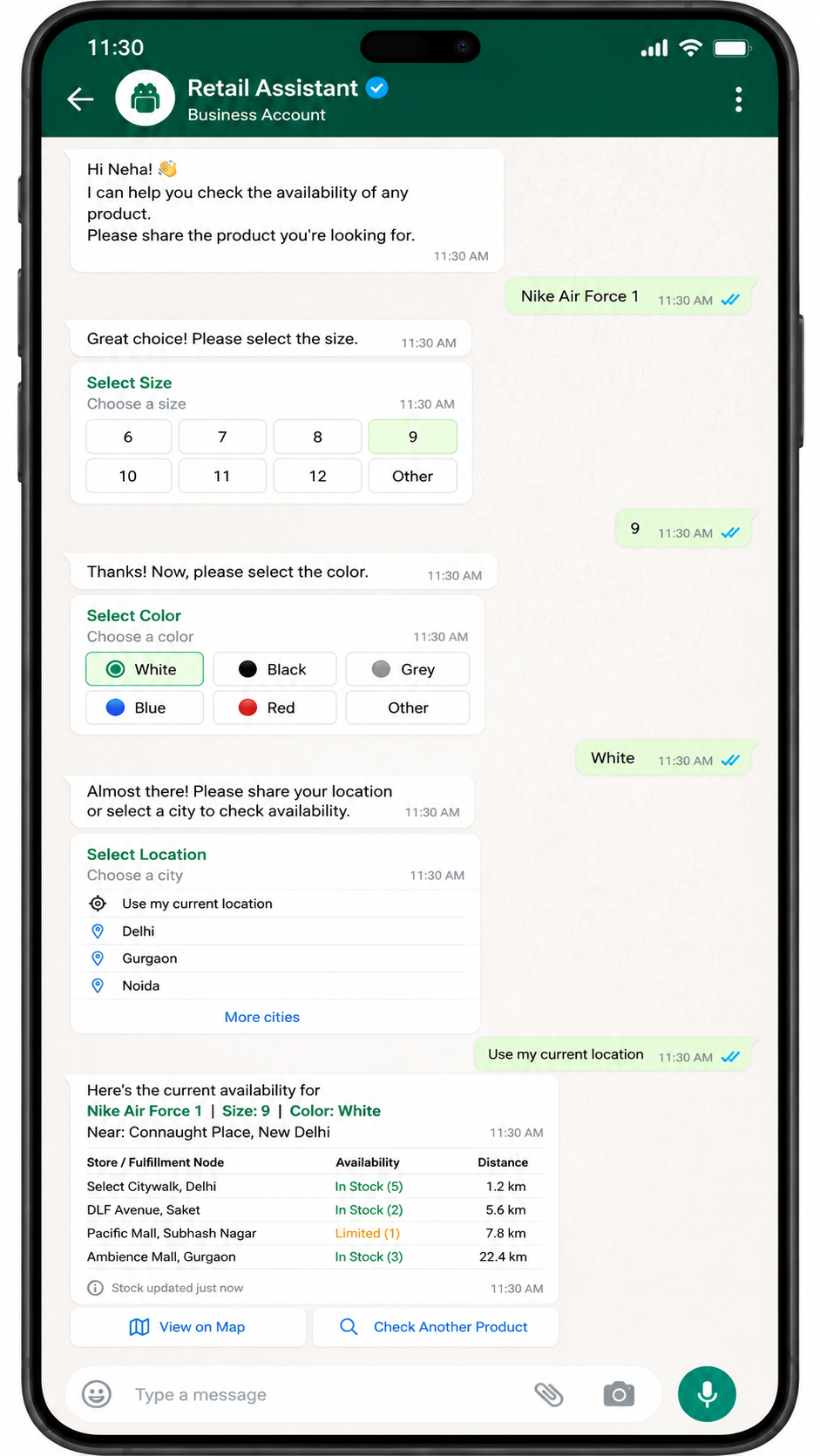
A WhatsApp chatbot for retail captures product, size, color, and location details in a chat and returns current stock status. Using WhatsApp Business API session messaging and structured interactive prompts, the bot queries inventory systems and replies with availability per store or fulfillment node.

Why Use WhatsApp
Turning Conversations into Growth

Always On Customer Lifecycle
From awareness and discovery to purchase, post-purchase, and re-engagement, deliver engaging, continuous conversations that keep customers connected at every stage.

No code Set Up & Easy Onboarding
You can set up your WhatsApp API account easily, no coding required. As a Meta business partner, we ensure smooth integration and provide expert support for any complex queries.

One Platform & Endless Possibilities
Reach customers at the right time with your messages, automate replies, and sales with chatbots. Enhance every interaction with AI for smarter, more effective communication.
Messaging Possibilities
The Use Case Scenarios
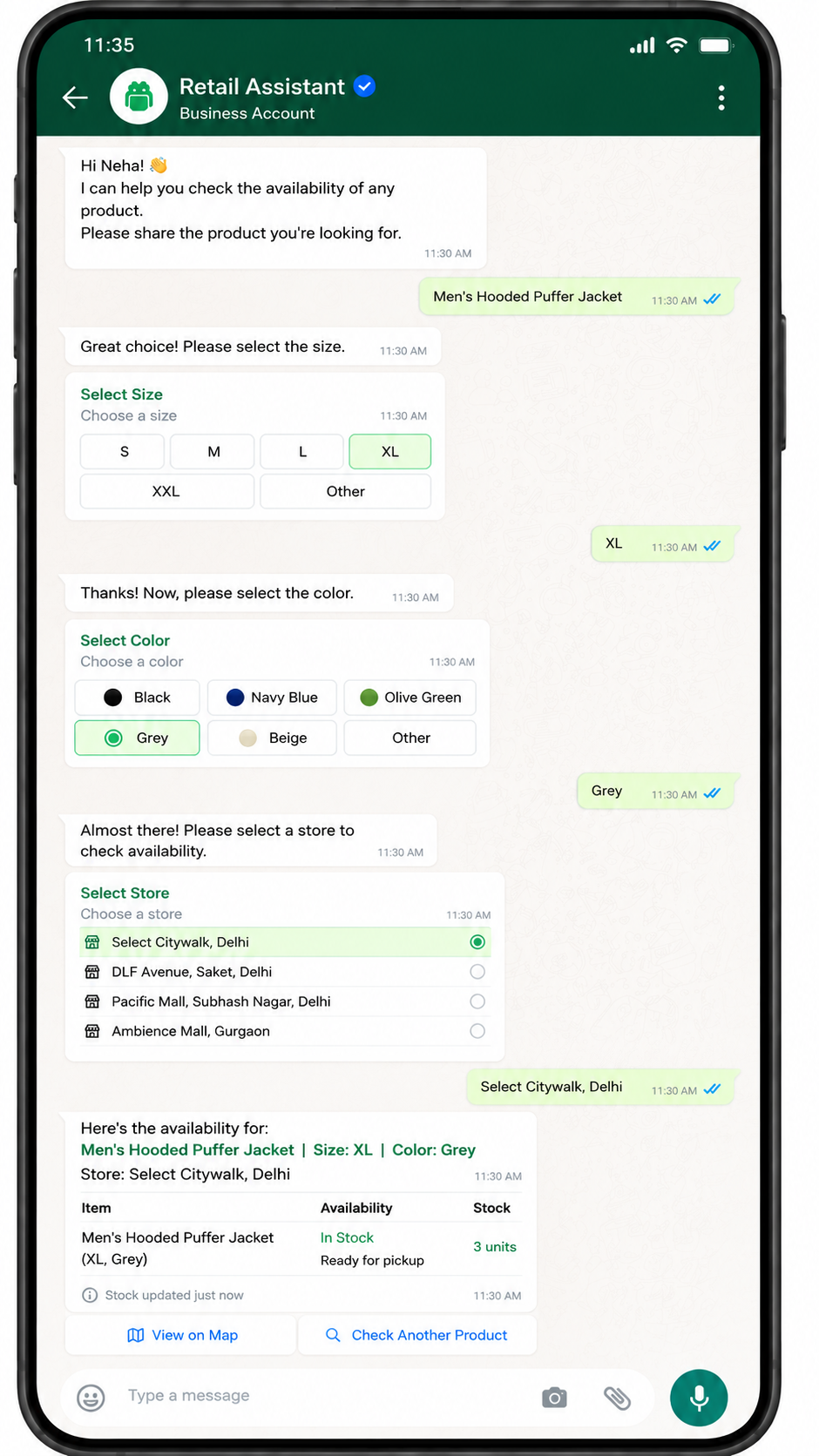
A shopper selects a jacket, size, and color to check stock at a chosen store.
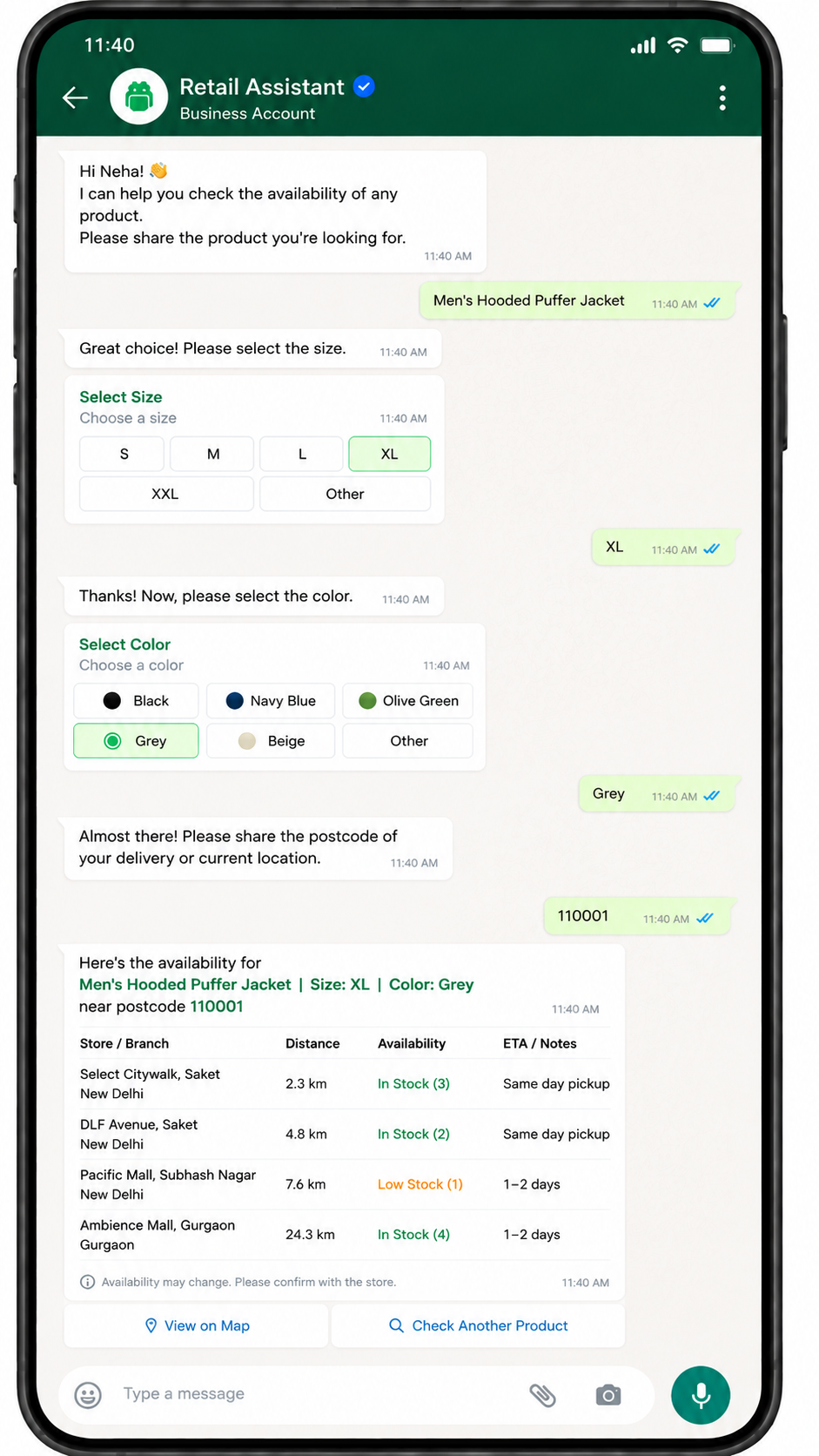
The chatbot asks for postcode and returns availability across nearby branches for a selected SKU.
A customer chooses storage capacity and color to retrieve live stock for each variant.
The Key Features
WhatsApp Features Powering Live Stock Availability Check
Information Security
Stay Compliant with Information Security
As an ISO/IEC 27001:2013 certified provider, we uphold the highest standards of data protection and regulatory compliance. The Information Security and Compliance Standards are integrated across all operations, ensuring strong encryption, controlled access, and continuous monitoring to maintain data integrity and global security alignment.
Easy to use API
Integrate WhatsApp API to your system
Use the WhatsApp API to send and receive messages, create custom templates, and integrate with chatbots. After signing up and verifying your account, you can send text, images, audio, video, and location messages. The API handles both business notifications and user-initiated events.
WhatsApp API Onboarding
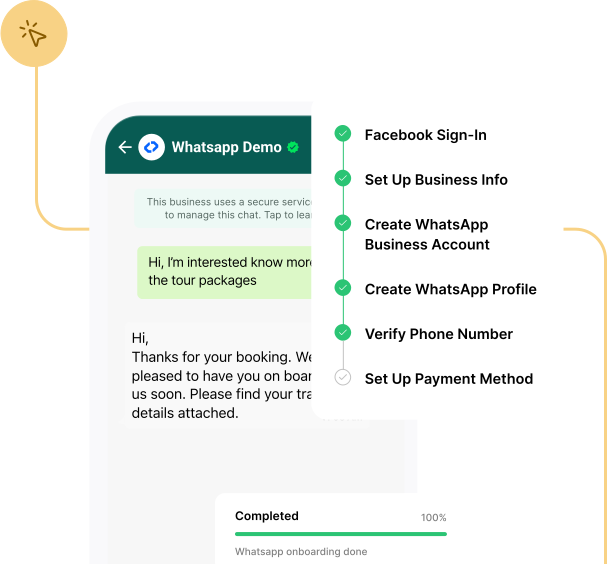
Easy WhatsApp API Onboarding Steps


Book a Free Consultation to Know More
Start today and enhance your communication workflows.