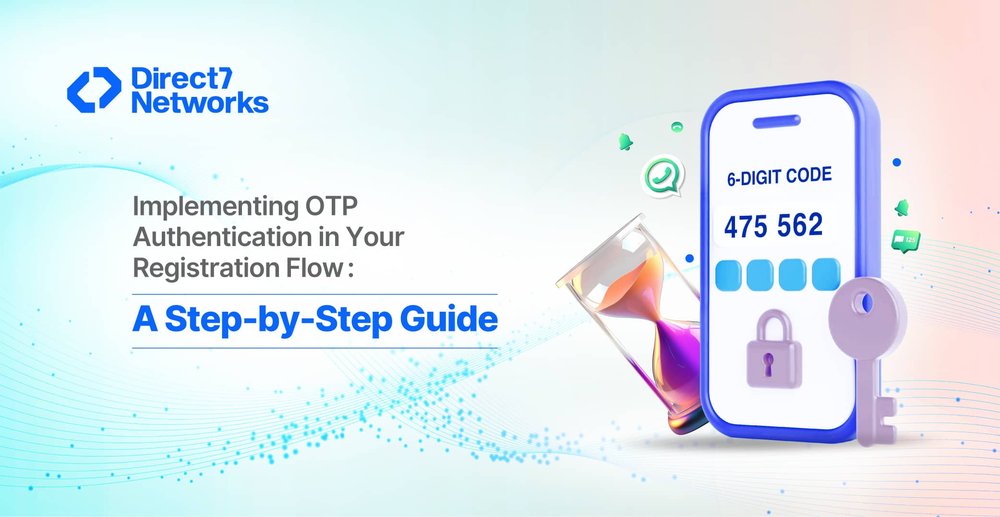

Implementing OTP Authentication in Your Registration Flow: A Step-by-Step Guide
As your product grows, the limitations of basic email-and-password signups often become insufficient. Issues like fake accounts, spam registrations, immediate password resets, and the use of invalid contact information that hinders future communication begin to surface.
The natural and effective solution is to integrate OTP (One-Time Password) authentication. This critical step significantly enhances security, streamlines the onboarding process for new users, and immediately establishes greater trust in your product. The good news is that adding OTP to your registration sequence is much simpler than you might expect.
This comprehensive guide will lead you through the entire implementation process from understanding the benefits to executing the setup enabling you to deploy a reliable, fast, and smooth OTP-based onboarding experience.
Why One-Time Passwords (OTP) Are Essential Today
In modern registration, users expect both speed and security. OTP authentication achieves this by:
- Verifying Human Users: Distinguishing real people from automated bots.
- Confirming Identity: Validating ownership of the submitted phone number.
- Minimising Friction: Reducing common issues associated with forgotten or weak passwords.
- Preventing Fraud: Blocking the creation of duplicate or illegitimate accounts.
- Enabling Communication: Securing downstream channels for alerts, reminders, and account recovery.
SMS and WhatsApp are the dominant OTP delivery channels, with platforms like D7 Networks ensuring swift, global reliability.
With that in mind, let’s move into the practical setup.
The 7-Step OTP Implementation
Workflow Step 1: Simple Phone Number Collection
The process begins with an effortless user experience.
- Prioritise Simplicity: Ask only for the phone number upfront, avoiding unnecessary details.
- Use International Format: Implement a single, smart field that automatically detects the country.
- Set Expectations: Clearly state how the number will be used (e.g., "We'll send a verification code").
Goal: High completion rates through frictionless UX.
Step 2: Triggering OTP Generation
Once the user submits their number, your system generates or requests the OTP.
- The Modern Approach (Recommended): Provider-Generated OTP
External OTP services (e.g., D7 Networks Verify API) handle complex logic, including code generation, expiration management, throttling, delivery, and validation. This is the simplest and most reliable choice for most teams. - The Traditional Approach: Server-Generated OTP
Your backend generates a random 4–6 digit code and temporarily stores it with an expiration time.
Step 3: OTP Delivery via Universal Channels
The code must now reach the user reliably.
| Channel | Best Use Cases | Key Features |
|---|---|---|
| SMS OTP | Universal onboarding, transactions, maximum reach. | Works globally, no internet required, fast, and predictable. |
| WhatsApp OTP | App-heavy user bases, engaging communication. | Branded experience (logo/name), faster in some regions, lower cost in specific countries. |
Strategy: Many businesses use both, often with SMS as a universal fallback. Platforms like D7 Networks offer automatic fallback logic.
Step 4: User Input and Validation UX
The interface for entering the OTP should be clean and informative.
- Minimalist Input: Use 4–6 distinct boxes or a single field.
- Clear Feedback: Show the remaining validity time.
- Retry Option: Offer a clear "Resend OTP" option only after a short, set delay.
- Human-Friendly Errors: Avoid generic messages. Use specific feedback like:
- "Code expired, tap resend"
- "Invalid code, please try again"
- "Too many attempts please wait 30 seconds"
Step 5: Server-Side Validation
Upon receiving the code, your backend performs critical checks:
- Core Logic: Correctness, non-expiration, session matching, attempt limit, and uniqueness (not previously used).
- Provider Simplification: Using a verification API (like D7 Verify) reduces this to a simple "success/failed" result, offloading sensitive logic.
Outcome: Success leads to user creation/activation; failure triggers user-friendly error messages.
Step 6: User Profile Finalisation
After successful validation, the registration is complete.
- Account Creation: Establish the user's profile.
- Status Update: Mark the phone number as verified and store a verification timestamp.
- Redirection: Direct the user to the dashboard or onboarding flow.
Result: Every user accessing your product is confirmed as verified and legitimate.
Step 7: Essential Enhancements and Best Practices
To optimise security and user experience:
| Best Practice | Rationale |
|---|---|
| Short Expiry | 60–120 seconds is ideal to significantly lower fraud risk. |
| Request Limiting | Implement strict limits to prevent spam and brute-force attacks. |
| Resend Rules | Allow resending only after a 20–30 second delay. |
| Multi-Channel Fallback | Ensure delivery by trying WhatsApp if SMS fails, or vice versa. |
| Clear Privacy Copy | Mandatory for compliance in regulated regions (e.g., EU, India, GCC). |

Real-World OTP Applications
| Use Case Example | Description | Relevant Industries |
|---|---|---|
| Primary Signup | User enters a number, D7 sends an OTP, user verifies, and the account is created instantly. | Fintech, E-commerce, Logistics, General Apps. |
| WhatsApp-Preferred Signup | OTP is delivered via a branded, engaging WhatsApp message, ensuring consistency. | Retail, Education, App-heavy demographics. |
| Existing User Verification | Used to confirm identity during sensitive actions like changing a phone number. | Banking, Delivery Apps, Marketplaces. |
| Two-Step Verification (2SV/MFA) | Acts as a second security layer for high-risk activities like password resets or payout requests. | All high-security platforms. |
Common Mistakes to Avoid
| Mistake | Consequence |
|---|---|
| Excessive OTP Sending | Causes user fatigue and unnecessary budget waste. |
| Ignoring Invalid Numbers | Wastes budget and negatively impacts delivery quality. |
| Cluttered OTP Messages | Poor UX often leads to user drop-offs. |
| Frequent Resend Attempts | Can trigger carrier spam filters. |
| No Fallback Channels | Users will abandon signup if they don't receive the code promptly. |
Conclusion
OTP authentication is essential, not just a bonus, for establishing trust during user onboarding. When properly implemented, it streamlines the process by eliminating fake registrations, reducing friction, and providing users with a quick, secure way to access your product. The foundation of a successful OTP workflow is simplicity, reliability, and a user-centric approach. Begin with a single, clear workflow, optimise it, incorporate necessary fallback mechanisms, and build your entire onboarding process upon a base of verified users. Using platforms such as D7 Networks significantly simplifies this implementation. They handle the complexities of delivery, templating, routing, and verification logic, so your team can focus on delivering the best customer experience.