
What Happens When an OTP SMS Is Not Delivered?
Learn why OTP SMS messages fail to arrive, how delivery issues affect verification, and how D7 Verify's multi-channel fallback can help.
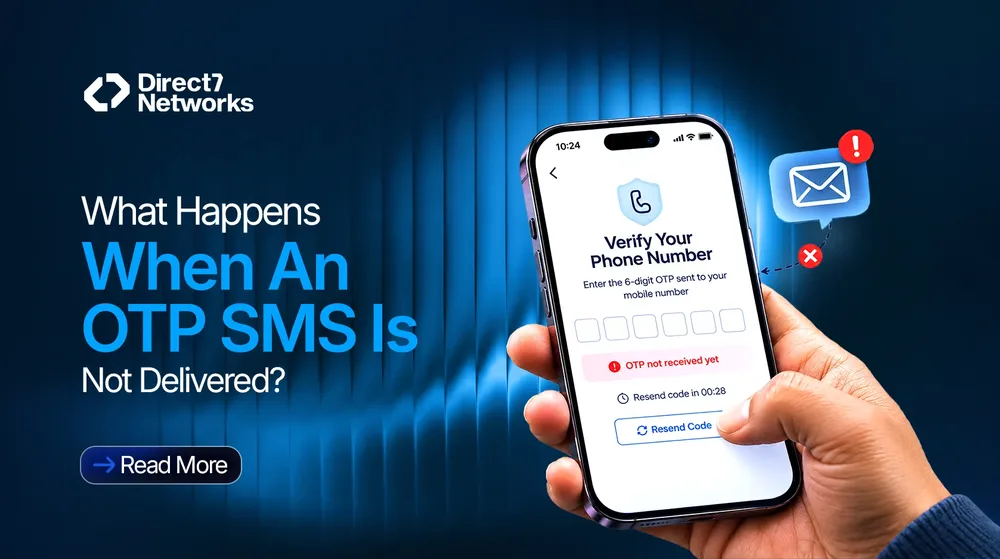
A user enters their phone number, requests an OTP, and waits. Nothing arrives. They tap “Resend code,” wait again, and still cannot continue.
For a business, this is more than a delayed text message. The user may be trying to create an account, sign in, reset a password, or approve a transaction. Until verification is complete, the process is stuck.
The first step in handling this problem is understanding what happened to the message and what the application can do next.
Why an OTP SMS May Not Arrive
An SMS passes through several systems before it reaches a phone. A problem at any point along that route can delay delivery or prevent the message from arriving.
Common causes include:
- Mobile network problems: Weak coverage, temporary congestion, or a network outage can delay messages.
- Incorrect phone numbers: A missing digit or wrong country code can send the message to an invalid destination.
- Carrier restrictions: Mobile operators may filter messages or apply restrictions based on sender, content, destination, or local requirements.
- Sender registration and compliance: Some markets require approved sender IDs or compliance with local messaging rules.
- Device settings: Spam filters, blocked senders, and other phone settings can affect whether a message is visible to the user.
- Messaging delays: The message may be accepted for processing but take longer than expected to reach the device.
These causes are not interchangeable. A message that is delayed may still arrive, while a rejected message may never reach the recipient. There is also a third possibility: the SMS has arrived, but the user has not noticed it.
That distinction matters because a user reporting “I didn't receive the OTP” does not, by itself, tell the application what happened during delivery.
What Happens to the Verification Process?
When an OTP SMS does not arrive, the user usually cannot complete the verification step. What happens next depends on how the application and its verification service are configured.
A common response is to let the user request another code. However, repeated requests are not always the answer. If the underlying issue is network congestion or a carrier restriction, another SMS may encounter the same problem.
Code expiry can complicate matters further. The first message might arrive after the code has expired, or several messages might reach the phone close together. Users can then be unsure which code to enter.
The application needs to handle these situations consistently. It should enforce the configured expiry and retry rules, explain when another attempt is available, and validate the code against the correct verification request.
D7 Verify API supports sending, resending, and verifying OTPs. Its flow-based configuration includes options such as code length, expiry, and retry settings. The application can use the returned otp_id when resending or verifying a code. These features help developers manage the verification process, although they do not guarantee that every SMS will reach the device.
Why Relying on SMS Alone Can Be a Problem
SMS is a familiar way to deliver verification codes, but its delivery depends on networks and systems outside an application's direct control.
Consider a customer trying to sign in to an online store. Their phone number is correct, and the login request is valid, but the SMS is delayed. If the only available option is to wait or request another text, the customer has limited ways to proceed.
The same interruption can occur during registration, password recovery, or other actions that require phone verification. Repeated failures may lead users to abandon the process or contact customer support.
This does not make SMS a poor verification method. It means the application should account for delivery problems rather than assuming every message will arrive promptly.
One option is to configure an alternative delivery channel.
How Multi-Channel OTP Fallback Works
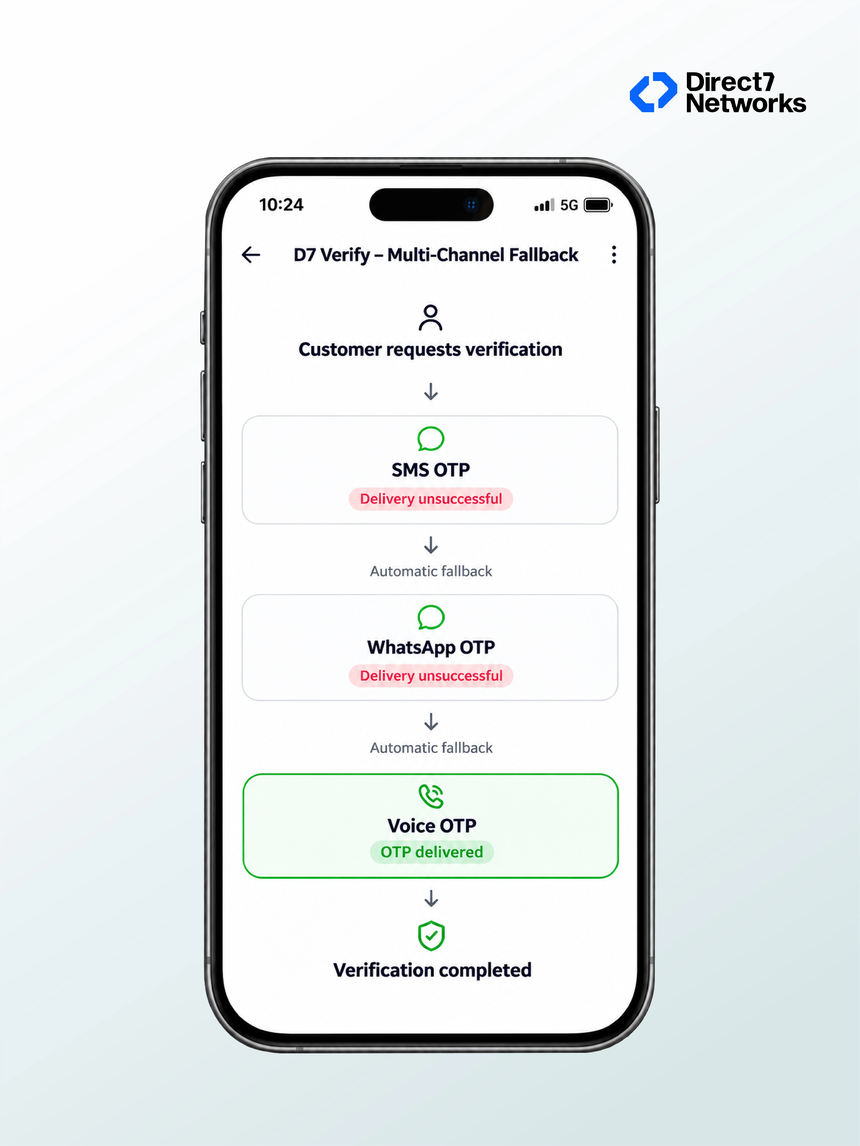
Multi-channel fallback allows a verification flow to use another configured channel when the primary channel fails under the service's applicable fallback rules.
For example, a business could configure SMS as the primary channel and Voice OTP as an alternative. If the documented fallback condition is met, the verification flow can move to the configured alternative.
The user receives the code through a phone call instead of relying on another text message. With Voice OTP, the code is read aloud using text-to-speech, and the user enters it into the application. D7 describes Voice as a channel within the same Verify API, with channel priority set in the channel configuration.
Channel priority determines the order in which configured channels are used. Businesses can choose an order that suits their verification requirements and supported channels.
One detail is worth keeping clear: a message that a user says never arrived is not necessarily the same as a delivery failure the service can detect. Fallback depends on the configured rules and the conditions the system can identify. It should not be described as an unconditional response to every user report of a missing SMS.
How D7 Verify Helps Handle Delivery Problems
D7 Verify provides a flow-based API for applications that need to send and validate one-time passwords. Developers configure a verification flow and pass the recipient and flow_id when requesting an OTP. The flow stores settings such as the channel, message content, code length, expiry, and retry options.
D7's documentation also describes multi-channel fallback using configured channels, including SMS, WhatsApp, and Voice. The channel order can be configured, and verification analytics include channel and fallback information. This gives businesses a way to examine which channels are being used and how often fallback occurs.
Voice OTP adds another way to deliver a code when it is available and configured for the verification flow. It uses the same Verify API, so a separate API integration is not required just to add the Voice channel.
These capabilities give developers more options when designing a verification process. They do not remove the need to validate phone numbers, configure retry rules, or handle failed attempts in the application.
Practical Ways to Handle OTP Delivery Issues
A few implementation decisions can make missing OTPs easier to manage.
Validate phone numbers before sending. Check the format and country code, and make it easy for users to correct a mistake.
Make resend behaviour clear. Tell users when they can request another code. Apply sensible limits so repeated requests do not create unnecessary traffic or confusion.
Handle expiry properly. The application should reject expired codes and explain when a new verification attempt is needed.
Do not assume a resend will fix the problem. If the primary channel continues to encounter delivery issues, an alternative method may be more useful where the verification service supports it.
Review delivery and verification records. Use available reporting to investigate failed or delayed attempts, identify recurring patterns, and understand which channels are being used.
Keep the user informed. A clear message such as “The code may take a little longer to arrive. You can request another code when the retry option becomes available” is more useful than leaving the user on a screen that appears unresponsive.
These are general implementation recommendations. The exact controls available depend on the application and the verification service being used.
Plan for the OTP That Doesn't Arrive
An OTP verification flow needs to account for more than generating a code and sending an SMS. Messages can be delayed, fail to arrive, or go unnoticed, and each situation can interrupt the user.
A sensible implementation handles retries and expiry consistently, gives users clear instructions, and considers an alternative channel where the service supports it. With configurable channel priority and multi-channel fallback, D7 Verify gives businesses additional options for handling OTP delivery problems.
The aim is straightforward: when an SMS does not arrive, the verification process should have a defined next step rather than leaving the user stuck.