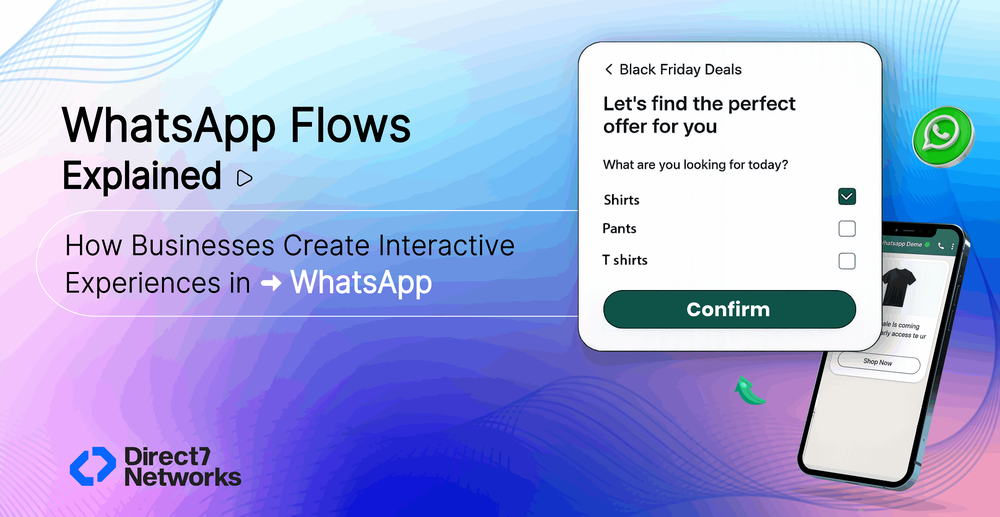

WhatsApp Flows Explained: How Businesses Create Interactive Experiences in WhatsApp
WhatsApp Flows is a feature of the WhatsApp Business Platform that helps to improve user interactions. It allows businesses to create and implement quick, task-focused workflows on WhatsApp. This leads to better task completion, fewer users dropping off, and stronger engagement between businesses and users.
When these flows are connected to marketing campaigns, the experience becomes even more powerful. Customers can move smoothly from discovery to action in just a few taps. The result is a better user experience, higher engagement, and ultimately stronger conversions for businesses..
With WhatsApp Flows, businesses can offer interactive experiences within chats, turning long conversations into quick and simple and businesses can guide customers through structured journeys directly within the chat. Whether it’s booking an appointment, submitting a request, completing an application, or placing an order, the entire interaction becomes faster and more organized.
These flows can include interactive elements such as:
- Forms to collect information
- Multiple-choice options
- Dropdown menus
- Date pickers
- Multi-step screens that guide users through a process
All of these appear directly within the WhatsApp chat window, leading customers step-by-step until they complete the task.
The goal is straightforward: make complex actions simple to complete without leaving WhatsApp.
For example, imagine a customer booking a service. Instead of exchanging multiple messages, the entire process can happen through a single flow:
- Select the type of service
- Choose a preferred date
- Pick an available time slot
- Enter contact details
- Confirm the booking
Everything happens within WhatsApp. The customer does not need to visit a website, download an app, or switch to another platform. The experience stays smooth, quick, and convenient exactly what modern customers expect.
How WhatsApp Flows Work
WhatsApp Flows work through the WhatsApp Business API platform and can be connected to a company’s backend systems or automation platforms. This allows businesses to collect information, process requests, and respond to customers all within a WhatsApp conversation.
Here’s how the process usually works.
Step 1: A Flow Is Triggered
A flow typically starts with a message that includes a button. When a customer taps the button, the interactive flow begins.
This can happen in several ways, such as through:
- Marketing campaigns
- Chatbot responses
- Customer support conversations
- Click-to-WhatsApp ads
For example, a business might send a message that says “Book an Appointment” or “Apply Now.” Once the customer taps the button, the next step opens instantly.
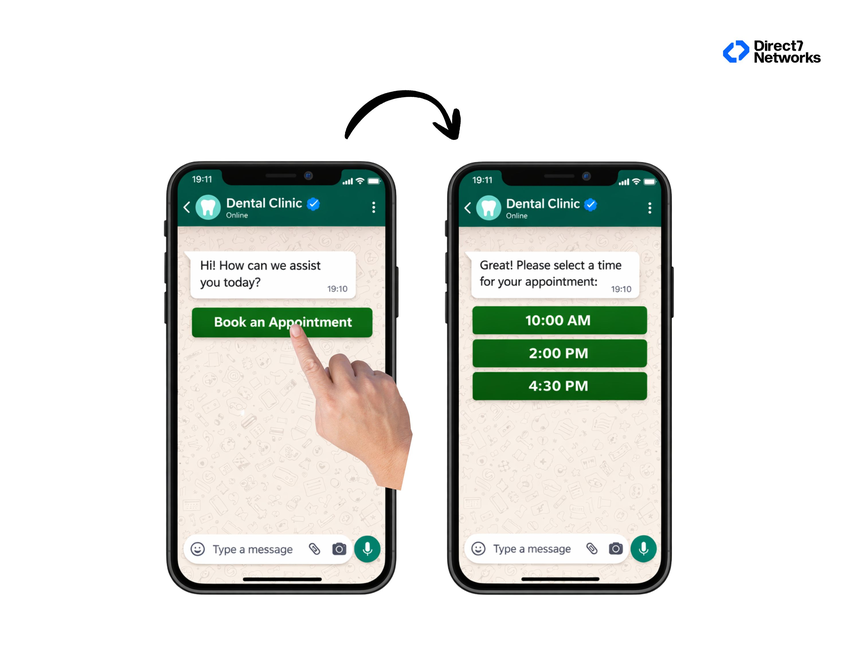
Step 2: The Interactive Flow Opens
After the button is clicked, WhatsApp displays an interactive screen directly inside the chat. Instead of typing multiple messages, customers can simply select options or enter details.
These screens can include elements such as:
- Text fields
- Dropdown menus
- Radio button selections
- Date pickers
- Multiple steps or pages
Customers move through the process step by step, making the experience clear and easy to follow.
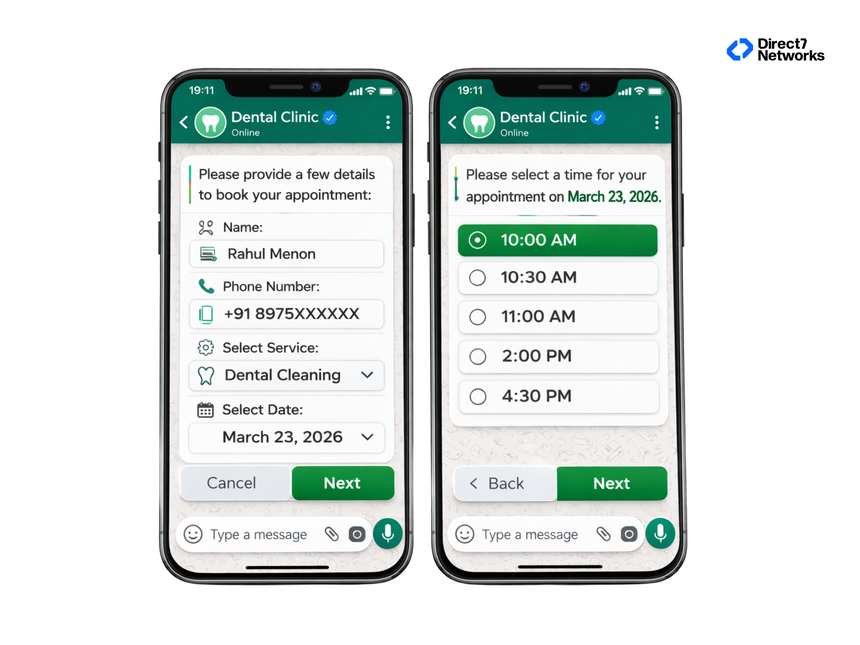
Step 3: The Customer Submits Information
As the customer progresses through the flow, they fill in the required details—such as their name, preferred date, or service selection.
The system can also validate inputs in real time. For instance, it can check whether a phone number is valid or ensure all required fields are completed before moving to the next step.
Step 4: Data Is Sent to Business Systems
Once the customer submits the flow, the collected information can be automatically sent to the business’s internal systems. This might include:
- CRM platforms
- Appointment or booking systems
- Support ticketing tools
- Databases
- Internal operational dashboards
This integration allows businesses to instantly process requests and take the next action without manual work.
Step 5: Confirmation Is Sent to the Customer
After the system processes the information, the customer receives a confirmation message within WhatsApp.
For example, they might see a message like:
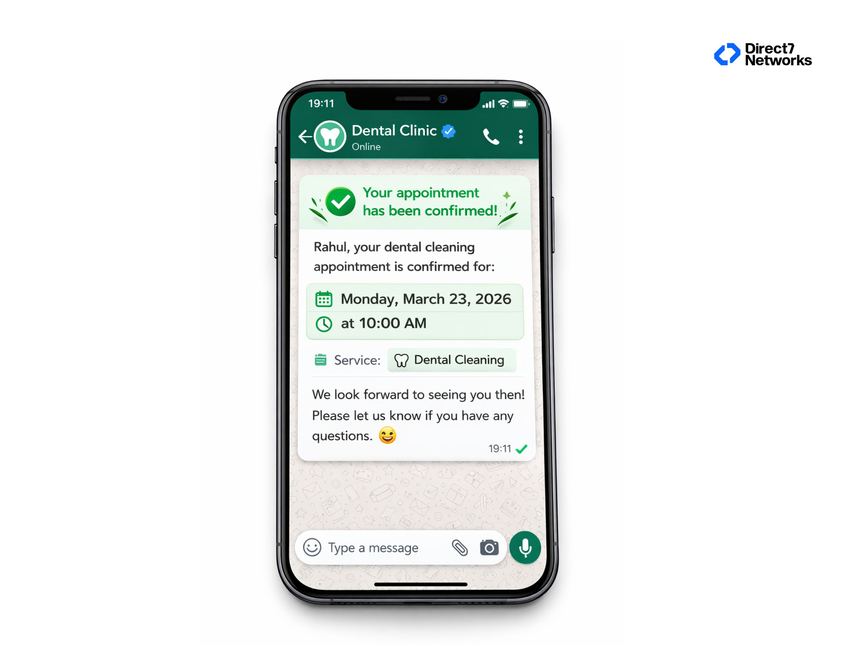
This immediate confirmation reassures the customer and completes the interaction smoothly—without ever leaving the WhatsApp chat.
Key Features of WhatsApp Flows
WhatsApp designed flows to support a wide range of business use cases.
Some important capabilities include:
Multi-Step Workflows
Businesses can create flows with several screens guiding users through a process step by step.
This works well for applications, bookings, and onboarding.
Structured Data Collection
Instead of relying on text replies, businesses can collect organized information through form fields.
This improves data quality and makes it easier to integrate with internal systems.
Interactive Components
Flows support interactive elements such as:
- Dropdown menus
- Checkboxes
- Radio buttons
- Text inputs
- Date and time pickers
These make the experience intuitive for customers.
Backend Integrations
Flows can connect to business systems through APIs. This allows businesses to automate actions such as:
- Creating customer profiles
- Scheduling appointments
- Generating support tickets
- Submitting applications
Real Business Use Cases
WhatsApp Flows are useful in many industries where customers need to complete structured tasks.
Here are some common examples.
Appointment Scheduling
Businesses such as clinics, salons, and service providers can automate bookings.Customers select the service, choose a time, and confirm the appointment through a flow.
Lead Qualification
Marketing teams can use flows to collect qualified leads.Customers can submit details like:
- Name
- Company
- Industry
- Product interest
The data can be sent directly to sales teams.
Customer Support Requests
Support teams often handle repetitive requests.A flow can guide customers through reporting an issue:
- Select issue category
- Describe the problem
- Upload documents or screenshots
- Submit request
This automatically creates a support ticket.
E-commerce Order Management
Online stores can use flows for:
- Order tracking
- Return requests
- Refund applications
- Product inquiries
Customers complete these actions without needing long chat conversations.
How WhatsApp Flows Work with Chatbots
Many businesses combine flows with WhatsApp chatbots to automate customer journeys.
A typical interaction might look like this:
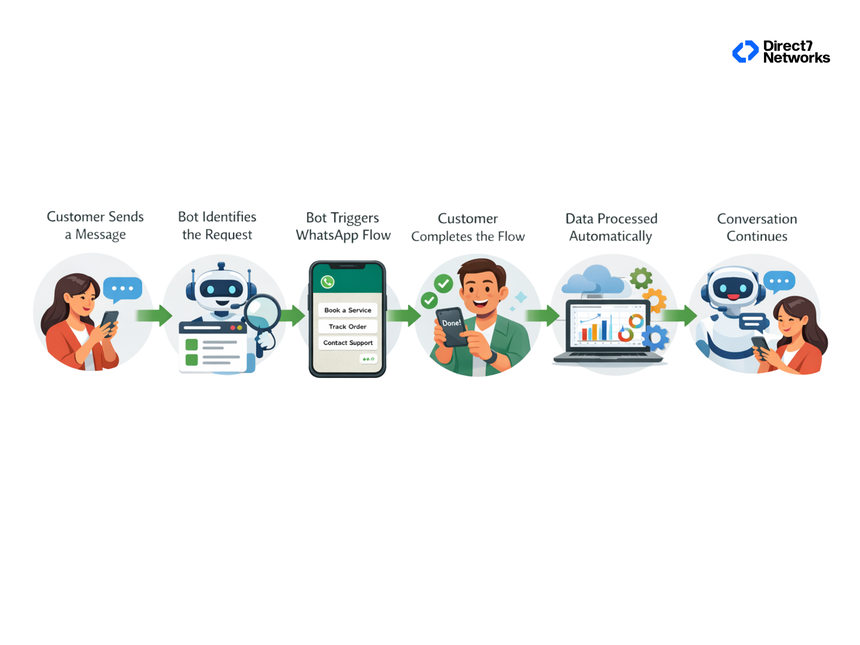
Companies using solutions connected to the WhatsApp Business API can build these automated experiences.
Platforms offering WhatsApp chatbot solutions often help businesses design and manage these interactions.
Common Mistakes Businesses Make with WhatsApp Flows
While flows are powerful, poorly designed workflows can reduce their effectiveness.
Here are some common issues businesses face.
Making the Flow Too Long
Customers expect quick interactions. If a flow requires too many steps, users may abandon it.Keeping flows short improves completion rates.
Asking for Too Much Information
Only request details that are necessary for the task.Too many fields can discourage users from finishing the process.
Ignoring Mobile Usability
Most WhatsApp users access the platform through mobile devices. Flow designs should be simple and easy to complete on small screens.
Not Integrating with Internal Systems
If collected information still needs manual processing, businesses lose the efficiency benefits of automation.Flows should connect directly with backend systems whenever possible.
A Simple Framework for Designing WhatsApp Flows
Businesses can use a simple approach when designing flows.
Identify the Customer Task
Choose a process that frequently happens in conversations, such as bookings or support requests.
Break the Task into Steps
Each screen should focus on one action or question.
Example:
- Choose service
- Select date
- Enter contact details
- Confirm booking
Keep the Process Short
Customers should be able to complete the task quickly.
Integrate with Business Systems
Ensure collected data automatically updates internal systems.
A Practical Takeaway for Businesses
WhatsApp has become one of the most important communication channels between businesses and customers. But when conversations involve multiple steps, chat alone often becomes inefficient.
WhatsApp Flows introduce structure into messaging. They guide customers through tasks, collect accurate information, and connect directly with business systems.
For organizations looking to simplify customer interactions and automate repetitive processes, WhatsApp Flows offer a practical way to turn messaging into a more powerful business tool.