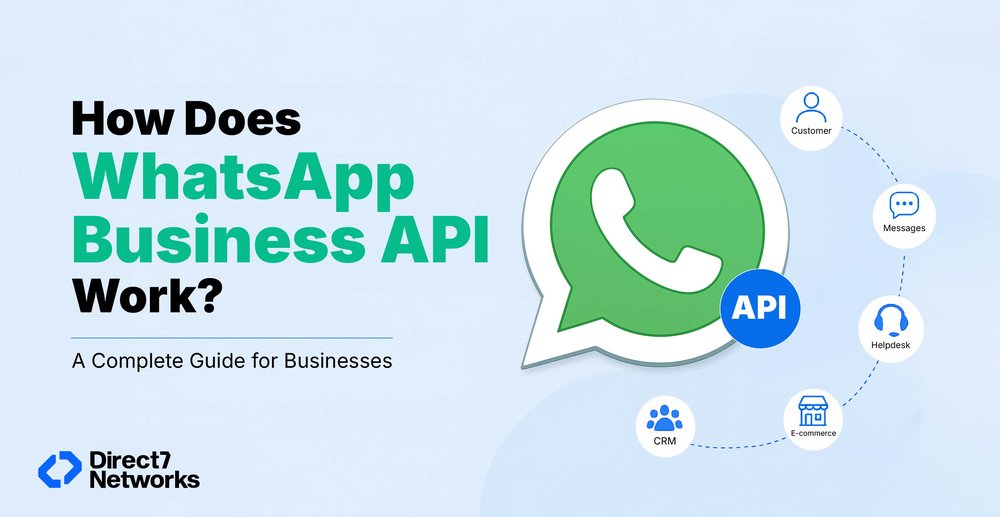

How Does WhatsApp Business API Work? A Complete Guide for Businesses
Learn how WhatsApp Business API works — its architecture, messaging flow, automation, use cases, and how to choose the right provider for your business.
Imagine your customer support team fielding 500 order status inquiries a day, manually. Or your operations team sending appointment reminders one by one. At some point, the free WhatsApp Business app simply can't keep up. That's when businesses start asking about WhatsApp Business API, and more importantly, how it actually works behind the scenes.
This guide breaks it down clearly, from the core architecture to real-world use cases, so you can make an informed decision about whether it's the right fit for your organisation.
What is WhatsApp Business API?
WhatsApp has three distinct tiers:
- Personal WhatsApp — for individuals, no business features.
- WhatsApp Business App — a free app for small businesses, with a business profile, quick replies, and basic labels. Works on a single device, managed manually.
- WhatsApp Business API (WhatsApp Business Platform) — Meta's enterprise-grade solution, designed for medium and large businesses that need automation, scale, and deep system integration.
The API has no visual interface of its own. It's a connection layer, a set of endpoints that sits between Meta's messaging infrastructure and your existing business tools (CRMs, helpdesks, chatbots, e-commerce platforms). Everything runs in the background.
Meta introduced the API because businesses needed more than a chat app. They needed to integrate messaging workflows with CRMs, run automated conversations, support multiple agents simultaneously, and handle high-volume transactional notifications, from OTPs to shipping updates to payment confirmations.
The Core Components of WhatsApp Business API
Understanding how WhatsApp Business API works starts with knowing the key pieces involved:
WhatsApp Business Account (WABA): Your registered business entity on Meta's platform. This is the account that gets verified, linked to your phone number, and governs your messaging permissions.
Business Phone Number: A dedicated number registered exclusively to the API, it cannot simultaneously run on the regular WhatsApp consumer app. Most businesses use a new number or port an existing landline or VoIP number.
Meta Cloud API: Since October 2025, this is the only available option. Meta hosts the entire API infrastructure, so there's no server for your team to manage. Messages pass through Meta's own systems, encrypted using the Signal protocol end-to-end.
Business Solution Provider (BSP): A Meta-certified partner that gives your team an interface to use the API, dashboards, inbox management, campaign tools, analytics. Going directly through Meta is an option for technical teams, but most businesses work through a BSP for faster setup and ongoing support.
Your Backend Systems: The CRMs, helpdesks, e-commerce platforms, or custom apps that the API plugs into. This is where business logic lives, customer data, order history, agent workflows, automation rules.
Step-by-Step: How WhatsApp Business API Works
Here's what actually happens when a message travels through the system:
- Customer sends a message A customer opens their regular WhatsApp app and messages your business number. From their end, it looks and feels identical to any other WhatsApp conversation.
- Message reaches Meta's infrastructure The message travels to Meta's Cloud API servers, encrypted using the Signal protocol. Meta temporarily stores it just long enough to route it.
- Webhook delivers it to your system Rather than polling Meta's servers, your system receives a real-time notification (a JSON payload via webhook) the moment a message arrives. Your application URL is configured in Meta to receive these events instantly.
- Your backend processes the request Depending on your setup, a chatbot handles routine queries, a CRM looks up customer history, or the message lands in an agent's inbox. Logic runs — an order is checked, a ticket is created, a workflow is triggered.
- Response is sent back Your system makes an API call to Meta's /messages endpoint. Meta encrypts it and delivers it to the customer's WhatsApp. The whole round trip typically happens within seconds.
Understanding Conversations and Messaging Rules
Meta organises WhatsApp Business API messaging into two conversation types, and understanding this distinction matters for both compliance and cost.
Customer-Initiated (Service) Conversations: When a customer messages you first, a 24-hour window opens. During this window, you can reply freely with any message, no templates required. This is your customer support window.
Business-Initiated Conversations: When your business reaches out first (for notifications, reminders, alerts, or marketing), you must use pre-approved message templates. These are submitted to Meta for review before use.
Message Templates: Structured messages with fixed text and optional dynamic variables. For example:
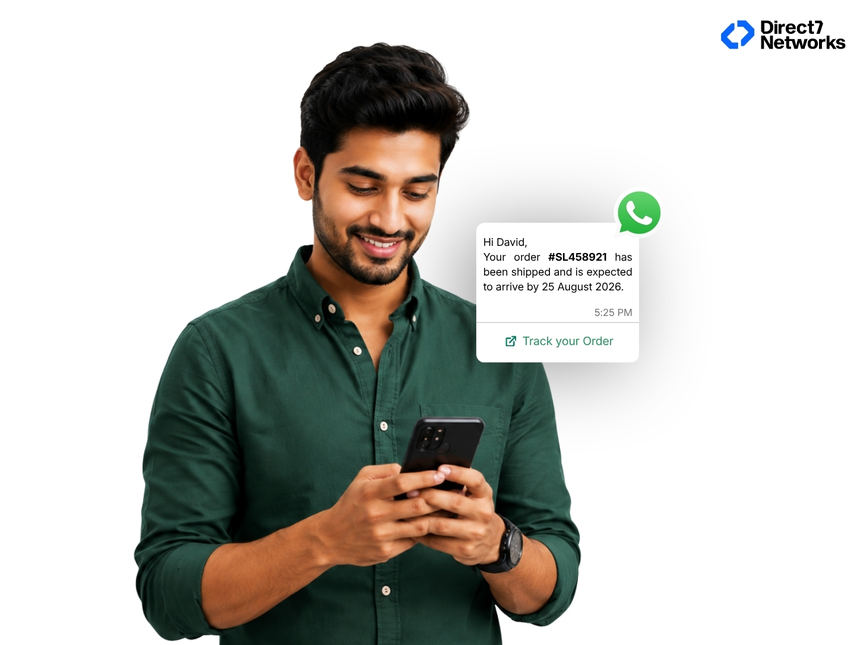
Variables are filled at send time with real customer data. Templates must be approved by Meta, typically within a few hours for utility messages, slightly longer for marketing templates.
This framework prevents spam. Businesses can't blast arbitrary promotional content at customers who haven't engaged. That's by design.
How Automation Works on WhatsApp Business API
This is where the real value unlocks. Once the API is connected to your systems, automation becomes straightforward to build.
Chatbots and virtual assistants handle FAQs, order lookups, and appointment bookings without human involvement. A logistics company might automate "Where's my package?" queries end-to-end — the bot receives the question, calls the tracking API, and replies with a real-time status update.
Trigger-based workflows fire messages automatically based on events in your systems. A new booking confirmation, a payment received, a cart abandoned, each event triggers the appropriate WhatsApp message without manual action.
AI integrations take this further, enabling natural language conversations where customers type freely and the system understands intent, routes to the right response, or escalates to a human agent seamlessly.
Agent handoff is a common pattern: the bot handles tier-one queries (tracking, FAQs, status checks), and anything requiring judgement or empathy escalates to a live agent, with full conversation history already visible.
Across industries: healthcare clinics send appointment reminders and post-visit follow-ups; banks deliver OTPs and transaction alerts; retailers handle abandoned cart recovery; logistics providers send real-time delivery updates; education platforms share class schedules and exam notifications.
WhatsApp Business API Integration Architecture
The API is designed to connect cleanly with the tools businesses already use:
- CRMs (Salesforce, HubSpot, Zoho): Customer data flows both ways. Messages logged, contact records updated, conversations tied to customer history.
- Helpdesks (Zendesk, Freshdesk, Intercom): WhatsApp conversations appear alongside email and chat tickets in a unified inbox.
- E-commerce platforms (Shopify, WooCommerce): Order events trigger automated updates, confirmations, dispatch notices, delivery confirmations.
- ERP systems: Inventory queries, invoice notifications, and approval workflows can all route through WhatsApp.
- Marketing platforms: Personalised campaigns sent to opted-in customers at scale, with open and click tracking.
The webhook-based architecture means integrations are event-driven, your systems react to messages in real time rather than polling for updates on a schedule.
Common Business Use Cases
OTP Verification: A user logs in, a one-time password arrives via WhatsApp. Faster than SMS, higher delivery rates, and already open on the customer's device.
Order and Delivery Updates: Customers receive automated confirmations at each stage, order placed, dispatched, out for delivery, delivered. No call centre involvement required.
Appointment Reminders: Healthcare, salons, financial advisors, automated reminders 24 hours and 1 hour before the appointment reduce no-shows significantly.
Customer Support: A structured first response acknowledges the query, collects details via a bot, and either resolves it or routes it to the right agent, all on WhatsApp.
Abandoned Cart Recovery: A customer leaves items in their cart. A few hours later, they receive a personalised WhatsApp message with the items and a direct link back to checkout.
Lead Qualification: A prospect clicks a WhatsApp button on your website. An automated conversation qualifies them, asks relevant questions, and flags the lead to sales before a human has typed a single word.
Benefits of Using WhatsApp Business API
Scale without proportional headcount: Automation handles volume that would otherwise require large support teams. Hundreds of simultaneous conversations, managed by workflows and bots.
Higher engagement rates: WhatsApp messages are read at rates email simply doesn't achieve. Customers are already on the platform, notifications appear in the same app they use personally.
Personalisation at scale: Dynamic templates and CRM integration mean every automated message can include the customer's name, order details, and context, not generic copy-paste responses.
Multi-agent support: Multiple team members work from a shared inbox connected to one business number. No customer sees the handoffs; they just experience consistent, informed service.
Global reach with local trust: WhatsApp is the dominant messaging platform across South Asia, Latin America, the Middle East, and much of Europe. Meeting customers on the channel they already use removes friction.
Common Misconceptions About WhatsApp Business API
"It's only for large enterprises." Not accurate. Businesses with even a few thousand customers benefit from automation and integration. BSPs offer tiered pricing that makes the API accessible to growing companies, not just corporations.
"It works like bulk SMS." It doesn't. WhatsApp Business API requires customer opt-in for business-initiated messages, enforces template approval, and has rate limits and quality monitoring. It's a consent-based, two-way channel.
"You can send unlimited promotional messages." Meta actively monitors message quality and customer feedback. Accounts sending unwanted promotions face rate limits or restrictions. The platform rewards relevance, not volume.
"It replaces human support entirely." Automation handles routine queries well, but the API is designed to complement human agents, not replace them. The handoff from bot to agent is a feature, not a workaround.
Choosing the Right WhatsApp API Provider
Most businesses access the API through a Business Solution Provider rather than building direct Meta integrations. When evaluating providers, consider:
Meta partnership status: Look for official Meta Business Partners, they have a direct relationship with Meta and access to faster support channels.
Integration depth: Can the BSP connect cleanly to your CRM, helpdesk, or e-commerce platform? Pre-built integrations save significant setup time.
Reliability and uptime: Message delivery is a business-critical function. Review the provider's SLA commitments and infrastructure guarantees.
Support quality: When something breaks at 2 AM before a campaign launch, who's available? Response time and technical depth of support teams varies significantly.
Pricing transparency: Watch for markup structures on top of Meta's per-conversation pricing, and whether credits must be purchased in advance.
Security and compliance: Particularly relevant for regulated industries, confirm where message data is stored and whether the provider supports regional data residency if required.
D7 Networks, as an established messaging provider with direct BSP status, is one option worth evaluating for businesses seeking a reliable partner with international messaging experience and transparent pricing.
What Organisations Should Know Before Implementing
WhatsApp Business API is a powerful communication channel, but it requires deliberate setup. You'll need a registered business, a dedicated phone number, and clarity on which workflows to automate first. The technical connection is straightforward, most of the work is in designing the right conversation flows and message templates for your specific customer journeys.
Start with one high-value use case (order updates, appointment reminders, or a support FAQ bot), measure the impact, then expand. Businesses that treat WhatsApp as a two-way engagement channel, not just a broadcast tool, consistently see stronger results than those treating it as a replacement for SMS.
The infrastructure is mature, the reach is global, and the customer expectation to communicate via WhatsApp is already there. The question for most businesses isn't whether to implement it, it's where to start.