
Marketing Messages API for WhatsApp: A Complete Guide to Smarter Customer Engagement
Learn how Meta's Marketing Messages API for WhatsApp improves campaign delivery with optimized messaging, richer media, performance insights, and easy migration.
Marketing messages are only effective when customers receive them at the right time and find them relevant. Sending promotional campaigns to every customer at once doesn't always deliver the best results. Some messages arrive too late, while others reach people who are unlikely to engage.
To address this challenge, Meta introduced the Marketing Messages API (MM API) for WhatsApp, a new API designed specifically for marketing campaigns. Instead of simply delivering promotional messages, the MM API automatically optimizes delivery to reach more of the people who are most likely to find your messages valuable.
Built on the WhatsApp Business Platform, the MM API offers businesses an easy upgrade path from the existing Cloud API while introducing campaign optimization, richer creative experiences, performance insights, and delivery controls for time-sensitive promotions.
Whether you're announcing a product launch, running a flash sale, or promoting a loyalty program, the Marketing Messages API helps businesses improve campaign performance without changing their existing WhatsApp infrastructure.
What Is the Marketing Messages API for WhatsApp?
The Marketing Messaging API (MM API) for WhatsApp is a Meta API that enables businesses to send marketing messages through a dedicated /marketing_messages endpoint. It automatically optimizes the delivery of eligible marketing campaigns to improve customer engagement while providing campaign insights and additional messaging features.
Unlike the standard WhatsApp Cloud API, which delivers messages without marketing-specific optimization, the MM API is designed specifically to improve the performance of promotional campaigns.
Why Did Meta Introduce the Marketing Messages API?
Businesses increasingly rely on WhatsApp to communicate with customers, but marketing campaigns require different delivery strategies than transactional messages like OTPs or order confirmations.
Marketing campaigns benefit from:
- Better audience engagement
- Relevant delivery timing
- Rich media experiences
- Performance measurement
- Continuous campaign optimization
The MM API addresses these needs while maintaining the reliability and security of the WhatsApp Business Platform.
How the Marketing Messages API Works
The workflow is similar to the existing WhatsApp Business Platform, making adoption straightforward for businesses already using the Cloud API.
| Step | Description |
|---|---|
| Customer Opt-in | Customers explicitly agree to receive WhatsApp marketing messages. |
| Create Marketing Template | Businesses create a promotional message template. |
| Template Approval | Meta reviews and approves the template. |
| Send via /marketing_messages | Marketing traffic is sent through the dedicated endpoint. |
| Automatic Delivery Optimization | Meta optimizes delivery for eligible recipients. |
| Performance Analysis | Businesses review campaign insights and recommendations. |
Because the technical schema closely matches the Cloud API, existing integrations require minimal changes.
Key Benefits of the Marketing Messages API
1. Automatic Delivery Optimization
The most significant improvement introduced by the MM API is automatic delivery optimization.
Instead of immediately sending every marketing message, Meta evaluates eligible campaigns and optimizes delivery to improve customer engagement.
The objective is to reach more customers who are likely to find the message relevant, helping businesses improve campaign performance without manually adjusting delivery schedules.
For marketers, this means less guesswork and more intelligent campaign delivery.
2. Performance Measurement
Understanding campaign performance is essential for improving future marketing efforts.
The Marketing Messages API provides valuable measurement insights, including:
- Performance benchmarks
- Campaign comparisons
- Tailored optimization recommendations
- Delivery insights
Rather than simply showing whether a message was delivered, businesses gain insights into how campaigns perform relative to similar businesses.
These recommendations help marketing teams refine audience targeting, creative content, and campaign timing.
3. Better Customer Experiences
Customers are more likely to engage with messages that feel timely and visually appealing.
The MM API introduces several features that improve customer experiences without requiring additional development work.
These include:
- Rich media support
- Creative enhancements
- GIF support
- Time-sensitive delivery controls
Together, these features help businesses create campaigns that feel more engaging and relevant.
4. Easy Migration from Cloud API
Businesses already using the WhatsApp Cloud API can upgrade without rebuilding their integration.
The Marketing Messages API offers:
- Similar technical schema
- Same billing model
- Existing business phone numbers
- Existing marketing templates
- Familiar API workflows
For many organizations, migration simply involves routing marketing traffic through the /marketing_messages endpoint instead of the standard messaging endpoint.
Features of the Marketing Messages API
Automatic Creative Optimization
Meta is testing automatic creative optimizations that enhance marketing messages with visual treatments, such as image animation and filtering.
These enhancements are designed to make promotional content more engaging without requiring businesses to redesign their campaigns.
As this feature evolves, businesses may benefit from improved customer interaction while continuing to use familiar creative assets
Rich Media Support
Marketing campaigns often perform better when they include visual content.
The MM API supports rich media formats such as:
- Images
- Videos
- Documents
- GIFs
- Interactive buttons
These formats allow businesses to create more engaging campaigns than plain-text messages alone.
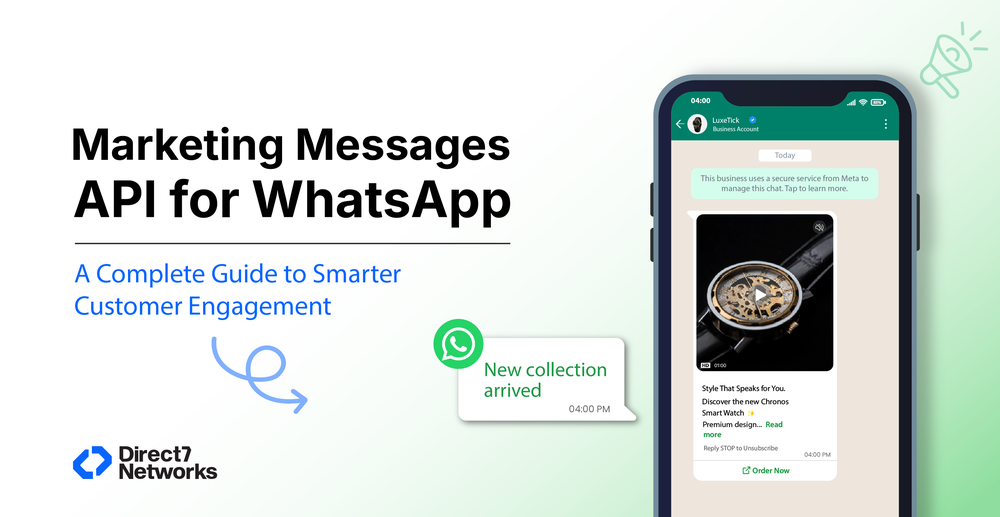
For example, an online retailer can showcase a new product collection with product images, while a travel agency can promote holiday packages using destination videos.
Time-to-Live (TTL)
Not every marketing message remains relevant indefinitely.
The Time-to-Live (TTL) feature allows businesses to define how long a marketing message should remain eligible for delivery.
If the message cannot be delivered before the specified TTL expires, it is discarded instead of reaching customers after the promotion has ended.
Examples of TTL Use Cases
- Flash sales ending in two hours
- Same-day event promotions
- Limited-time coupons
- Restaurant lunch offers
- Festival discounts
TTL helps prevent poor customer experiences caused by outdated promotional messages.
Campaign Insights
Marketing teams often spend significant time analyzing campaign performance.
The MM API simplifies this process by providing insights such as:
- Campaign performance benchmarks
- Comparative analysis
- Recommendations for improvement
Instead of manually interpreting raw delivery data, businesses receive guidance that helps optimize future campaigns.
Marketing Messages API vs WhatsApp Cloud API
| Feature | Marketing Messages API | Cloud API |
|---|---|---|
| Dedicated marketing endpoint | ✅ Yes | ❌ No |
| Automatic delivery optimization | ✅ Yes | ❌ No |
| Performance benchmarks | ✅ Yes | ❌ No |
| Tailored recommendations | ✅ Yes | ❌ No |
| Creative optimization | ✅ In testing | ❌ No |
| GIF support | ✅ Yes | Limited |
| Time-to-Live for campaigns | ✅ Yes | Standard messaging behavior |
| Technical schema | Similar | Standard |
| Billing model | Same | Same |
The MM API is purpose-built for marketing campaigns, while the Cloud API continues to support a broader range of messaging use cases, including authentication, utility, and service conversations
Business Use Cases
Retail
Retailers can announce new product launches, seasonal discounts, exclusive member offers, and limited-time promotions while benefiting from optimized delivery.
E-commerce
Online stores can promote flash sales, abandoned cart campaigns, product recommendations, and back-in-stock notifications using engaging media and interactive buttons.
Travel
Travel companies can promote holiday packages, airline deals, hotel offers, and seasonal travel campaigns with images, videos, and destination highlights.
Banking and Financial Services
Banks can promote savings accounts, investment products, insurance offers, and educational financial campaigns while maintaining customer trust.
Education
Educational institutions can market new courses, admissions, scholarships, online workshops, and alumni events through approved WhatsApp marketing campaigns.
Healthcare
Healthcare organizations can promote preventive health campaigns, wellness programs, vaccination drives, and health awareness initiatives while ensuring customer consent.
SaaS
Software companies can announce new product features, webinars, free trials, customer events, and subscription upgrades to targeted audiences.
Logistics
Logistics providers can promote premium shipping solutions, enterprise logistics services, and supply chain offerings to business customers.
Best Practices for Marketing Messages API Campaigns
The Marketing Messages API can help improve campaign performance, but success still depends on how businesses plan, target, and measure their campaigns. Following these best practices can help you create more relevant customer experiences while maintaining compliance with WhatsApp policies.
1. Collect Explicit Customer Opt-Ins
Before sending marketing messages, customers must explicitly agree to receive promotional communication on WhatsApp. Make the opt-in process clear and transparent by explaining what type of messages customers can expect and how often they may receive them.
Customers should also be able to withdraw their consent easily at any time.
2. Segment Your Audience
Avoid sending the same campaign to every customer. Instead, create audience segments based on factors such as:
- Purchase history
- Customer interests
- Geographic location
- Loyalty status
- Previous engagement
- Website behavior
- Shopping preferences
Relevant messages are more likely to receive positive engagement than broad, generic campaigns.
3. Personalize Your Messages
Use customer data responsibly to make messages more meaningful.
Examples include:
- Greeting customers by name
- Recommending products based on previous purchases
- Highlighting loyalty rewards
- Sharing location-specific promotions
- Offering renewal reminders
Personalization should enhance the customer experience without appearing intrusive.
4. Use Rich Media Wisely
Images, videos, GIFs, and interactive buttons can make marketing campaigns more engaging. However, media should support the message rather than distract from it.
For example:
- Showcase a new product with high-quality images.
- Use a short promotional video for a product launch.
- Include a "Shop Now" button to simplify the customer journey.
Keep file sizes reasonable to ensure smooth delivery.
5. Set an Appropriate Time-to-Live (TTL)
For time-sensitive campaigns, configure a suitable Time-to-Live value.
Examples include:
Campaign
Recommended TTL
Flash Sale
2–4 hours
Event Reminder
Until event starts
Weekend Promotion
48–72 hours
Daily Restaurant Offer
Same day
Festival Discount
Campaign duration
TTL helps prevent outdated promotions from reaching customers after they are no longer relevant.
6. Monitor Campaign Performance
Use the insights provided by the Marketing Messages API to evaluate:
- Delivery performance
- Read trends
- Campaign benchmarks
- Meta's optimization recommendations
Regular analysis helps identify what works and where improvements can be made.
Step-by-Step Implementation Guide
Implementing the Marketing Messages API is straightforward, especially for businesses already using the WhatsApp Business Platform.
Step 1: Verify Your Business
Complete Meta Business Verification if required and ensure your WhatsApp Business Account is active.
Step 2: Create Marketing Templates
Develop marketing message templates that comply with Meta's policies.
Examples include:
- Product launches
- Promotional offers
- Seasonal campaigns
- Loyalty rewards
- Event invitations
Step 3: Submit Templates for Approval
Templates must be approved before they can be used for marketing campaigns.
Review them carefully to minimize approval delays.
Step 4: Collect Customer Consent
Implement opt-in methods through:
- Website forms
- Mobile apps
- QR codes
- Customer support interactions
- Checkout pages
Step 5: Integrate the API
Route your marketing traffic through the /marketing_messages endpoint.
If you already use the Cloud API, this typically requires only minimal integration changes.
Step 6: Launch a Pilot Campaign
Start with a smaller audience to evaluate:
- Delivery performance
- Customer engagement
- Creative effectiveness
- Audience segmentation
Use the campaign insights to refine future campaigns before expanding.
Step 7: Optimize Continuously
Review Meta's recommendations after each campaign and make improvements to:
- Audience targeting
- Creative assets
- Messaging frequency
- Campaign timing
- Calls to action
Common Mistakes to Avoid
| Mistake | Why It Happens | Business Impact | How to Avoid |
|---|---|---|---|
| Sending messages without opt-in | Poor consent management | Policy violations and loss of customer trust | Collect explicit customer consent before sending marketing messages |
| Sending identical campaigns to everyone | Lack of audience segmentation | Lower engagement and higher opt-out rates | Segment customers based on behavior and preferences |
| Overloading customers with promotions | Excessive campaign frequency | Customer fatigue and reduced engagement | Maintain a balanced messaging schedule |
| Using outdated promotions | No TTL configured | Customers receive expired offers | Set an appropriate Time-to-Live for time-sensitive campaigns |
| Ignoring campaign insights | Limited performance analysis | Missed optimization opportunities | Review performance benchmarks and recommendations after each campaign |
| Poor message design | Too much text or unclear calls to action | Lower click-through and conversion rates | Keep messages concise and action-oriented |
Expert Tips
Businesses that consistently achieve strong results with WhatsApp marketing often follow these practical strategies:
- Start with high-value customer segments before expanding campaigns.
- Focus on one objective per message, such as promoting a sale or driving registrations.
- Pair compelling visuals with a clear call to action.
- Use customer behavior and purchase history to personalize campaigns.
- Test different templates and creative formats to identify what resonates with your audience.
- Schedule campaigns thoughtfully, considering customer time zones and business hours.
- Review campaign insights after every campaign to refine targeting and messaging.
Why Choose Direct7 Networks for WhatsApp Marketing?
Implementing the Marketing Messages API requires more than API access. Businesses also need reliable infrastructure, onboarding support, and scalable messaging capabilities.
Direct7 Networks provides:
Fast WhatsApp Business API Onboarding
Get started quickly with guided onboarding and technical assistance.
Unified Messaging Platform
Manage WhatsApp Business API,Marketing Messages API, SMS API Verify API and Number Lookup API from a single platform.
Global Messaging Infrastructure
Reach customers across multiple countries using D7's global messaging network while maintaining reliable delivery performance.
Developer-Friendly APIs
Developers can integrate quickly using:
- REST APIs
- SDKs
- Detailed documentation
- Sample code
Dedicated Customer Support
From onboarding to production deployment, D7 provides technical assistance throughout the implementation process.