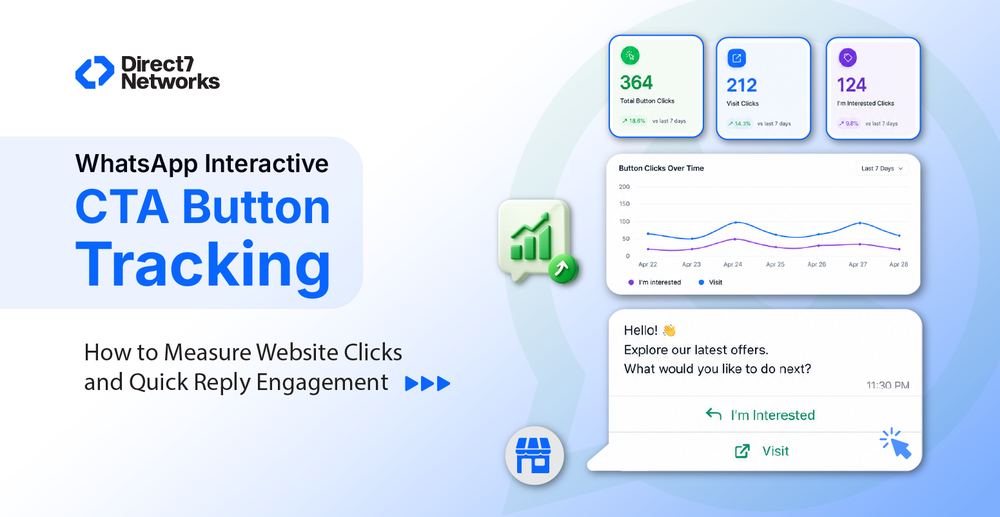

WhatsApp Interactive CTA Button Tracking: How to Measure Website Clicks and Quick Reply Engagement
Learn how to track engagement with WhatsApp CTAs and Quick Replies, improve campaign performance, and optimize customer interactions with D7 Networks.
Every WhatsApp campaign has one primary goal: encourage customers to take action. Whether it's visiting a product page, booking a demo, downloading an app, or responding to a survey, Interactive Call-to-Action (CTA) buttons make it easier for users to engage with your business. However, simply adding CTA buttons isn't enough, you also need to understand how customers interact with them.
WhatsApp Interactive CTA Button Tracking helps businesses measure engagement beyond message delivery and read receipts. By tracking website link clicks, quick reply interactions, and customer responses, organizations can identify high-intent users, optimize campaigns, and improve conversion rates.
In this guide, you'll learn how WhatsApp CTA button tracking works, the differences between Website CTA and Quick Reply buttons, what metrics you should monitor, implementation best practices, limitations, and how platforms like Direct7 Networks can help businesses gain actionable insights from their WhatsApp campaigns.
Why CTA Button Tracking Matters
Imagine launching a promotional campaign to thousands of customers. Your dashboard shows an excellent delivery and read rate, but you still don't know whether anyone actually engaged with your offer.
CTA button tracking fills this gap by helping businesses answer questions like:
- Which campaign generated the most website visits?
- Which CTA button received the highest engagement?
- Which customers are interested in a product or service?
- Which campaigns should be optimized?
- Which audience should receive follow-up messages?
Instead of relying only on message delivery metrics, businesses can measure meaningful customer actions.
What is WhatsApp Interactive CTA Button Tracking?
WhatsApp Interactive CTA Button Tracking is the process of measuring how users interact with buttons included in WhatsApp Business template messages.
Depending on the button type, businesses can track different engagement metrics, such as:
- Website button clicks
- Quick Reply selections
- Customer responses
- Campaign engagement
- Conversion intent
- Follow-up opportunities
Rather than relying only on delivery or read status, tracking helps businesses understand whether recipients took the intended action.
Types of WhatsApp Interactive Buttons
WhatsApp Business Platform supports different interactive button types, each serving a specific purpose.
| Button Type | Primary Purpose | User Action |
|---|---|---|
| Website CTA | Opens a webpage | Visit website |
| Call Button | Starts a phone call | Call business |
| Quick Reply Button | Sends a predefined response | Continue conversation |
Each button creates a different customer journey and requires different methods for measuring engagement.
How Website CTA Button Tracking Works
The tracking process is straightforward:
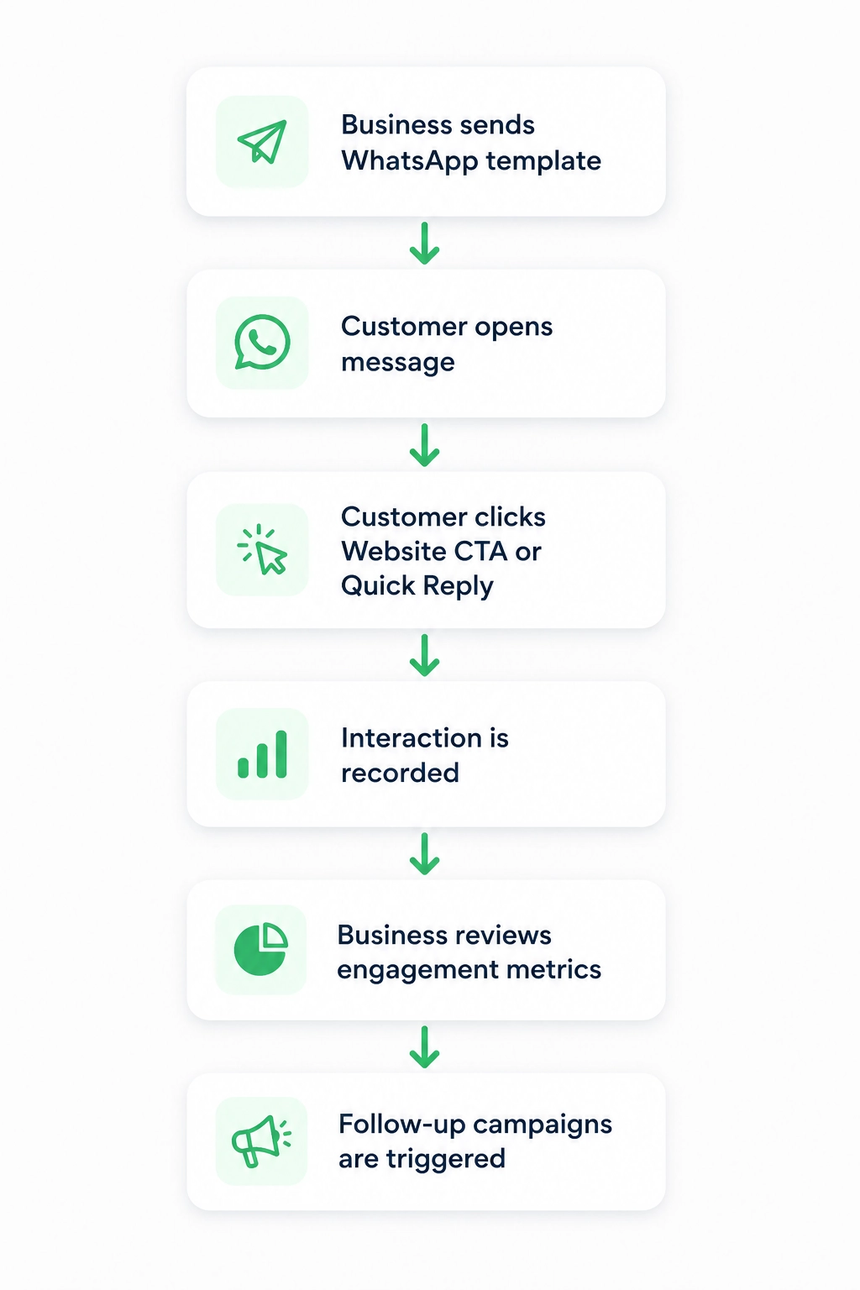
Some WhatsApp Business Solution Providers (BSPs) also provide enhanced analytics for URL CTA buttons, enabling businesses to identify users who clicked a link and build audience segments for future campaigns.
What Can Businesses Measure?
Tracking interactive buttons provides insights that go beyond basic messaging metrics.
Key performance indicators (KPIs) include:
| Metric | Why It Matters |
|---|---|
| Messages Delivered | Confirms successful delivery |
| Messages Read | Measures visibility |
| Website CTA Clicks | Indicates customer interest |
| Quick Reply Responses | Shows engagement |
| Click-Through Rate (CTR) | Evaluates CTA effectiveness |
| Response Rate | Measures conversation participation |
| Conversion Rate | Assesses business outcomes |
| Customer Engagement | Identifies high-intent users |
Monitoring these metrics helps businesses refine messaging, improve customer journeys, and maximize campaign performance.
Why Businesses Should Track CTA Button Performance
1. Identify High-Intent Customers
Not every recipient is ready to make a purchase. Customers who click a Website CTA or select a relevant Quick Reply button often demonstrate stronger buying intent than those who only read the message.
This allows sales teams to prioritize follow-ups with engaged prospects.
2. Improve Campaign Performance
Tracking reveals which messages, offers, or CTA button labels generate the highest engagement.
For example, comparing "Shop Now" with "View Collection" can help determine which call-to-action resonates better with your audience.
Small improvements in click-through rates can significantly increase overall campaign effectiveness.
3. Optimize Customer Journeys
Analyzing button interactions helps businesses identify where users drop off in the conversion process.
If many users click the CTA but fail to complete the next step, the issue may lie with the landing page rather than the WhatsApp message itself.
4. Personalize Follow-Up Campaigns
Customers who interact with specific buttons reveal their interests.
For example:
- Users clicking Pricing may be ready for a sales conversation.
- Users selecting Learn More may benefit from educational content.
- Users choosing Contact Support should receive immediate assistance.
Segmenting audiences based on button interactions enables more relevant and effective communication.
5. Measure Campaign ROI
CTA tracking connects messaging campaigns with business outcomes, allowing teams to evaluate the effectiveness of different promotions, customer journeys, and engagement strategies.
Instead of measuring success solely by delivery or read rates, businesses can focus on actions that contribute to revenue and customer growth.
Common Business Use Cases
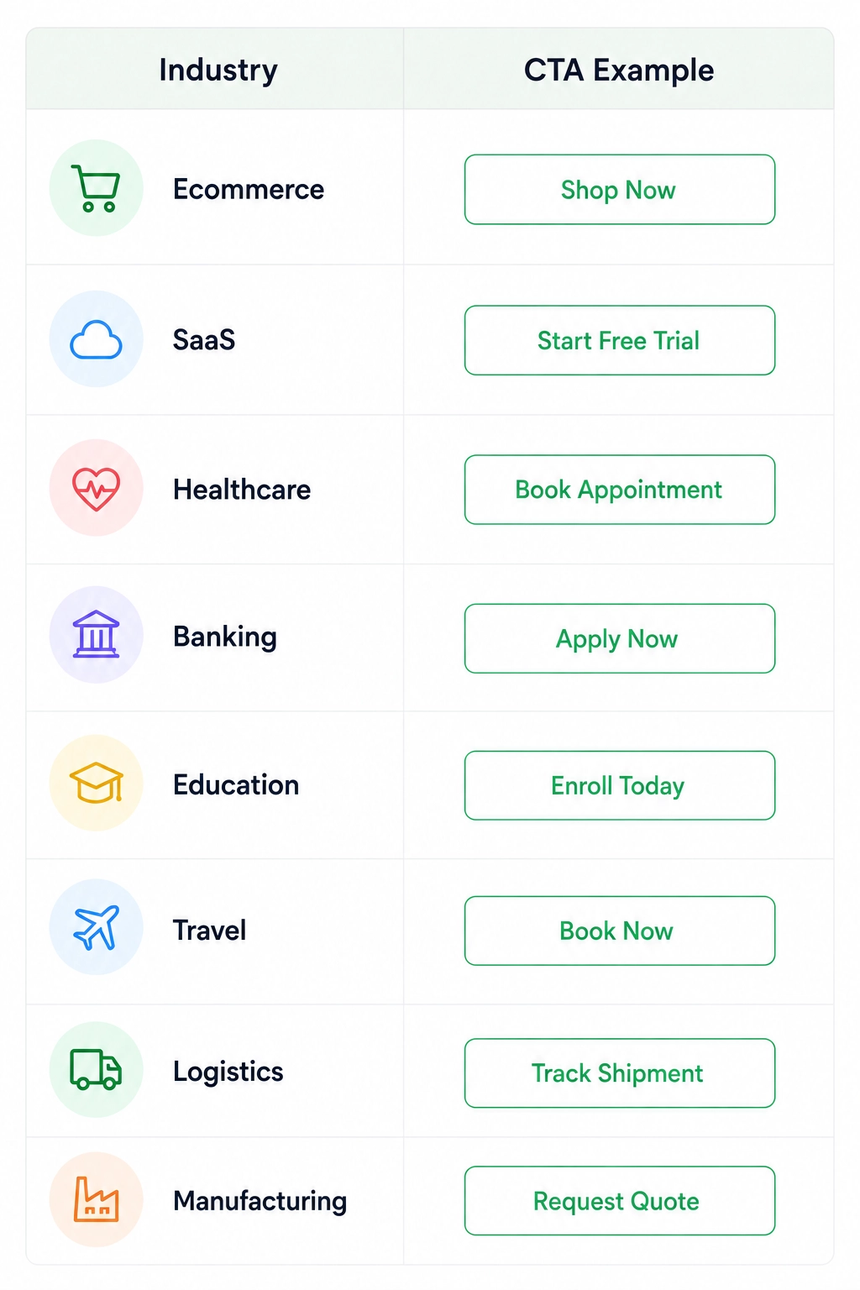
Interactive CTA buttons improve customer engagement across nearly every industry.

Best Practices for Higher CTA Engagement
Small improvements in message design can significantly impact performance.
Keep Messages Short
Customers scan WhatsApp messages quickly.
Aim for:
- One clear message
- One primary CTA
- Minimal distractions
Avoid overwhelming users with excessive information.
Use One Primary CTA
Every message should have a single objective.
Instead of asking customers to:
- Visit your website
- Call sales
- Download a brochure
- Join a webinar
focus on the most important action.
A single, well-defined CTA generally performs better than multiple competing actions.
Create a Sense of Urgency
Encourage timely action with phrases like:
- Limited Time Offer
- Offer Ends Tonight
- Register Before Friday
- Only 50 Seats Left
Use urgency responsibly, avoid misleading or exaggerated claims.
Personalize Your Messages
Customers are more likely to engage with content that feels relevant.
Personalization can include:
- Customer name
- Previous purchases
- Location
- Renewal reminders
- Membership status
For example:
Hi Sarah, your premium subscription expires in three days. Renew now to continue enjoying uninterrupted access.
Optimize the Landing Page
A compelling CTA loses value if the destination page creates friction.
Ensure your landing page:
- Loads quickly
- Is mobile-friendly
- Matches the WhatsApp message
- Has a clear next step
- Minimizes unnecessary form fields
Consistency between the message and landing page improves the overall customer experience.
Common Mistakes to Avoid
Many businesses focus solely on message delivery while overlooking the quality of customer interactions.
Using Generic CTA Labels
Buttons like "Click Here" provide little context.
Clearer alternatives include:
- View Products
- Book Consultation
- Download Catalog
- Start Trial
Specific CTAs set better expectations and often drive higher engagement.
Sending Every Customer the Same Message
A one-size-fits-all approach rarely delivers the best results. Instead, tailor messages based on customer behavior and interests. Segmentation creates more relevant conversations and improves campaign performance.
Ignoring Customer Responses
Quick Reply buttons often reveal customer intent.
For example:
- Interested
- Not Interested
- Contact Sales
These responses should trigger appropriate follow-up actions rather than being left unanswered.
Tracking Only Delivery Rates
High delivery rates don't necessarily indicate campaign success.
Evaluate metrics such as:
- CTA engagement
- Customer responses
- Lead generation
- Conversion rates
These provide a more complete picture of campaign effectiveness.
Overusing Promotional Messages
Customers appreciate value-driven communication.
Balance promotional campaigns with:
- Educational content
- Helpful updates
- Service notifications
- Product tips
- Customer support
This helps maintain engagement and reduces message fatigue.
Troubleshooting Low CTA Performance
If customers aren't interacting with your CTA buttons, consider the following checklist:
| Issue | Possible Cause | Recommendation |
|---|---|---|
| Low click rate | Weak CTA | Use more action-oriented button text |
| Low read rate | Poor timing | Send messages during peak engagement hours |
| High reads but few clicks | Unclear value proposition | Improve message copy and offer |
| Quick Replies rarely used | Too many choices | Limit options to the most relevant responses |
| High clicks but low conversions | Landing page friction | Simplify forms and improve page experience |
Regular testing and optimization help identify what resonates with your audience.
Platform Considerations and Limitations
It's important to understand that WhatsApp Business Platform and BSPs may offer different levels of analytics.
Some capabilities, such as message delivery and read receipts, are available through the platform itself. Other features, such as detailed URL click tracking, user-level engagement reporting, audience segmentation based on clicks, or campaign analytics dashboards may be provided by your chosen BSP or CPaaS platform.
For example, some providers offer enhanced click tracking for URL CTA buttons, allowing businesses to see which recipients clicked a link and use that information for follow-up campaigns. These features are platform-specific and are not part of the native WhatsApp Business Platform.
Before selecting a provider, evaluate:
- Available analytics and reporting
- Dashboard capabilities
- Webhook support
- Campaign management tools
- CRM integration options
- Audience segmentation features
- Scalability and support
Choosing a platform that aligns with your reporting needs can simplify campaign optimization.
How D7 Networks Helps Businesses Optimize WhatsApp Campaigns
D7 Networks provides businesses with a robust WhatsApp Business API platform designed to simplify customer communication and campaign management.
With D7 Networks, businesses can:
- Create and send interactive WhatsApp template messages
- Use Website CTA and Quick Reply buttons to drive customer engagement
- Manage approved message templates
- Automate customer communication
- Integrate WhatsApp messaging with existing business systems
- Scale campaigns for global audiences
- Monitor message delivery and engagement through reporting tools
- Build personalized customer journeys using API integrations
Whether you're running marketing campaigns, sending appointment reminders, or providing customer support, D7 Networks helps businesses deliver interactive messaging experiences at scale.
Future Trends in WhatsApp CTA Analytics
As conversational commerce continues to grow, businesses are placing greater emphasis on understanding customer interactions within messaging channels.
Emerging trends include:
- Richer campaign analytics dashboards
- Improved audience segmentation
- More personalized customer journeys
- Better integration with CRM and marketing automation platforms
- Enhanced reporting through APIs and webhooks
- Deeper insights into customer engagement and conversion paths
Organizations that combine interactive messaging with data-driven optimization will be better positioned to improve customer experiences and campaign outcomes.